
Question:
Unable to delete files from Revit Server. The options in the Revit Server Administrator menu appear grayed out.
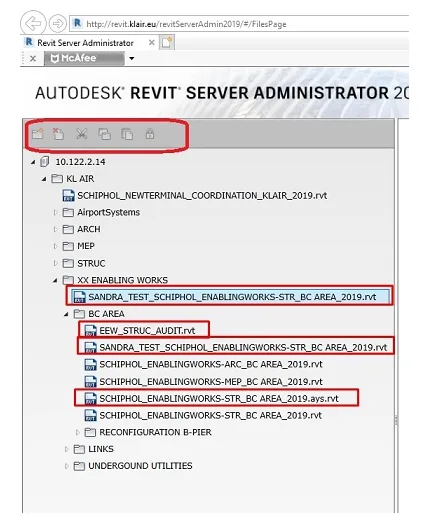
Reason:
The issue is caused by a damaged model file.
Solution:
Check the AdminRESTService.log file on the Revit Server. If you encounter an exception such as FileNotFoundException: unable to find stream file, locate and delete the entire corrupted project folder directly from the Revit Server’s hard drive.

xuebim
Follow the latest BIM developments in the architecture industry, explore innovative building technologies, and discover cutting-edge industry insights.
← Scan with WeChat















Must log in before commenting!
Sign Up