
Question:
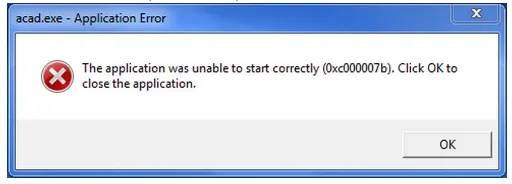
When attempting to run or install Autodesk products, you might encounter the following error message:
Acad.exe – Application Error
The application cannot start correctly (0xc000007b). Please click “OK” to close the application.
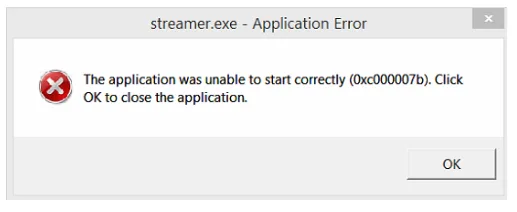
Another similar error may appear as:
Streamer.exe – Application Error
The application cannot start correctly (0xc000007b). Please click “OK” to close the application.
Cause:
The installation of the Autodesk software is corrupted or damaged.
Solution:
To resolve this issue, please follow these steps:
- Uninstall the Autodesk software via Control Panel > Programs and Features.
- Use the Microsoft FixIt utility to remove any remaining Autodesk components. For detailed instructions, see Uninstalling using the Microsoft Installation Troubleshooter.
- Uninstall and then reinstall the Microsoft Visual C++ runtime libraries. Guidance can be found in How to remove and reinstall the Microsoft Visual C++ runtime library.
- Check for and install all available Windows system updates.
- Reinstall Autodesk products. It is recommended to download the installation files using a web browser following the recommended installation workflow.

xuebim
Follow the latest BIM developments in the architecture industry, explore innovative building technologies, and discover cutting-edge industry insights.
← Scan with WeChat















Must log in before commenting!
Sign Up