
Question:
When upgrading a local Revit model between versions, the process fails and an error occurs.
Error Message:
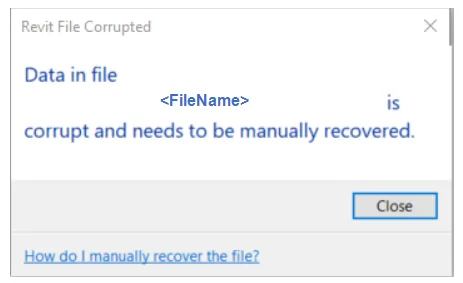
The Revit file is damaged.
The data in the file
Cause:
Conflicts caused by additional modules.
Solution:
Identify problematic add-on modules by following these steps:
- Close Revit.
- Temporarily disable all add-on modules by moving them to a different folder.
- Restart Revit and check if the issue still occurs.
- If no problems arise, close Revit again and enable each add-on module one at a time, restarting Revit after each activation.
- Repeat this process until the problematic add-on module is identified.
- Contact the developer of the faulty add-on module for further assistance.

xuebim
Follow the latest BIM developments in the architecture industry, explore innovative building technologies, and discover cutting-edge industry insights.
← Scan with WeChat















Must log in before commenting!
Sign Up