
Question:
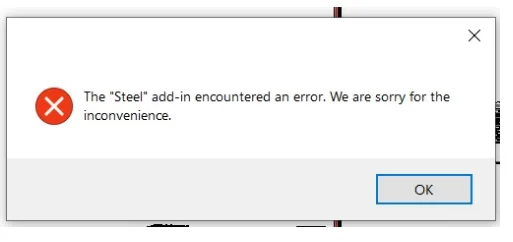
When opening the model of a strip steel structure connection in Revit, errors occur and the program crashes with the following message:
“The ‘steel’ add-on module encountered an error. Sorry for any inconvenience caused.”
Environment:
• Microsoft SQL LocalDB
• Microsoft Access Database Engine
Cause:
The error is caused by the absence of one of the following drivers:
• Microsoft SQL LocalDB driver (required for MDF databases, versions after 2018)
• Microsoft Access Database Engine driver (required for MDB databases, 2017 version)
Solution:
To resolve this issue, please follow these steps:
- Disable the additional modules and test again.
- Verify that the corresponding SQL Server is installed properly.
- Check the installation of SQLServerLocalDB when using AdvanceSteel products.
If the error persists, install the appropriate driver from the Microsoft Download Center to enable database loading.
Note: Revit supports 64-bit drivers for SQLLocalDB. If the workstation has a 32-bit version of Microsoft Office installed, the 64-bit drivers must be installed silently to avoid conflicts.
















Must log in before commenting!
Sign Up