
Question:
After successfully installing an Autodesk product, the following error appears when launching the program:
The License Manager is not functioning or installed correctly. AutoCAD will now close.
License Error: “License Manager is not functioning properly or not installed correctly. AutoCADLT will immediately shut down.”
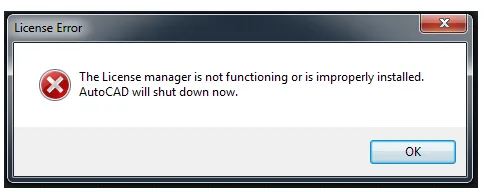
The License Manager is either malfunctioning or incorrectly installed.
Environment:
Windows system with LogMeIn installed.
Cause:
Third-party applications can block the “Let’s Start” screen from appearing. This issue is commonly seen when LogMeIn display adapters are installed or when RoboForm editors are running in the Windows system tray.
Solution:
Disable the LogMeIn display adapter:
- Press Windows + X to open the menu, then select Device Manager.
- Expand the Display Adapters section by double-clicking it.
- If you see any adapter related to LogMeIn, right-click it and select Disable.
End LogMeIn related tasks:
- Press Windows + X and select Task Manager.
- In the Processes tab, look for any tasks related to LogMeIn (there may be multiple).
- Right-click each LogMeIn task and select End Task.
Right-click the RoboForm editor icon in the Windows system tray and choose Exit.
After disabling these components, launch the Autodesk product and activate it. Once activation is complete, restart your computer to re-enable the third-party applications. This should allow both Autodesk products and third-party apps to operate without issues.
Clean uninstall and reinstall:
If the above steps do not resolve the issue, try repairing the Autodesk software first. If the problem persists, perform a clean uninstall and then reinstall the application.
















Must log in before commenting!
Sign Up