
Revit and Dynamo can be programmed to develop smarter and more adaptable models, which are widely used in building information modeling (BIM). The construction industry increasingly favors visual programming tools like Dynamo because they do not require learning traditional programming languages, yet offer powerful and flexible capabilities. For more advanced flexibility, programming languages such as Python are often used.
Dynamo operates as an external tool to Revit. The elements used to interact with users are called “nodes.” Each node contains multiple ‘ports,’ enabling serial connections between nodes through connectors. Ports can only connect to compatible output or input ports. Nodes in Dynamo are mainly divided into five parts:
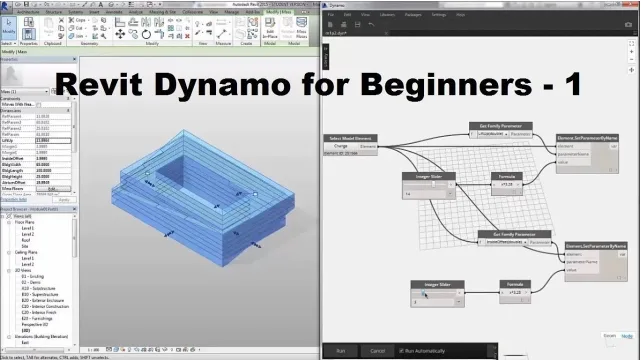
1. The node’s name.
2. The main subject area, displaying all node-level options.
3. Ports for connecting input and output lines.
4. Data preview, showing the primary results generated by the node.
5. An icon indicating the selected option from a matching list.
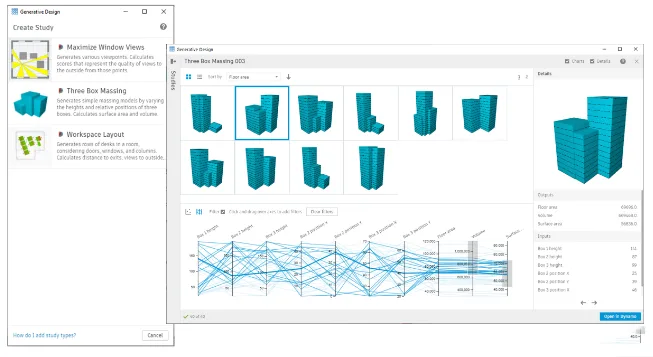
Users can create Dynamo nodes via the API to extend Revit’s parametric modeling capabilities by building relationships that did not previously exist. In Revit, parameter objects—known as “families”—are categorized into instance parameters and type parameters. These parameters can be imported into composite components and conceptual quantities.
Dynamo nodes are classified as transactional or non-transactional relative to Revit. Transactional nodes generate linked databases during execution and communicate directly with Revit’s database. Non-transactional nodes operate more independently, focusing on data processing with less connection to Revit parameters. A key feature of Dynamo is the ability to create custom nodes, which allow users to program new functionalities by combining existing nodes.
Dynamo is increasingly integrated into construction projects to simplify repetitive tasks and facilitate interactive reviews. It enables tasks that were previously difficult or impossible, enhances project integration and speed, and improves adjustability. As a visual programming language, Dynamo allows users to create programs through graphical interfaces, and with some programming logic knowledge, it supports designing process calculations and automating models.
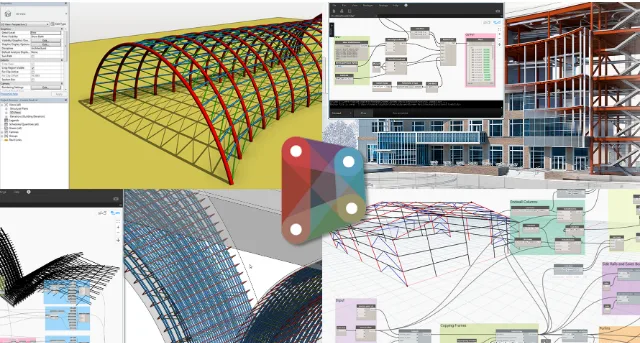
Dynamo and Revit form a building platform similar to Grasshopper and CAD (Rhino). While Dynamo can handle pure geometric shapes like traditional CAD software, it also focuses on manipulating building components and systems. Although Revit can create walls and roofs through stretch operations like CAD, it is more effective to use positioning lines and sketch modes to create these components. This approach establishes relationships between elements, making them part of an integrated building system.
Dynamo and Grasshopper are software products serving similar purposes. They allow users to create and modify abstract systems intuitively without writing API code, simplifying complex design and modeling workflows.
















Must log in before commenting!
Sign Up