
Question:
AutoCAD crashes with a fatal error when performing common tasks such as:
- Closing a drawing.
- Closing multiple drawings.
- Switching from other software to AutoCAD.
- Editing a text box.
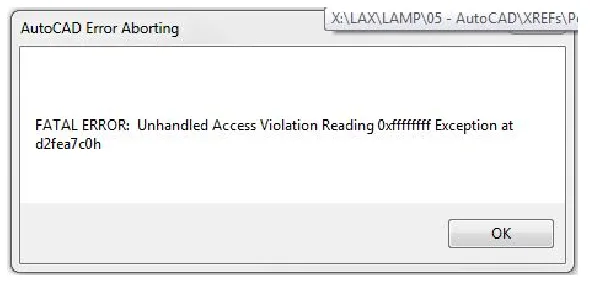
The crash produces an error message similar to the following, followed by a Crash Error Report (CER) window:
AutoCAD Error Aborted
Fatal error: Unprocessed illegal access read exception 0xffffff occurred in D2fea7c0h
Possible environment factors:
- Multiple graphics cards installed.
Causes:
- AutoCAD is not configured to use the dedicated graphics card.
- Block objects within the drawing are corrupted.
- The drawing file itself is damaged.
- The computer name contains non-English characters.
Solutions:
To resolve this issue, try one or more of the following steps:
- Configure your system to ensure AutoCAD uses the high-performance graphics card. For detailed instructions, see: How to configure Autodesk software to use high-performance graphics cards.
- Use external references (Xrefs) whenever possible instead of copying and pasting blocks directly into your drawings.
- Externally reference all blocks and unload them when they are not needed to reduce file corruption risks.
- Repair corrupted drawing files. Refer to: How to repair damaged AutoCAD files.
- Rename your computer using English characters only, or disable the Beta version option “Use Unicode UTF-8 to provide global language support.” See: Fatal error when saving, exporting, or using eTransmit in AutoCAD.

xuebim
Follow the latest BIM developments in the architecture industry, explore innovative building technologies, and discover cutting-edge industry insights.
← Scan with WeChat















Must log in before commenting!
Sign Up