
Displaying Household Hot and Cold Water and Sanitary Equipment Pipelines on a Flat Surface in Revit MEP
Issue 094, by Hu Lin
Question: In Revit MEP, household hot and cold water pipelines, as well as sanitary equipment pipelines, are visible in the 3D view. How can these pipelines be displayed properly on the floor plan?
When working with pipeline drawings, detailed system segmentation is necessary. For example, when drawing the circulating supply and return water pipelines, the plan view displays them correctly. However, when dealing with cold and hot water or sanitary equipment pipelines, an error dialog often appears:
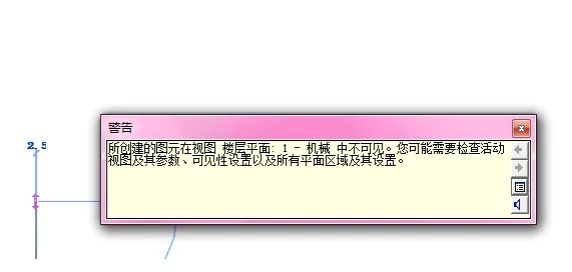
The issue stems from visibility settings: all model category visibility options appear disabled for these systems. This happens because Revit requires household hot and cold water and sanitary equipment systems to be invisible by default in plan views.
To display these pipelines, you need to enable specific filters. Open the Visibility/Graphics settings and check the appropriate filters, as shown below:
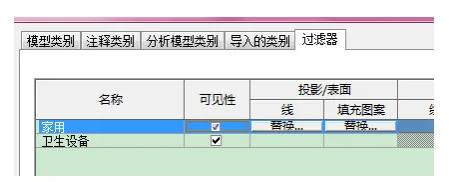
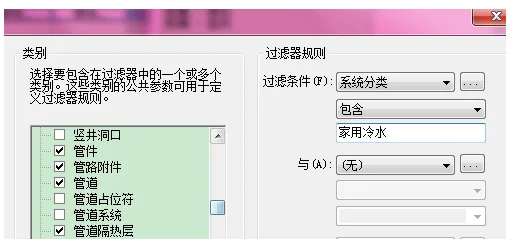
If you do not see these filter options listed, you can create a new filter by following the example below:
















Must log in before commenting!
Sign Up