
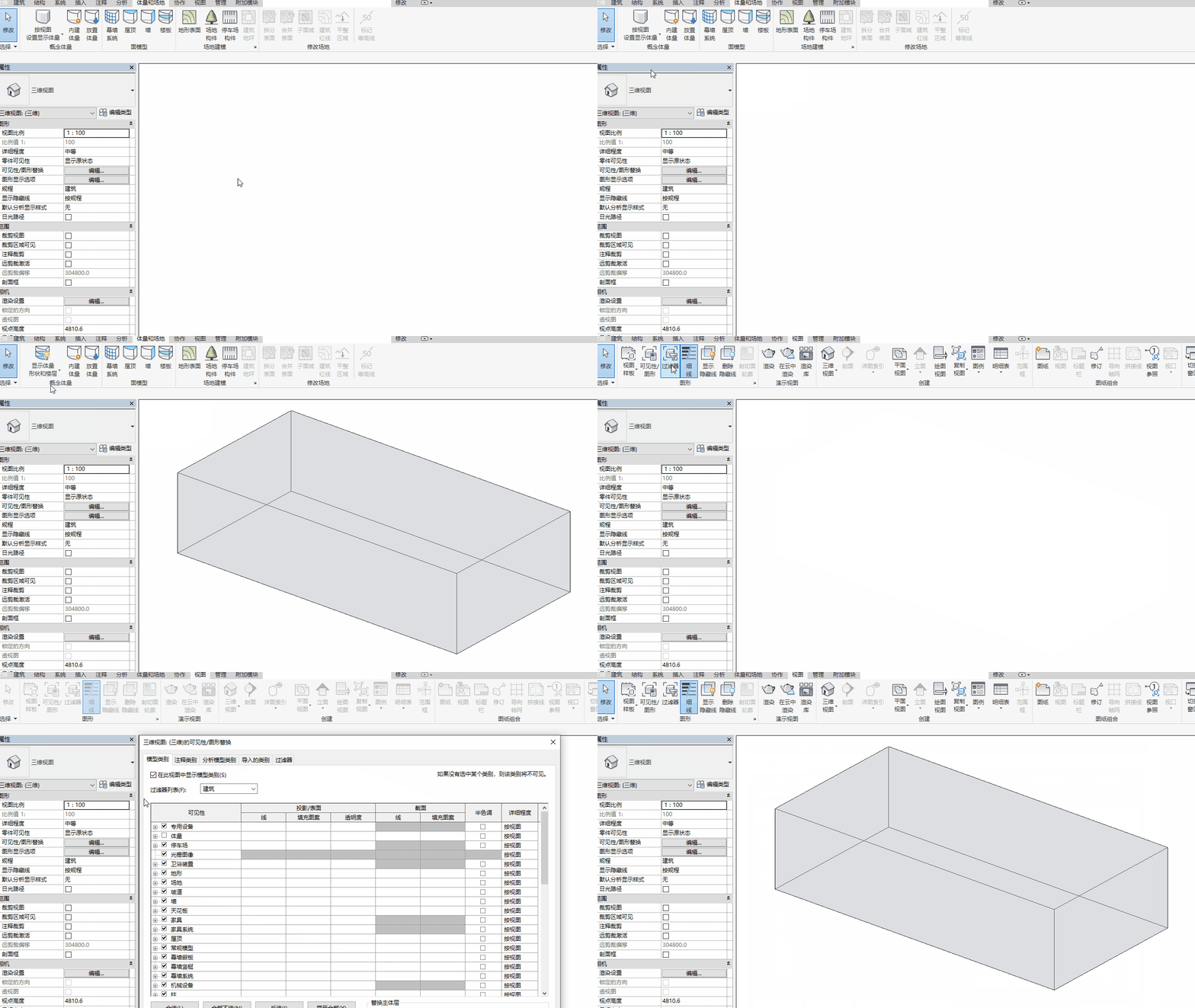
If you have opened a view containing volumes but cannot see them, the issue might be due to the “Display Mass Shape and Floor” feature being disabled or the view being zoomed in too closely to the mass.
To resolve this, try the following steps:
- Go to the Mass and Site tab, then find the Conceptual Mass panel and click Show Mass Shapes and Floors.
- Use the ZF shortcut to adjust the scale to fit the view.
- Open the Visibility/Graphics dialog by typing VG. Under the Model Categories tab, expand Mass and ensure both Mass and Mass Floor are checked. Click OK to apply.

xuebim
Follow the latest BIM developments in the architecture industry, explore innovative building technologies, and discover cutting-edge industry insights.
← Scan with WeChat















Must log in before commenting!
Sign Up