
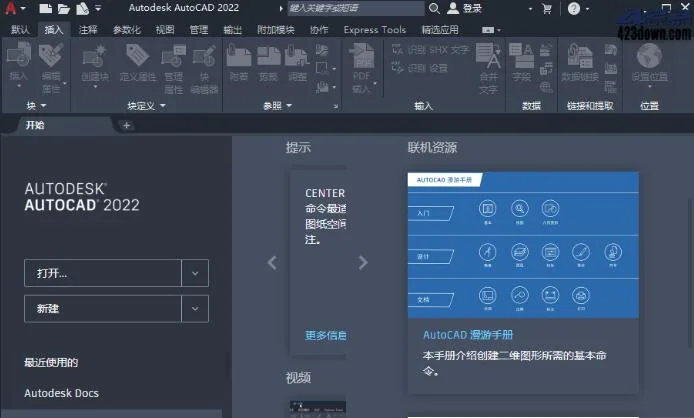
AutoCAD 2022 is a powerful 3D drawing software primarily designed for 2D drafting, detailed drawings, design documentation, and basic 3D modeling. It is widely adopted across various industries, including mechanical design, industrial drafting, civil engineering, construction, interior design, and garment manufacturing.
This software offers comprehensive features that help users quickly bring their projects to life. With AutoCAD 2022’s rich capabilities, you can accelerate workflows by creating, visualizing, documenting, and sharing your concepts—from initial sketches to fully detailed designs.
AutoCAD 2022 supports importing multiple file formats such as SolidWorks, Pro/ENGINEER, CATIA, Rhino, and NX. Engineering changes automatically update drawing views, edges, and positions in real time.
The software includes an extensive toolset with enhanced automation features. This includes industry-specific toolsets, improved cross-platform connectivity with other Autodesk products, and new automated tools like counting.
The Architecture toolset provides over 8,500 intelligent objects and styles to speed up architectural design and drafting. The Mechanical toolset offers more than 700,000 intelligent parts and features, enabling users to complete projects more efficiently.
Additional specialized toolsets include GIS and 3D map production, integrating geographic information systems with CAD data. The MEP (Mechanical, Electrical, and Plumbing) toolset supports building system design and documentation, while Electrical design tools facilitate efficient creation and modification of control systems. Factory design tools help create and edit P&ID diagrams and 3D models, including extracting pipeline orthogonal and isometric drawings. The Raster Design tool allows editing of scanned graphics and converting raster images into DWG objects.
Installation Instructions
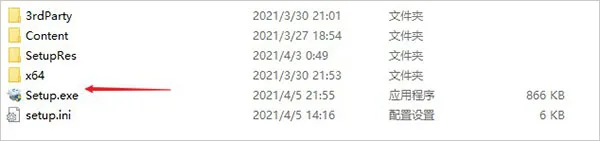
- Download and unzip the direct installation, unregistered version of AutoCAD 2022 from this website. The software includes a built-in crack and requires no additional activation.
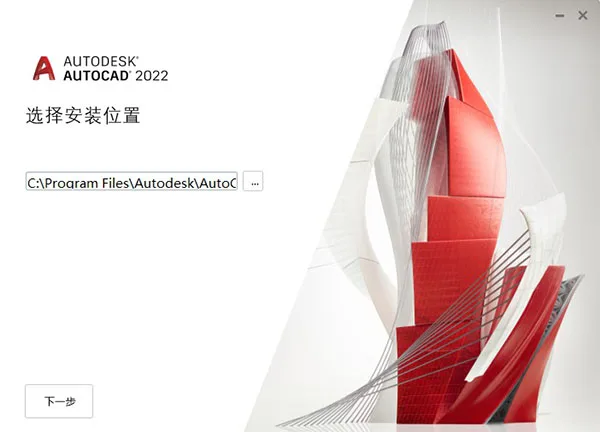
- Double-click Setup.exe and set the installation directory to
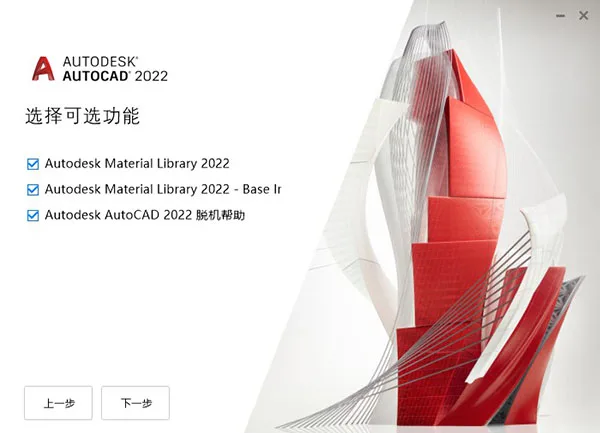
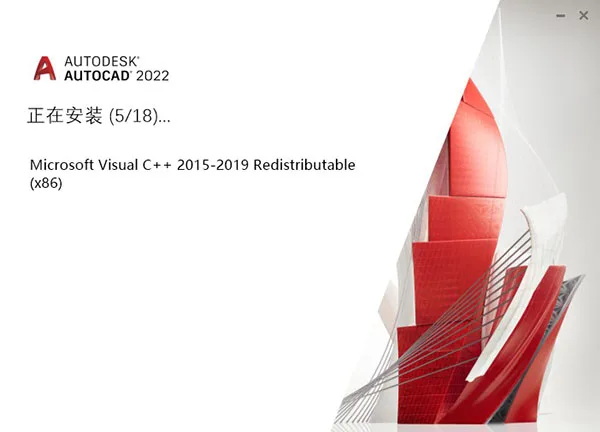
C:Program FilesAutodeskAutoCAD 2022. - If you encounter errors during initial installation, don’t worry. Close the installer, then double-click reproduce.exe. Select the optional features and click “Next.”
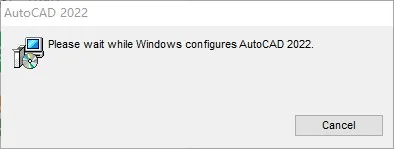
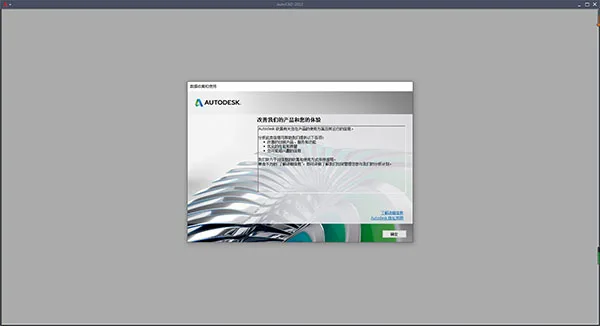
- Wait patiently as the installer prepares the environment and configures the necessary components during the first launch.
- Once installation is complete, click to exit the installer.
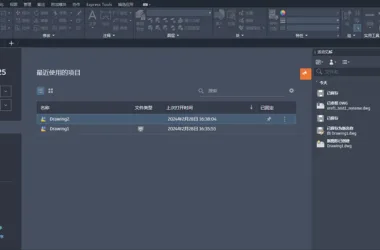
- Open the software to confirm it is fully activated and all features are unlocked.
- This completes the installation tutorial for the direct installation, unregistered version of AutoCAD 2022. It has been tested and confirmed effective. We hope this guide helps you.

Product key: 001N1
Software Features
1. New Dark Theme
AutoCAD 2022 and all dedicated toolsets feature a refreshed dark theme with a modern deep blue interface that is easy on the eyes. Enhanced contrast and clearer icons improve the overall user experience.
2. Quick Measure
The Quick Measure tool instantly displays distances, angles, and sizes in 2D drawings by simply hovering your mouse over objects, streamlining measurement tasks.
3. Block Palette
Insert blocks more easily using the new Block palette, which offers visual libraries and filtering options. Drag and drop blocks from tabs such as “Current Drawing,” “Recent,” or “Other Drawings.” The palette also highlights recently used blocks and supports inserting duplicates quickly.
4. Redesigned Purge
The Purge feature has been revamped for easier cleanup. You can now select and delete multiple unnecessary objects at once with a visual preview. The tool also explains why certain items cannot be purged.
5. DWG Compare in One Window
Based on user feedback, the DWG Compare feature now allows comparing drawing revisions within the same window, eliminating the need to switch between views.
System Requirements:
Note: Since AutoCAD 2020, only 64-bit versions are supported; 32-bit versions are no longer available.
- AutoCAD 2019–2022 supports 64-bit Windows 7 (SP1) and Windows 10 version 1803 or later.
- Versions 2015–2019 support Windows 7 or later.
- Versions 2004–2014 support Windows XP or higher.
New Features in AutoCAD 2022:
- Tracking: Collaborate securely by tracking changes in AutoCAD Web and mobile apps without altering original drawings. This virtual overlay simplifies adding feedback.
- Counting: Automatically count object instances and insert tables with count data directly into your drawing.
- Floating Graphic Window: Detach drawing tabs to create floating windows for side-by-side or multi-display workflows.
- Sharing: Share links to current drawings for viewing or editing in AutoCAD web applications, including all external references and images.
- Push to Autodesk Docs: Upload AutoCAD drawings as PDFs to specific Autodesk Docs projects, enabling on-site digital PDF access.
- Redesigned Start Tab: Provides a consistent welcome experience across Autodesk products.
- 3D Graphics Preview: A new cross-platform 3D graphics system preview leverages modern GPUs and multi-core CPUs for smoother navigation of large models.
- Installer: Faster and more reliable installation and deployment process.
- Performance Enhancements: Improved backend publishing and pattern fill boundary detection fully utilize multi-core processors.
- Graphics Improvements: Microsoft DirectX 12 support now enhances both 2D and 3D visual styles.
Common Shortcut Keys in AutoCAD
- L + Space: Draw a line
- C + Space: Draw a circle
- A + Space: Draw an arc
- REC + Space: Draw a rectangle
- PO + Space: Place a point
- DT: Create single-line text
- MT: Create multiline text
- H: Create a hatch (fill)
- EX + Space: Extend line segments
- F + Space: Fillet (round) corners
- TR + Space: Trim excess lines
- ED + Space: Edit text
- M + Space: Move objects
- RO + Space: Rotate objects
- O + Space: Offset objects
- MI + Space: Mirror objects
- CO + Space: Copy objects
- Z + Space: Zoom in/view details
- Z + Space + Space: Real-time zoom magnifier
- P + Space: Pan view
- Z + Space + P + Space: Return to previous view
- Z + Space + A + Space: Zoom all (show entire drawing)
- CTRL + P: Print
- CTRL + C: Copy
- CTRL + V: Paste
- CTRL + X: Cut
- CTRL + N: New file
- F1: Open Help
- F8: Toggle Ortho mode
- F3: Toggle Object Snap
- DLI + Space: Line annotation
- ST + Space: Change text style
- RE + Space: Regenerate drawing
- OS + Space: Toggle object snap mode
- ENTER: Repeat previous command
- ESC: Cancel current command
- AA: Calculate area
Additional New Features
- Tracking: View and add feedback safely on DWG files without modifying the originals.
- Counting: Automatically count blocks or geometric objects using the COUNT command.
- Sharing: Send controlled copies of drawings for remote access by team members.
- Push to Autodesk Docs: Upload CAD drawings as PDFs directly to Autodesk Docs.
- Floating Window: Detach graphic windows to work side-by-side or across multiple monitors within the same application instance.
- Performance Enhancements: Faster drawing and 3D graphics performance.
- Graphic History: Compare previous and current drawing versions to track project progress.
- External Reference Comparison: Compare DWG files including external references (Xrefs).
- Block Palette: Access block content from both web and desktop applications.
- Quick Measurement: Hover over objects to instantly display measurement values near your cursor.
System Requirements
Operating System: Microsoft Windows 10 (64-bit only), version 1803 or later
Processor: Minimum 2.5–2.9 GHz; recommended 3+ GHz; supports multiple processors
RAM: Minimum 8 GB; recommended 16 GB
Display Resolution: Standard 1920 x 1080 with true color; supports up to 3840 x 2160 (4K) on Windows 10 64-bit with a capable graphics card
Disk Space: 6.0 GB













There is no automatic cracking after installation, is there a registration machine?