
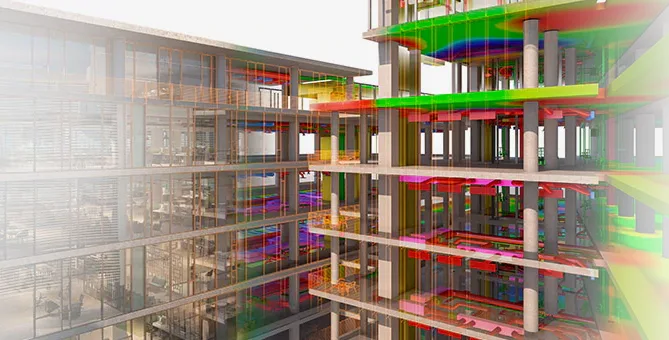
Revit 2021, also known as “Autodesk Revit 2021,” is a 3D design software developed by Autodesk. It offers excellent modeling capabilities, user-friendly features, and practical tools. The latest 2021 version provides significant improvements that greatly benefit users. You are welcome to download it from this website!
Changelog
New Software Features
- Material and Appearance Enhancements
This update optimizes the material system’s visual appearance, making it more realistic and visually appealing. - PDF Drawing Import Support
You can now directly import PDF drawings into Revit, with the ability to capture and pick drawing lines. This feature is highly practical and useful. - Editable SketchUp Model Import
This update allows importing SketchUp models with the added benefit of editing and modifying the imported models. This feature is a great advantage for SketchUp enthusiasts and is especially helpful during the early stages of project design. - 3D Staircase Reinforcement Display
Supports 3D visualization of staircase reinforcement with real-time editing and modification. This user-friendly feature eliminates confusing line reinforcements, making the process clearer and easier. - Real-Time Optimal Path Calculation
This powerful tool calculates the shortest path between two points automatically and generates a detailed path report. It is ideal for evacuation route simulations, optimal pipeline layouts, and more. Autodesk continues to enhance BIM applications with such direct tools.
Installation Instructions
- The software is compatible only with 64-bit operating systems.
- Enter the following serial number during installation:
Serial Number: 666-6696969
Key: 829M1
Revit 2021 introduces many new features for creating, optimizing, and connecting models. Let’s explore them together.
1. Diagonal Wall Function
Previously, creating sloped walls required generating masses. Now, Revit 2021 includes a dedicated inclined wall function that adds instance properties to walls:
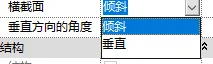
Usage: Create a wall → Change the ‘Cross Section’ property to ‘Tilt’ → Enter an angle between -90° and +90° (0° is vertical).
2. Load Autodesk Family
Previously, families had to be loaded locally via the ‘Load Families’ section. In the 2021 version, under the “Insert” tab, you can access the entire family library directly from the cloud without browsing local files.

3. Linking and Managing PDF and Raster Images
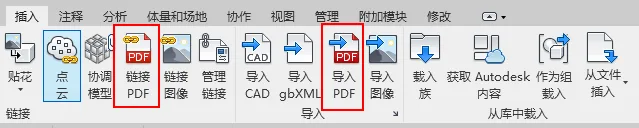
A new function under the ‘Insert’ tab allows linking PDF drawings directly:
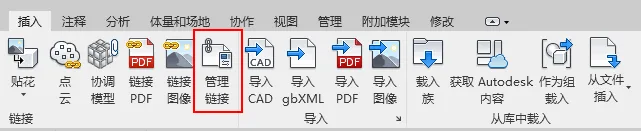
You can also manage PDF links through the ‘Manage Links’ dialog, where you select the PDF file path and adjust its resolution:
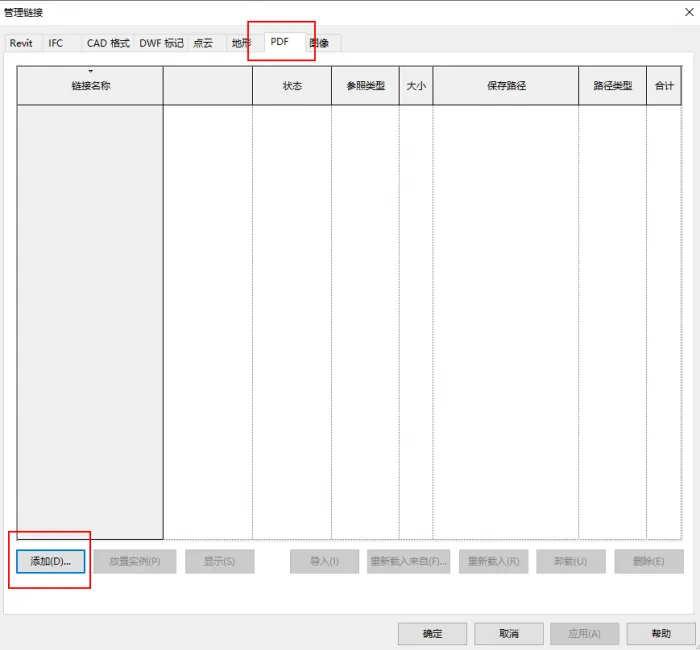
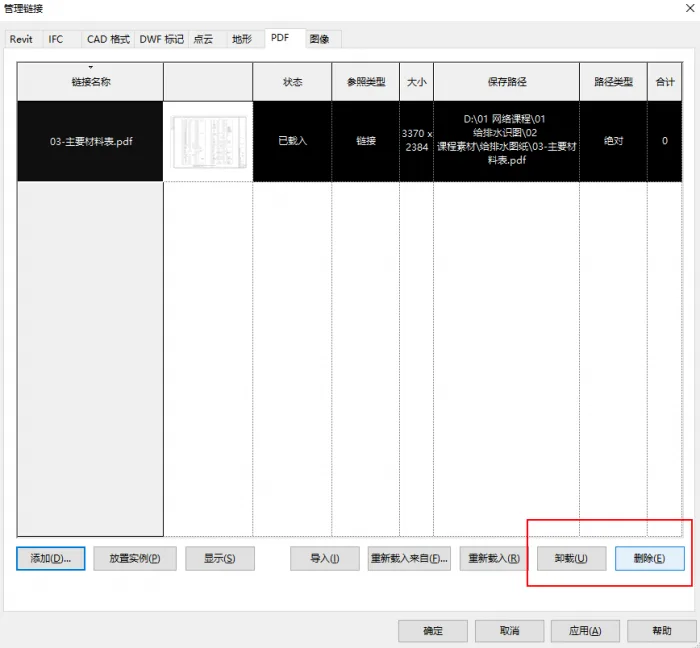
If the PDF or raster images are no longer needed, you can uninstall and remove them easily:
4. Modify Layout and Format of Detailed Schedules
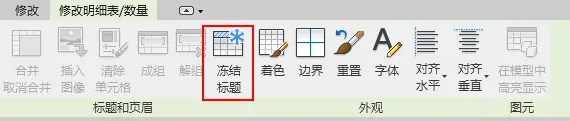
When dealing with long schedules, scrolling can make headers disappear. Revit 2021 introduces a ‘Freeze Titles’ feature to keep headers visible during scrolling:
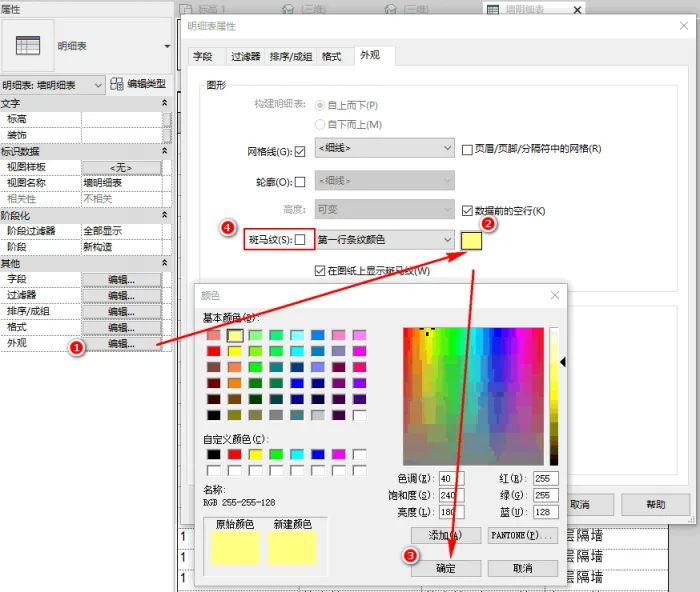
Additionally, zebra striping can be enabled for schedules. You can customize the zebra stripe colors or toggle the zebra stripes on and off. The steps are as follows:
5. View Filters Enabled in Views
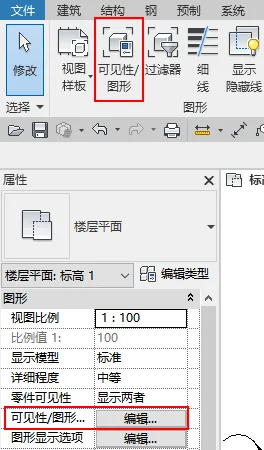
Within the View Visibility settings (shortcut: VV), you can now add and enable filters more flexibly:
Add filters easily, for example, to display only concrete walls:
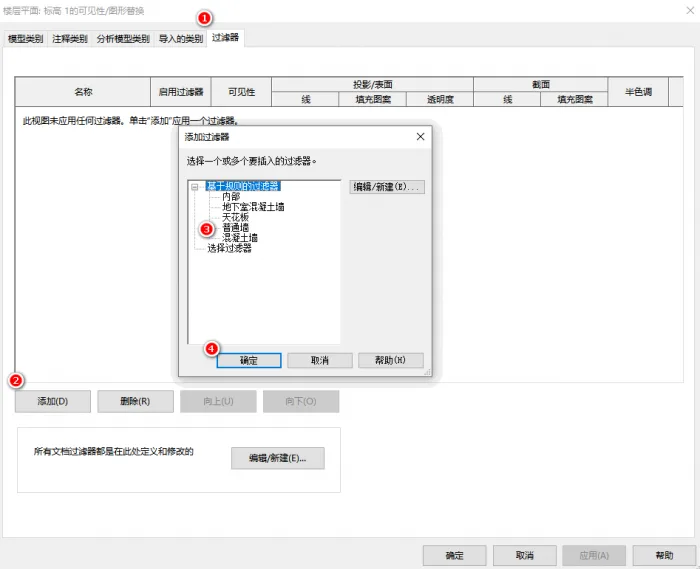
Revit 2021 adds the ability to toggle filters on or off within views:

6. Infrastructure List Added
The filter list in ‘Visibility/Graphics Overrides’ now includes an ‘Infrastructure’ category:
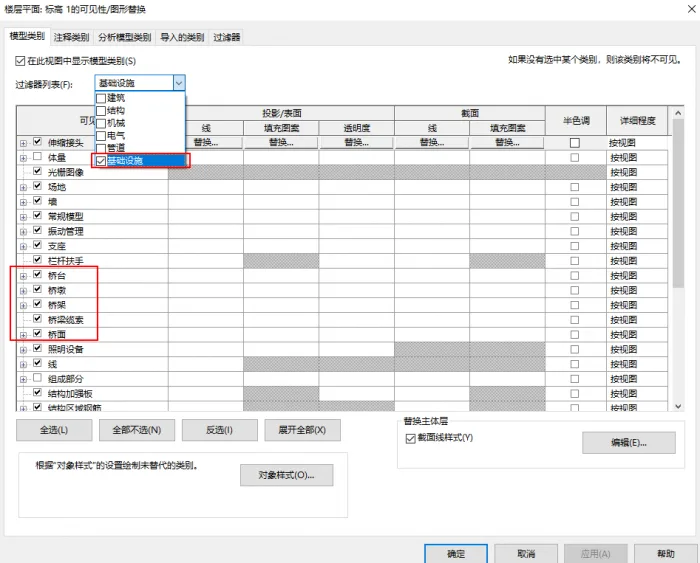
This supports bridge components such as piers, cables, decks, and more, enhancing bridge design workflows in Revit. It integrates well with Autodesk InfraWorks and supports Civil Structures workflows.
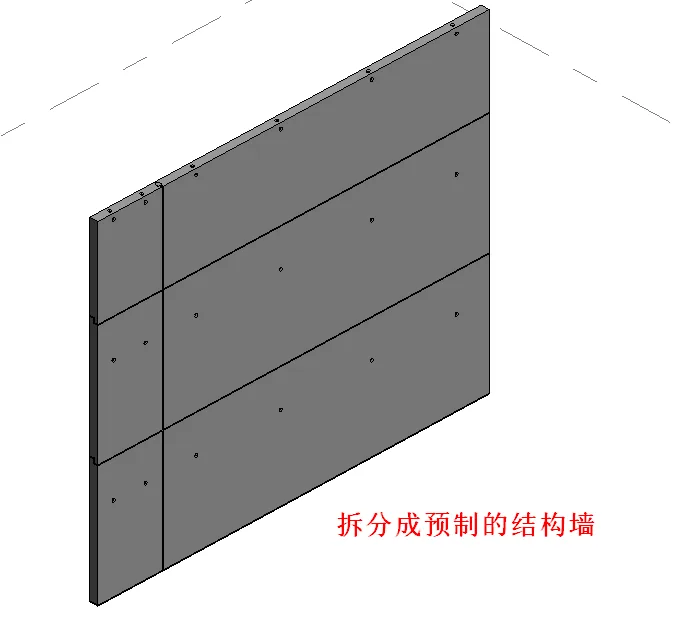
7. Prefabricated Components
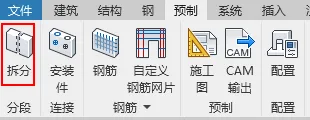
Revit 2021 introduces the ability to split and convert large structural elements like walls and slabs into prefabricated components:















The fuzor21.key file is missing from the downloaded resources and cannot be opened
Where is the installation tutorial
There is an installation tutorial in the article.
Serial number error
C: Why can’t I find the folders for families such as Mechanical and Electrical, Architecture, Structure, Power, Outline, Fire Protection, Samples, Annotations, etc. under ProgramData Autodesk RVT2021 Libraries China????
There is no family library after installation
The reason for the failure of online download can be to download the offline family library and copy it to the corresponding folder.
There is no registration machine for 2021
The registration machine can be downloaded from the article.
The link cannot be downloaded
The download link has been updated.
The link is missing. When can we update it
Maj plugin
When will the link be updated
Updated and available for download.
Revit lacks an interface for welding multiple line segments into a single line segment, unfortunately!