
BIM Q&A | Which CATIA Functions Are Needed to Create Flexible Grippers?
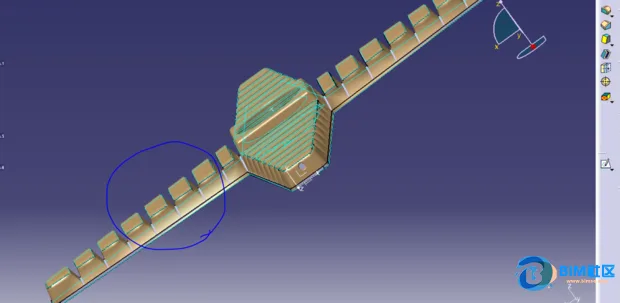 The image above shows a point cloud scan of a flexible gripper. The question is how to properly model this part in CATIA.
This tool enables switching between rigid and flexible fixation modes. When rigid fixation is applied to the entire subassembly, it can only be moved as a single rigid body. In contrast, flexible fixation allows individual components within the subassembly to move freely using tools such as the compass or move functions, similar to how other components behave.
To use this feature, follow these steps: select the second-level assembly, then activate flexible disassembly mode, and finally select the second-level disassembly.

xuebim
Follow the latest BIM developments in the architecture industry, explore innovative building technologies, and discover cutting-edge industry insights.
← Scan with WeChat















Must log in before commenting!
Sign Up