
BIM Q&A | How to Create and Set Up Management Layers in AutoCAD?
Start by entering the layerstate command (shortcut key: LA).
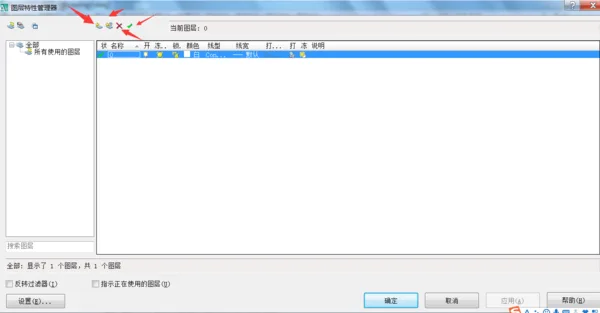
Once inside the command, you can modify the selected layer state. This displays all saved layers along with their properties within the chosen layer state, excluding viewport override properties.
Layer List
This option shows a list of layers and their respective properties in the selected layer state.
Delete
Remove the selected layer from the current layer state.
Add
Opens the “Select Layers to Add to Layer State” dialog box, allowing you to include layers from the current drawing that aren’t yet defined in the layer state.

xuebim
Follow the latest BIM developments in the architecture industry, explore innovative building technologies, and discover cutting-edge industry insights.
← Scan with WeChat















Must log in before commenting!
Sign Up