BIM World
A Professional BIM Learning Platform


BIM Q&A | Troubleshooting Missing Crosshairs and Lines in Autodesk AutoCAD 2018 for Mac

BIM Q&A | Autodesk AutoCAD 2018 for Mac: Unable to Display Crosshairs and Lines in the Drawing Area

Users have reported that the cursor, lines, and graphics fail to display properly. Despite adjusting the colors and ensuring there are no overly dark shades, the problem persists. The exact cause remains unclear.
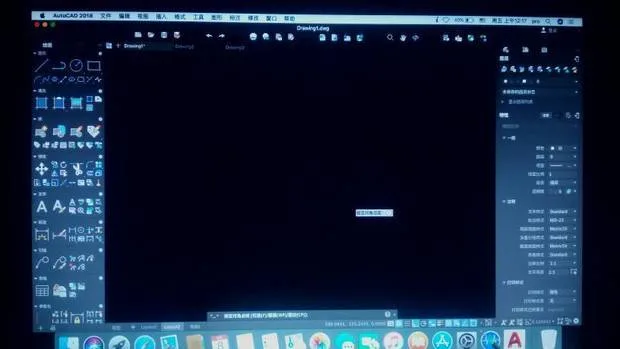

BIM Q&A | Autodesk AutoCAD 2018 for Mac about the inability to display crosshairs and lines in the drawing areaBIM Q&A | Autodesk AutoCAD 2018 for Mac about the inability to display crosshairs and lines in the drawing area


BIM Q&A | Autodesk AutoCAD 2018 for Mac about the inability to display crosshairs and lines in the drawing area

Hello OP,

To resolve this issue, click the Tools menu and select Options at the bottom of the dropdown list. This will open the interface shown in the image above, where you can adjust the cursor size and color depth settings.

If this solution works for you, please consider accepting it. Thank you!

xuebim
Follow the latest BIM developments in the architecture industry, explore innovative building technologies, and discover cutting-edge industry insights.
← Scan with WeChat
Like(0) 打赏
BIM WORLD » BIM Q&A | Troubleshooting Missing Crosshairs and Lines in Autodesk AutoCAD 2018 for Mac

Comment Get first!

Must log in before commenting!


BIM World, A Professional BIM Learning Platform

Stay updated on the latest architecture trends and share new building technologies.

Contact UsAbout Us

觉得文章有用就打赏一下小编吧

非常感谢你的打赏,我们将继续提供更多优质内容,让我们一起创建更加美好的网络世界!

支付宝扫一扫

微信扫一扫

Account Login

By signing in, you agree toUser Agreement

Sign Up