
BIM Q&A | Persistent Tracking Line Shadows When Drawing in Tekla
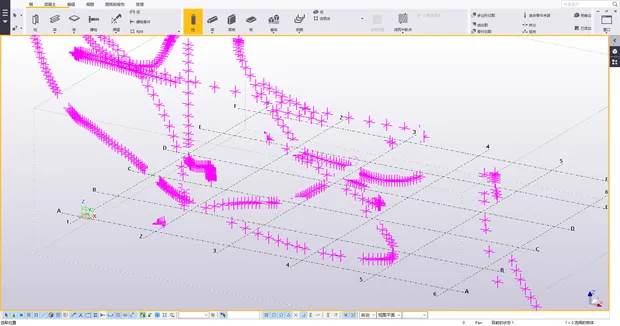
After studying this issue overnight, I concluded that the monitor itself is fine, and its refresh rate cannot be adjusted. Unfortunately, the current version of the drivers lacks flexibility and user-friendly options.
Here are the solutions I found:
1. Reduce the screen color depth to 16 colors. However, after getting used to 32 colors, it feels uncomfortable to revert back to 16 colors.
2. Disable the dedicated graphics card and switch to the integrated display.
3. Turn off rendering mode completely.
Ultimately, the final solution is to replace the graphics card with a model from Litai.

xuebim
Follow the latest BIM developments in the architecture industry, explore innovative building technologies, and discover cutting-edge industry insights.
← Scan with WeChat















Must log in before commenting!
Sign Up