
BIM Q&A | How to Divide Color Blocks on Irregular Surfaces in Rhino (for Rendering Color Separation)
The curve tool often fails when working on certain surfaces—specifically, those that are unreliable for point drawing. This results in uneven lines and unclear boundary definitions for the curves. Is there a way to perfectly align the edges? In the images below, the purple color block on the left should roughly match the segmentation edge on the right.

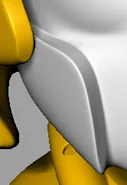
Achieving different colors on the same surface in Rhino can be quite challenging. The simplest approach is to split the surface—either by extracting or breaking it into separate surfaces—and then apply colors to each individually.
If maintaining the overall model’s integrity is important to you, an alternative is to export the model to Cinema 4D (C4D) and use BodyPaint 3D. This tool allows you to paint directly onto the model with a brush, giving you the freedom to add as many colors as you like exactly where you want them.
















Must log in before commenting!
Sign Up