
BIM Q&A | How to Clear Imported Categories in Revit Visibility Settings
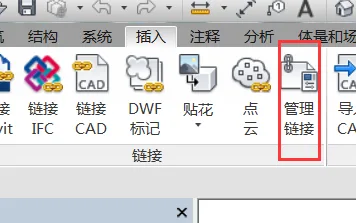
In Revit, you can control the visibility of imported categories through the Visibility/Graphics (VV) settings. However, to completely remove an imported category, you need to manage it via the “Manage Links” option, which is located under the Insert tab.
Refer to the image below for guidance:

xuebim
Follow the latest BIM developments in the architecture industry, explore innovative building technologies, and discover cutting-edge industry insights.
← Scan with WeChat















Must log in before commenting!
Sign Up