
BIM Q&A | What to Do If the “South Facade” View Is Missing in the REVIT Project Browser?
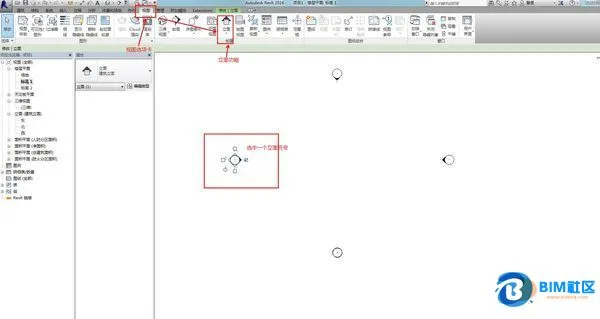
There are several ways to resolve this issue. The most common method is to go to the View tab, then select the Elevation option (note that this is only available when you are in the plan view). Follow the prompts to create the desired elevation view.
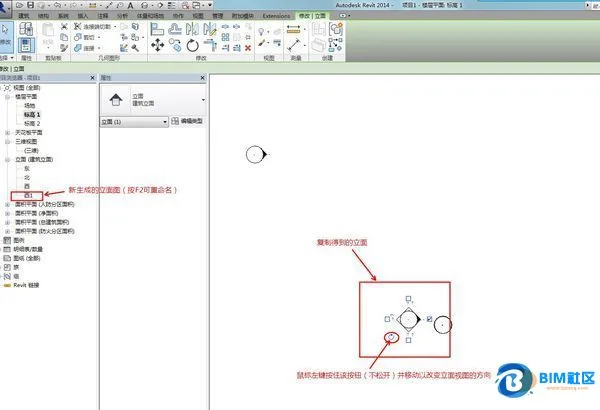
Alternatively, you can select an existing elevation symbol anywhere in the floor plan and use the Copy command to duplicate it. This action will create a new elevation view. You can then adjust the direction of the elevation and rename the view accordingly.
Below are some images to help illustrate these steps:

xuebim
Follow the latest BIM developments in the architecture industry, explore innovative building technologies, and discover cutting-edge industry insights.
← Scan with WeChat















Must log in before commenting!
Sign Up