
BIM Q&A | How to Add Model Text on Facades in Revit
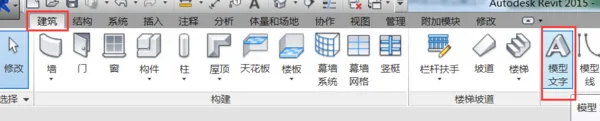
First, activate the elevation view where you want to place the text. Then, go to the Architecture tab and select the Model Text command. A dialog box will appear, prompting you to select a work plane. Choose the facade surface where you want to add the text and enter your desired model text.

xuebim
Follow the latest BIM developments in the architecture industry, explore innovative building technologies, and discover cutting-edge industry insights.
← Scan with WeChat















Must log in before commenting!
Sign Up