
BIM Q&A | How to Adjust Scale When Printing with Revit
For example, how should I adjust the settings if I want to print a drawing at a 1:200 scale?
Printing drawings in Revit differs from printing in CAD. In CAD, drawings are framed and scaled down proportionally during printing. However, in Revit, the frames are set at a 1:1 scale by default. Instead of adjusting the print ratio, Revit scales the view within the frame before printing.
This means that the print output is always at a 1:1 ratio. To achieve a specific scale like 1:200, you need to set the view scale accordingly before printing.
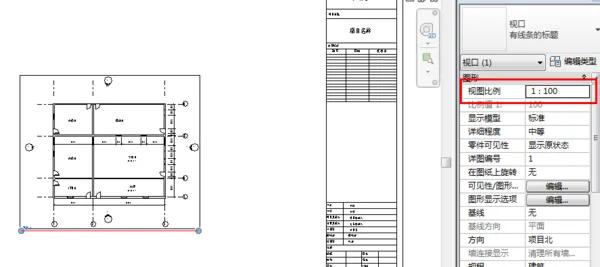
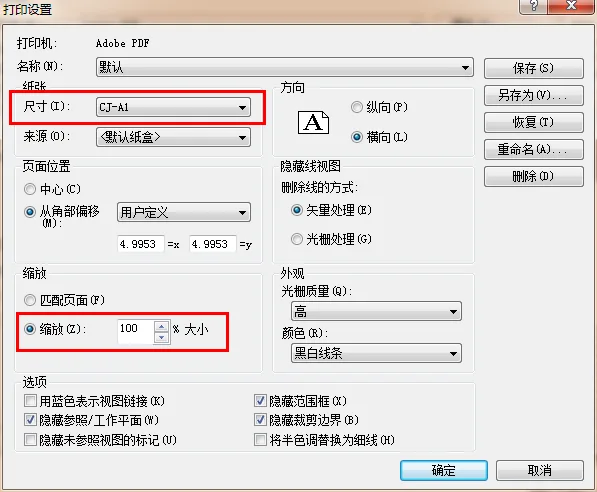
Reference article: __AI_S_TURL_0__

xuebim
Follow the latest BIM developments in the architecture industry, explore innovative building technologies, and discover cutting-edge industry insights.
← Scan with WeChat















Must log in before commenting!
Sign Up