
BIM Q&A | How to Change Grid Color in Revit
In this guide, we will explain how to change the grid color in Revit to improve your project visualization.
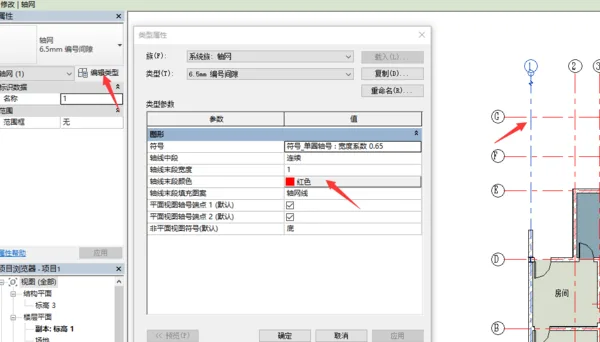
To change the grid color, first select the grid line. Then, in the Properties panel, click Edit Type. In the dialog box, adjust the End Color of the grid line to your desired color. Finally, click OK to apply the changes.

xuebim
Follow the latest BIM developments in the architecture industry, explore innovative building technologies, and discover cutting-edge industry insights.
← Scan with WeChat















Must log in before commenting!
Sign Up