
BIM Q&A | What Does the “L” Represent in Column and Stirrup Reinforcement in Revit?
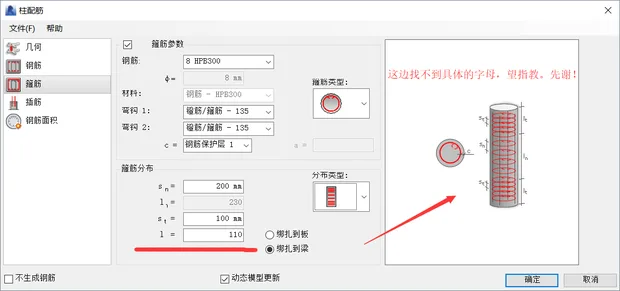
Thank you in advance for your support on Weibo, and I appreciate your help in answering my question. The column model I am working with is a concrete structural column. While editing its data, I am clear about most parameters except for the “L” value in the original response. I understand all other data, but the “L” value has a range—I experimented with values between 40 and 170.
I have already inserted the steel bars into the project I created, and the template seems to be working fine.
First, you need to create a structural model. Make sure it is a structural model—such as structural columns or beams—not just a building model. You can verify this by checking if “Structure” is selected in the instance properties of the component.
When working with custom building families, be sure to check the option that allows steel bars to attach to the host while editing the family.
Next, arrange the steel bars inside the structural model according to the actual reinforcement requirements. Drawing steel bars requires patience and attention to detail. Keep in mind that Revit’s rebar tools are somewhat limited, so it’s helpful to explore all available options by clicking through them yourself.
















Must log in before commenting!
Sign Up