
BIM Q&A | Who Has Autodesk Revit BIM and ArchiCAD Software?
Software Introduction
Revit is a powerful 3D design software that supports architectural, MEP, and structural engineering workflows. It is tailored to architects and designers, enabling them to design, construct, and maintain buildings with improved quality and enhanced energy efficiency. Using tools specifically crafted for Building Information Modeling (BIM), Revit helps capture and analyze concepts, ensuring your vision is consistent throughout design, documentation, and construction phases.
With its advanced architectural design tools, you can easily maintain coordination and consistency at every stage, from initial concept to building completion.
Required Tools:
Download Autodesk Revit 2014 (32/64 bit, Chinese version)
Revit 2014 Installation Tutorial
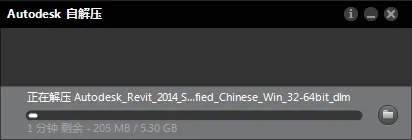
1. Double-click the Revit 2014 installation file. Choose a free directory to unzip the package, which is about 5.3 GB in size.
2. Launch the Revit 2014 installer. Select either Simplified Chinese or English version and choose “Install on this computer.”
3. Accept the license agreement by clicking “I accept,” then proceed by clicking “Next.”
4. Enter the serial number: 066-666666666 and the product key: 829F1, then click “Next.”
5. Choose your installation path. Note: The folder path must contain only English characters!
6. The installation will commence automatically. Please be patient while it completes.
7. When finished, click “Finish” to proceed to activation.
8. Open the Revit 2014 shortcut on your desktop. When the interface appears, click “I agree.”
9. Click “Activate” to open the activation code interface. If you encounter a serial number error, close and reopen the program.
10. Right-click the Revit 2014 registry patch file and run it as administrator. Click “Modify” and wait for the “Successfully patched” confirmation.
11. Copy the Revit 2014 application number displayed earlier into the first field of the keygen tool, then click “Generate” to produce the activation code.
12. Paste the generated activation code into the Revit 2014 activation box and click “Next.”
13. Activation is complete! Click “Finish” to start using the official Chinese version of Revit 2014.
















Must log in before commenting!
Sign Up