
BIM Q&A | Exploring InfraWorks 2019
Software Overview
InfraWorks 2019 is the latest version of Autodesk’s civil infrastructure preliminary design software. It supports Building Information Modeling (BIM) workflows, enabling designers and civil engineers to plan and design infrastructure projects within real-world environments. The software offers powerful features including data aggregation, modeling, design, simulation, analysis, and visualization. Users can create project environments, collaborate with stakeholders, model components, analyze designs, and generate realistic visualizations. The 2019.0.2 update enhances collaboration capabilities, improves interoperability with other software, and simplifies the creation of complex shapes.
Required Tools: Download InfraWorks 2019
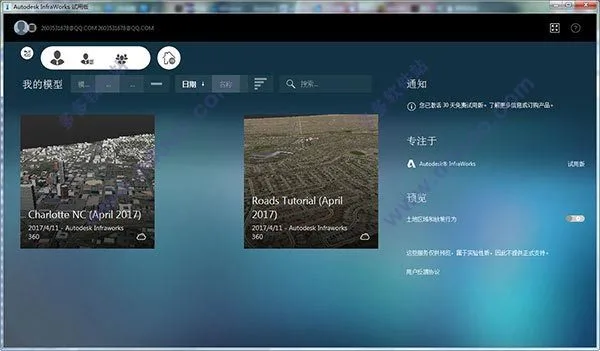
InfraWorks 2019 Chinese Crack Installation Guide:
- Download and unzip the Autodesk InfraWorks 2019 64-bit Chinese original program, upgrade package, batch activation tool (recommended for activation), license management tool, and 2019 registration machine (note: some antivirus software like 360 may flag these as viruses).
- Double-click
IW360P_2019_G1_WIN_64BIT_delm_001_002.sfx.exeto extract the installation package. You may choose the extraction directory. - Select Simplified Chinese in the top right corner, then click the install button.
- The default installation directory is
C:Program FilesAutodesk. You may change this if desired. - Wait for the installation to complete, but do not launch the software yet.
- Run the software upgrade package by executing
InfraWorks_2019.0-HF2.exe. - Create a folder named
PLMLicensing Serverin the root of the C drive for cracking InfraWorks 2019. - Run the registration tool to activate the batch activation tool. Select InfraWorks 2019 in the software list and click “Generate License”.
- Navigate to ‘Server Settings’ and install the license server.
- Go to “Product Activation”, select the version to patch, and click “Install Patch”. If the patch fails, restore it first, then try installing again.
- Open InfraWorks 2019, choose the activation type as “multi-user” (previously called “network license”), and enter
127.0.0.1(for local license) or the appropriate IP address (for remote license) when prompted. - Specify the license file by selecting the option to “specialize the license file”.
- Click “Browse” and locate the license file named
Adskflexix_BDGroup.licinside thePLMLicensing Serverfolder on drive C. - Restart the software.
- InfraWorks 2019.0.2 64-bit Chinese version should now be successfully activated. The activation status will display as authorized.
Key Features of InfraWorks 2019:
Use InfraWorks to create a project environment and collaborate with stakeholders to model, analyze, and visualize infrastructure projects.
- Superelevation Calculation: Automatically calculate superelevation and apply it to any curved or transition curve sections of component roads.
- Roadside Slope Management: Adjust slope angles and materials applied to different sections of roadside slopes.
- Cross-Section Diagrams: Evaluate superelevation, road assembly, excavation, and fill details through cross-sectional views.
- Topographic Contour Lines: Display detailed existing and proposed ground surfaces with customizable contour intervals.
- Bridge Component Management: Create and manage bridge elements directly within InfraWorks.
- Flood Simulation: Analyze flood scenarios based on multiple inflow points and time-varying water levels.
- Material Quantity Estimation: Calculate earthwork volumes within selected roads, station boundaries, or areas of interest such as land parcels and easements.
- Component Roads: Build roads including curbs, lanes, and shoulders. Create parametric models in Inventor and import them into component road designs.
- Parts Editor: Design custom drainage or piping components using Inventor and export them to the free InfraWorks Parts Editor plugin.
- Component Road Labels: Display labels on the canvas showing bridge and bridge component dimensions based on selection and view location.
- Feature Extraction from Point Clouds: Extract linear features, vertical structures, and ground grids from point clouds and export them to Civil 3D.
- Bridge Labels: Show labels for component roads on canvas according to your selection and view.

















Must log in before commenting!
Sign Up