
BIM Q&A | Installation of Revit 2014 Fails with an Error: “The system cannot open the specified device or file”
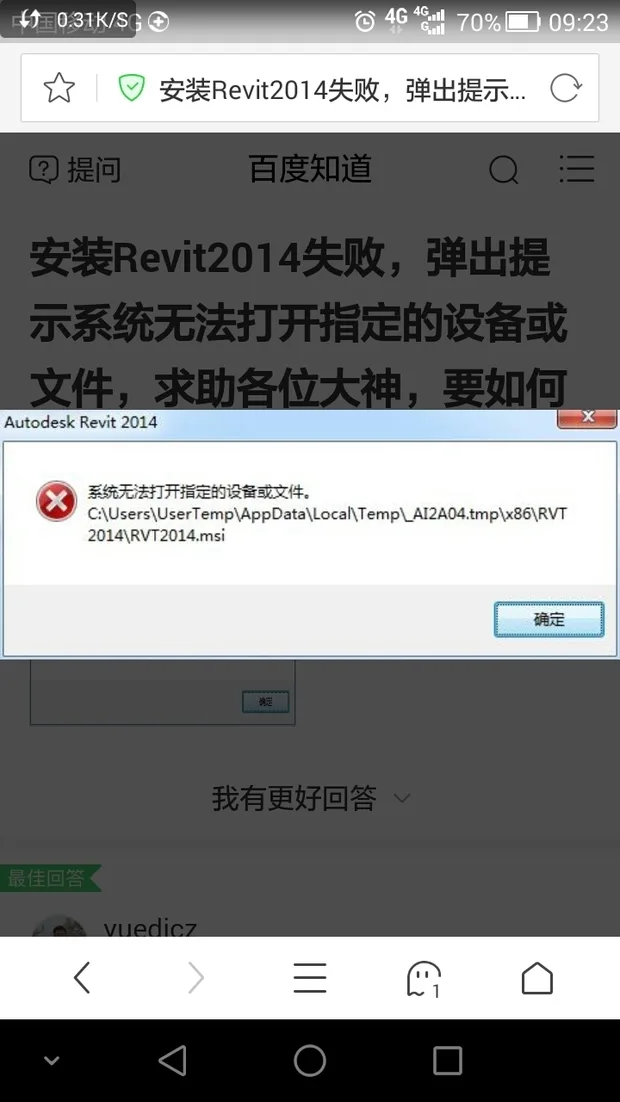
Possible Causes:
1. The installation disk or package may be corrupted or incomplete. Try downloading the installer again.
2. Security software on your computer might be blocking the installation. Temporarily disable any antivirus or firewall programs.
3. You may lack the necessary permissions. Run the installer as an administrator to grant the required access.

xuebim
Follow the latest BIM developments in the architecture industry, explore innovative building technologies, and discover cutting-edge industry insights.
← Scan with WeChat















Must log in before commenting!
Sign Up