
BIM Q&A | How to Fix Gaps Between Foundations and Columns in Revit?
I’m using the bottom offset feature, but the single base shifts downward, and there is still a gap in the middle. How can I resolve this issue? Any advice would be appreciated.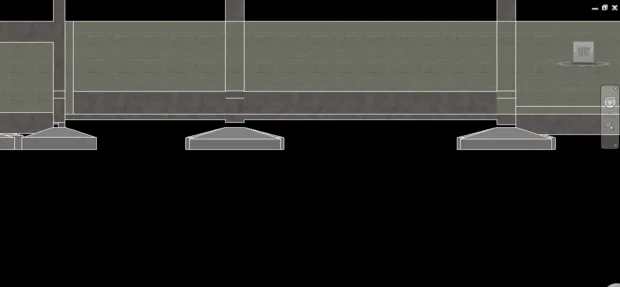

To fix this, draw a section view and hover your mouse over the connection between the column and the cup-shaped foundation. When a drag point appears, right-click and select “Do not allow connection.” That’s all there is to it.

xuebim
Follow the latest BIM developments in the architecture industry, explore innovative building technologies, and discover cutting-edge industry insights.
← Scan with WeChat















Must log in before commenting!
Sign Up