
BIM Q&A | How to Remove Black Shadows in the Shaded Corners of a Building Using Lumion
As illustrated in the image below, how can you eliminate the black shadows appearing in the shaded corners of a building’s facade?
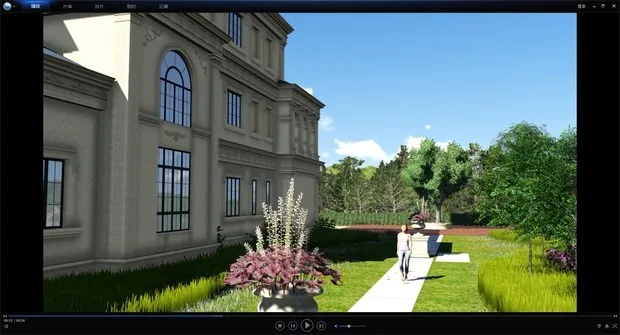
When exporting a video in Lumion, there is an option called “environmental shadow range.” Setting this value to its minimum effectively removes the black shadows.
If you want to export images, the recommended method is to export them directly from the video export or import the animation files directly. This approach successfully eliminates unwanted shadows.
Give this method a try to see if it works for your project.

xuebim
Follow the latest BIM developments in the architecture industry, explore innovative building technologies, and discover cutting-edge industry insights.
← Scan with WeChat















Must log in before commenting!
Sign Up