
BIM Q&A | Windows 10 Error Code 1606 When Installing AutoCAD 2014
Previously, after installing Lumion software and applying a crack patch, the computer was reset. Now, this issue occurs when reinstalling any version of AutoCAD.
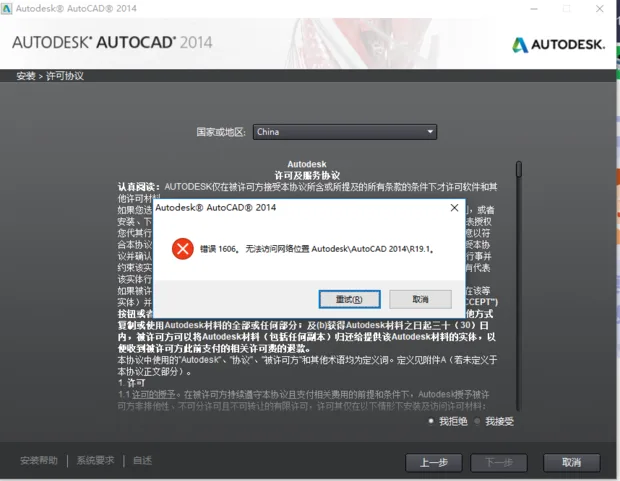
1. Possible Cause: The installation files may have been corrupted during extraction. Additionally, remnants of previous AutoCAD installations might not have been completely removed, as the uninstallation process did not fully clean all related files.
2. Solution: Open the Windows Registry Editor by typing regedit. Navigate to:
HKEY_LOCAL_MACHINESOFTWAREMicrosoftWindowsCurrentVersionExplorerUser Shell Folders
Locate the registry key named %allusersprofile%start menuprogramsstartup in the right pane and modify its value to:
C:Documents and SettingsAll UsersStart MenuProgramsStartup
















Must log in before commenting!
Sign Up