
BIM Q&A | What Causes Inaccurate Area Measurements in Revit?
The area displayed in the Revit attribute column often does not match the actual area. This discrepancy can be confusing, so let’s explore why it happens.
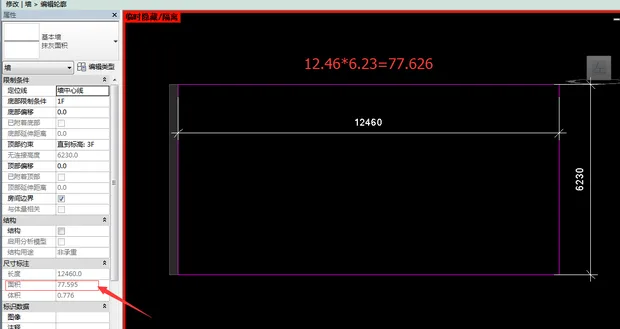
When you are working in a layout, the properties of measured objects—such as length and area—are often scaled through the viewport. This scaling means the displayed values do not reflect the actual size. Therefore, the saying “area can only be accurately measured in the model” is indeed correct.
To better understand this, consider how you use your phone camera. When taking a photo, you point the lens at the subject and adjust the image on your screen until the subject fits appropriately. For example, if you take a full-body photo of a child on a 5-inch phone screen, can you measure the child’s height directly from that 5-inch screen? Obviously not. However, if you know the photo has been scaled down—say to 1/50 of the original size—you can calculate the child’s actual height by multiplying the measured height on the screen by 50.
The layout in AutoCAD works similarly. Objects in model space are scaled to fit within a fixed viewport size in the layout. Different layouts can be set up with various page sizes, such as A4 or A3. The viewport scale must be chosen according to standard proportions. When measuring in the layout, the values obtained must be converted based on the viewport’s scale. For area measurements, conversion involves squaring the scale factor.
Once you understand this principle, the question becomes: would you rather measure directly in the model space or in the layout?
Regarding annotations, whether you are in layout or model space, as long as the correct measurement method is used, the annotations will reflect accurate values. For example, if the child’s actual height is about 1.25 meters, you might measure 2.5 cm on the phone screen or see a person standing. You would still annotate the height as approximately 1.2 meters, not 2.5 cm, because the annotation reflects the actual size, not the scaled image.
















Must log in before commenting!
Sign Up