
BIM Q&A | How to Fix a Beam Suddenly Becoming Transparent in Revit?
After creating a beam and setting it to the desired elevation, you might notice that it appears transparent in the 3D view, while remaining visible in other views. The beam can still be selected and displays normally at other elevation levels. This issue persists even if you delete and redraw the beam.
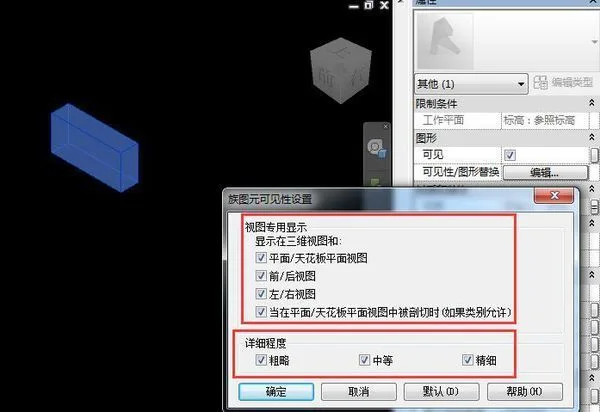
To resolve this, first verify the Detail Level and Visual Style in your current view. Next, double-click the transparent beam to open it in the family editor. Select the beam component and check the Visibility settings in the properties panel. Ensure that the visibility options correspond correctly to the current Detail Level and view settings in your project.

xuebim
Follow the latest BIM developments in the architecture industry, explore innovative building technologies, and discover cutting-edge industry insights.
← Scan with WeChat















Must log in before commenting!
Sign Up