
BIM Q&A | Revit Profile Display Issues
In the images below, the case model is highlighted in red. The instance properties of the section are labeled with detail numbers that correspond to specific views. The header is also visible. However, the custom header I created does not display these details. How can I make it show the same information as in the example?
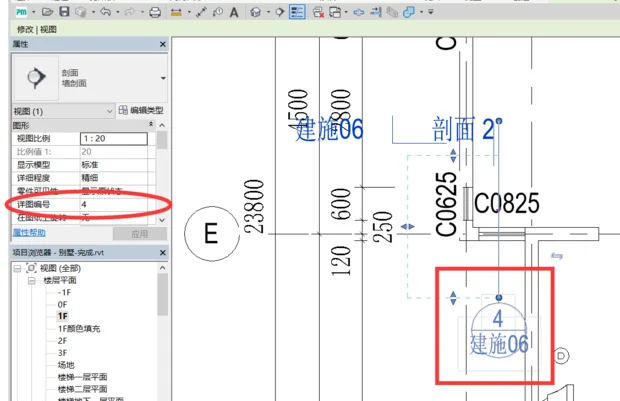
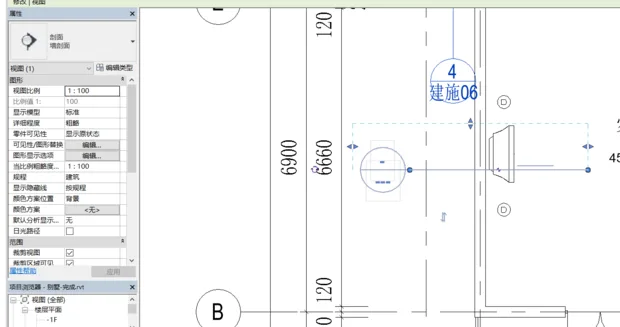
Step 1: Load the family and locate the ‘Section Detail Drawing Header’ within the system’s built-in annotation families.
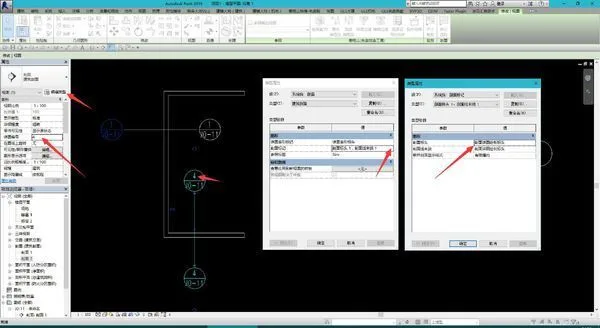
Step 2: Edit the type properties of the section annotation and replace it with the appropriate section annotation family.
Step 3: Insert the section into any drawing (create a drawing first if needed), then assign a drawing number. The detailed drawing number will be automatically set, or you can edit it manually.
















Must log in before commenting!
Sign Up