
BIM Q&A | Navisworks Rendering Issue
How to fix the gray rendering panel problem in Navisworks 2017.
If you encounter a gray rendering panel in Navisworks 2017, here is a simple explanation and solution.
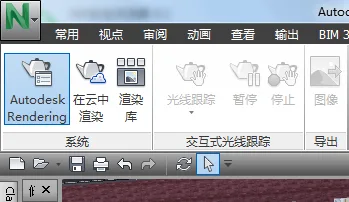
The gray panel represents real-time rendering mode. When you change the viewpoint, the computer dynamically renders the scene based on the light position. This feature is very user-friendly.
The rendering output you selected supports rendering capabilities.

xuebim
Follow the latest BIM developments in the architecture industry, explore innovative building technologies, and discover cutting-edge industry insights.
← Scan with WeChat















Must log in before commenting!
Sign Up