
BIM Q&A | Revit 2D Visible, 3D Invisible
You can view the floor plan, but when switching to 3D, only a single box appears, and there are no hidden settings enabled. What could be causing this issue? The floor plan is visible, but in 3D view, only this box is displayed without any hidden properties applied. Where is the problem?
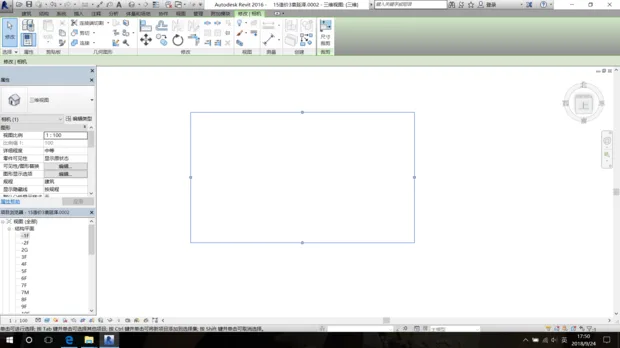
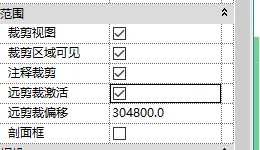
To resolve this, switch to the 3D view window. In the Properties panel, locate the settings shown in the image below and make sure to uncheck all options.
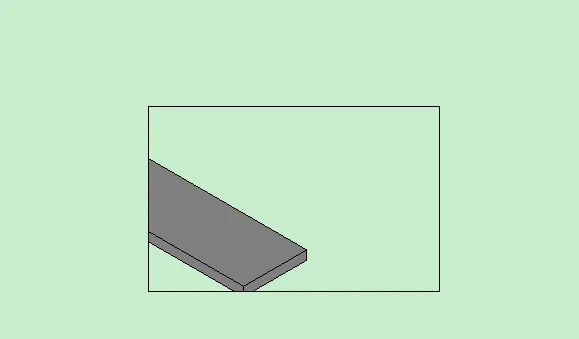
Additional explanation: The box you see is actually the perspective window frame. Once you align or “match” the model to this window, the model becomes visible. If you don’t match it, the model won’t appear in the view. The illustration below demonstrates this concept:
















Must log in before commenting!
Sign Up