
BIM Q&A | CAD in Revit: How Can It All Be Done with One Click? CAD Exploded, Revit Unlocked
In Revit, the layers are now unlocked. So why is a drawing considered a block in Revit, while in CAD it is not? For example, deleting a single line in Revit can remove the entire drawing because it is treated as one block. This contrasts with CAD, where individual elements are separate and deleting one line does not affect the whole drawing.
Why import and then modify the CAD drawing? Decomposing it after import can significantly impact your Revit model. It’s best to manage CAD drawings properly before importing by locking them and disabling the “Select Lock Elements” option to prevent accidental changes.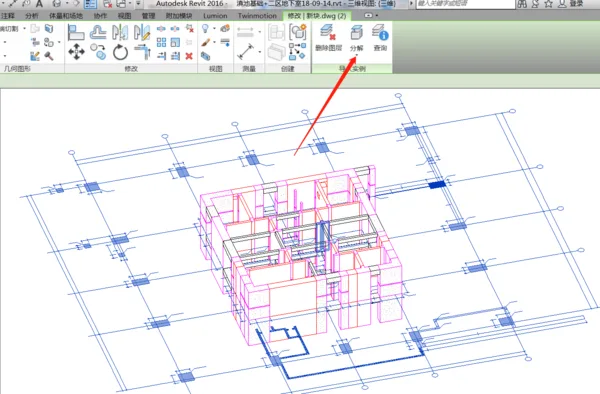

xuebim
Follow the latest BIM developments in the architecture industry, explore innovative building technologies, and discover cutting-edge industry insights.
← Scan with WeChat















Must log in before commenting!
Sign Up