
BIM Q&A | Where Can I Download Revit 2019?
Please wait online.
Autodesk Revit 2019 Chinese Version
Autodesk Revit 2019 Chinese version is a specialized BIM design software tailored for professionals in architecture, mechanical, electrical, plumbing (MEP), structural engineering, and construction. It offers field-specific BIM features to help you throughout your project.
Revit facilitates interdisciplinary collaborative design, allowing you to develop concepts through to construction documentation within one software environment. It helps optimize building performance while creating stunning visualizations.
Use structural design tools to coordinate with other building components and build intelligent structural models, ensuring compliance with building and safety codes. Leveraging coordinated, consistent data from these intelligent models, MEP systems can be designed more accurately and efficiently integrated with architecture and structure.
Before construction begins, assess feasibility and design intent to better understand methods, materials, and their integration. Revit 2019 introduces new and enhanced features that support consistent, coordinated, and comprehensive modeling across multiple disciplines, extending from design to detailing and construction phases.
Revit 2019 Baidu Cloud Download Link:
Link: https://pan.baidu.com/s/1zy60nCYL9UeBJMihuKgKHg
Password: 6g4u
Installation Tutorial:
- Download the compressed file from the website and extract it to get the
m-rev1964.isofile. Extract it further, then double-clickSetup.exeto start the installation. TheMAGNiTUDEfolder contains the crack files.
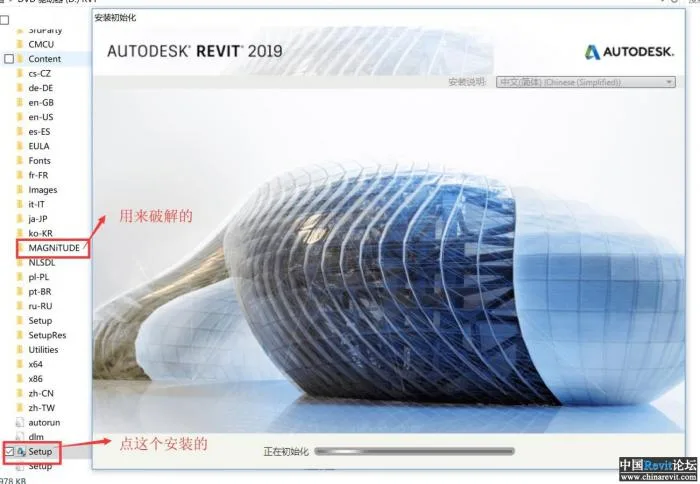
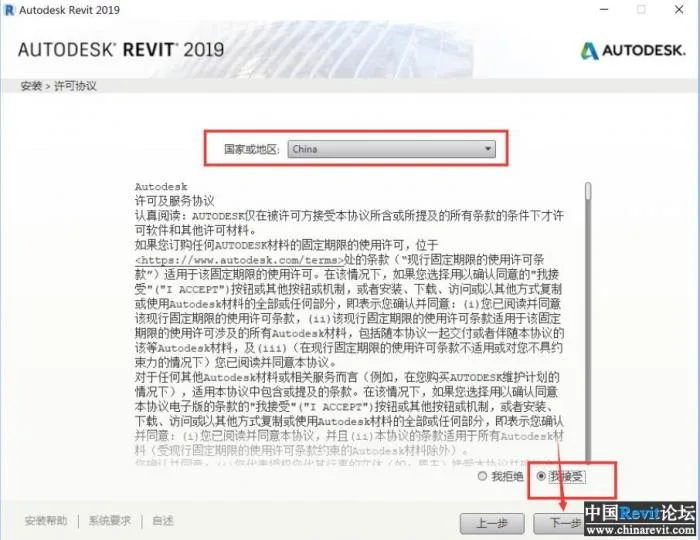
- By default, the installation language is Chinese. Accept the license agreement and click Next.
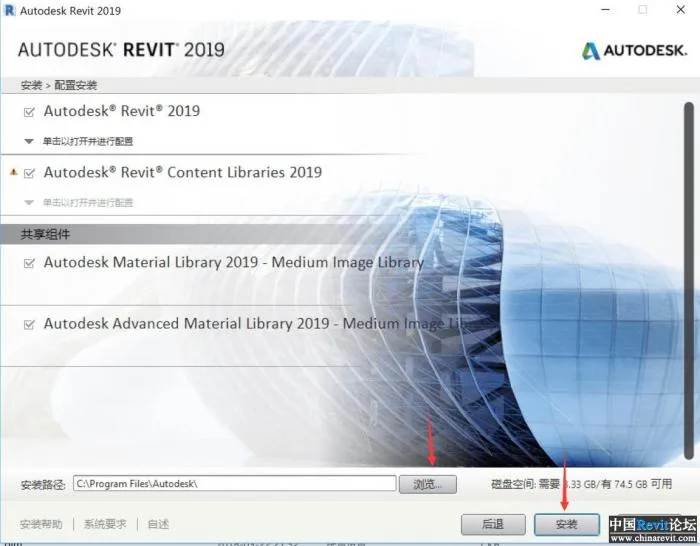
- Confirm the installation directory and components, then click Next.
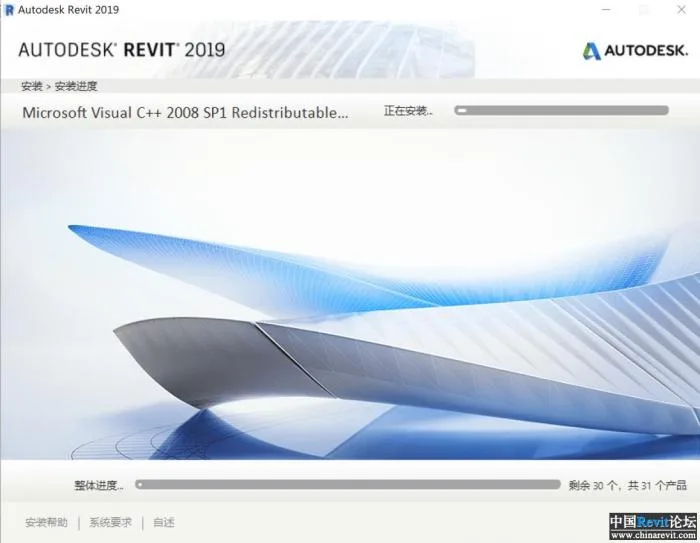
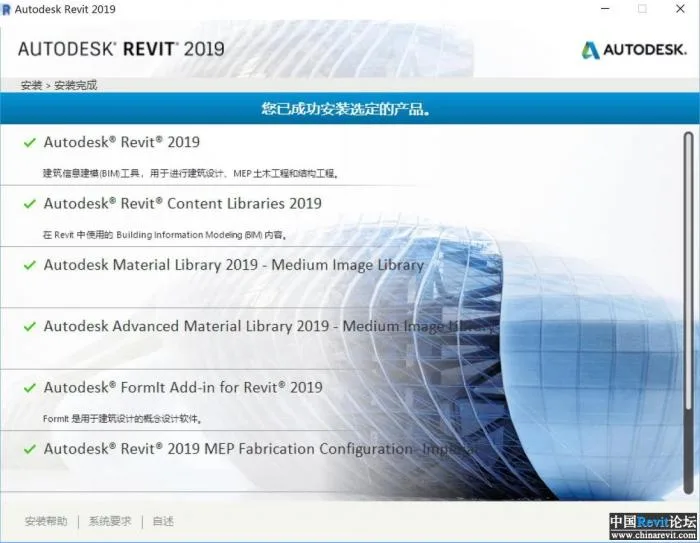
- Wait patiently for the installation to complete.
- Once installation finishes, do not run the software yet. Open the
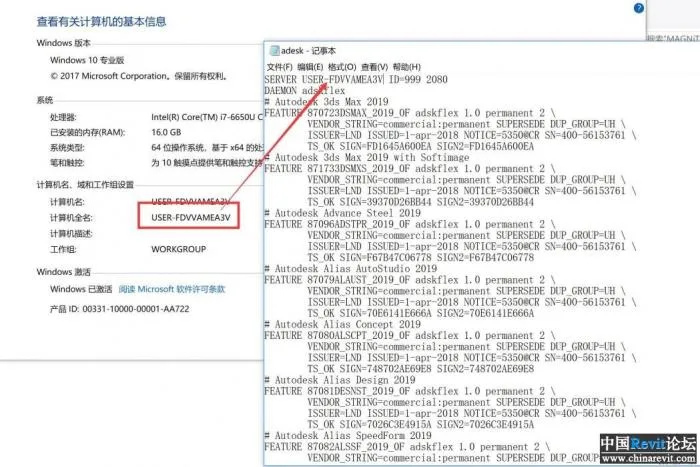
adesk.datfile with Notepad and replace the first line with your computer’s name.
- Install the license manager by running either
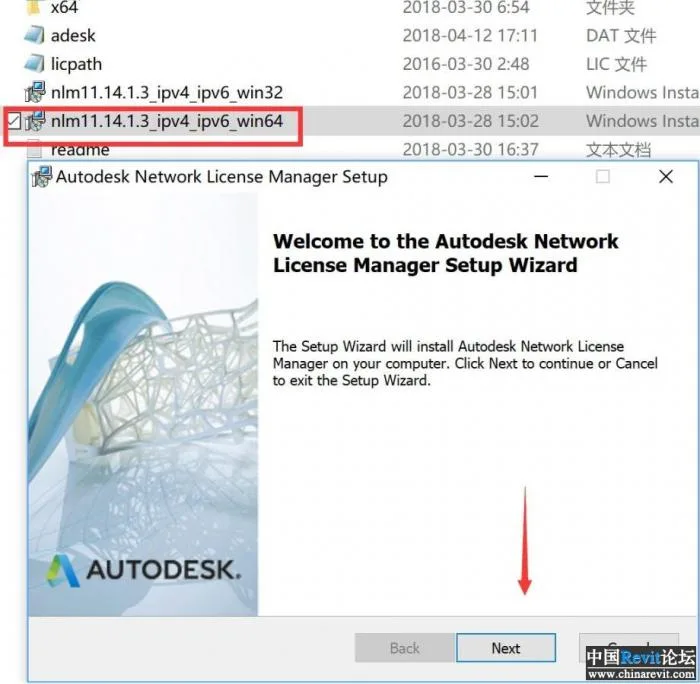
nlm11.14.1.3_ipv4_ipv6uwin64.MSIfor 64-bit ornlm11.14.1.3_ipv4_ipv6uwin32.MSIfor 32-bit systems. Choose the 64-bit version if applicable and click Next.
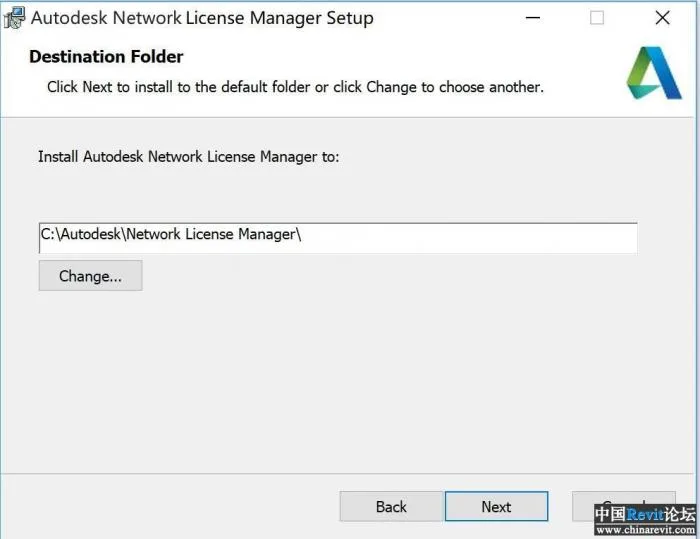
- Choose the installation directory and click Next.
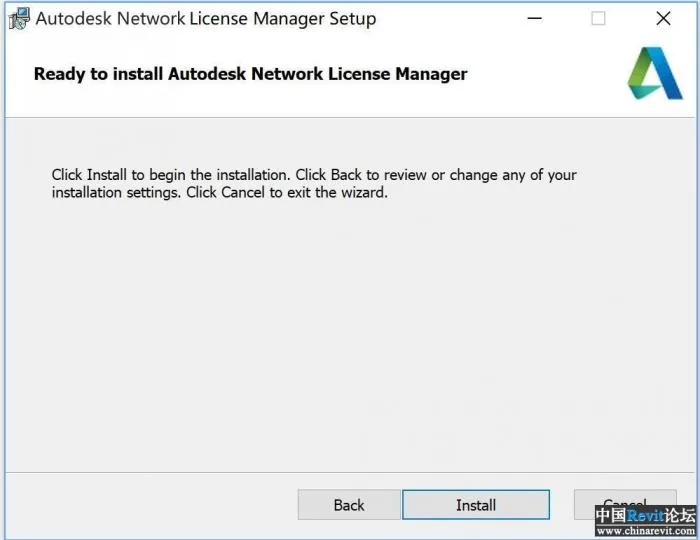
- Click Install to proceed.
- After installation completes, launch the LMTOOLS utility from the Start Menu.
- In LMTOOLS, go to the Config Services tab. For the Lmgrd.exe file line, browse to the location of
lmgrd.exein your installation directory, typicallyC:AutodeskNetwork License Manager.
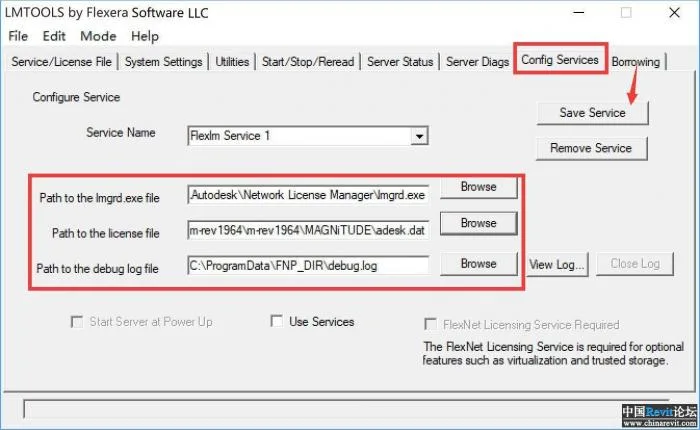
- Next, set the path for the license file by browsing to
ADESK.DAT, then click Save Service. - Switch to the Start/Stop/Reread tab and click Start Server.
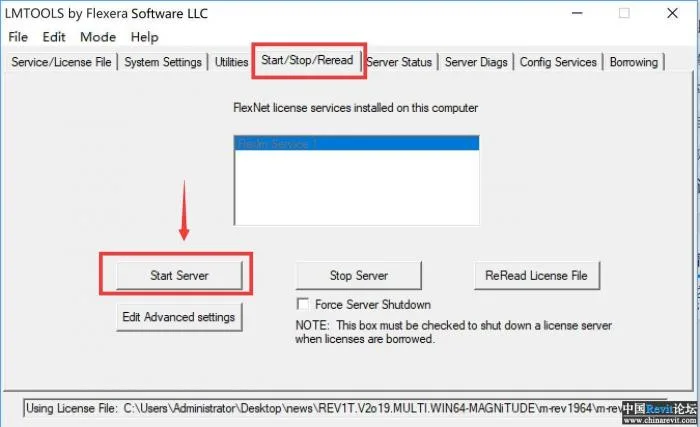
- After the successful prompt, close the utility.
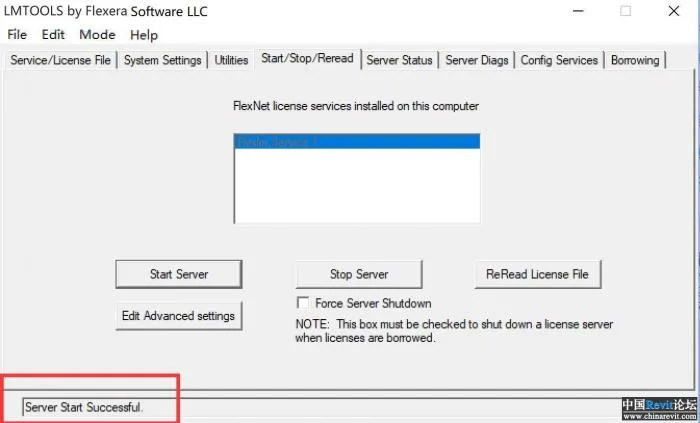
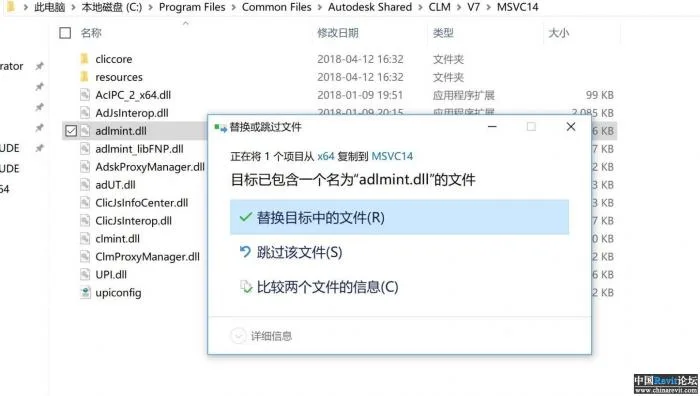
- Copy
adlmint.dllfrom the appropriate x32 or x64 folder toC:Program FilesCommon FilesAutodesk SharedCLMV7MSVC14.
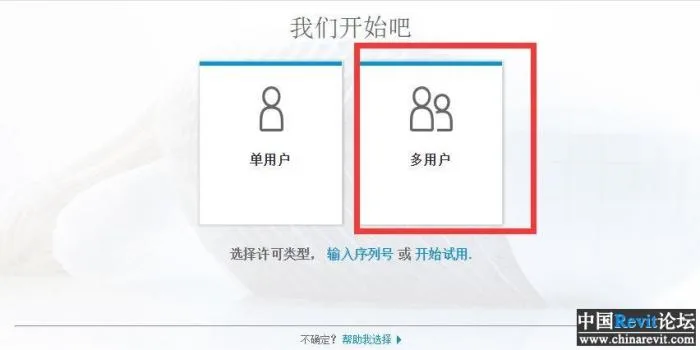
- Run the software and select the multi-user license option.
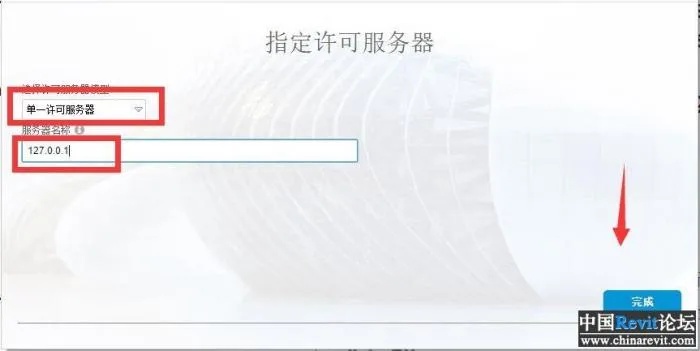
- Choose the single license server option and enter the server name as
127.0.0.1,localhost, or your computer’s name.
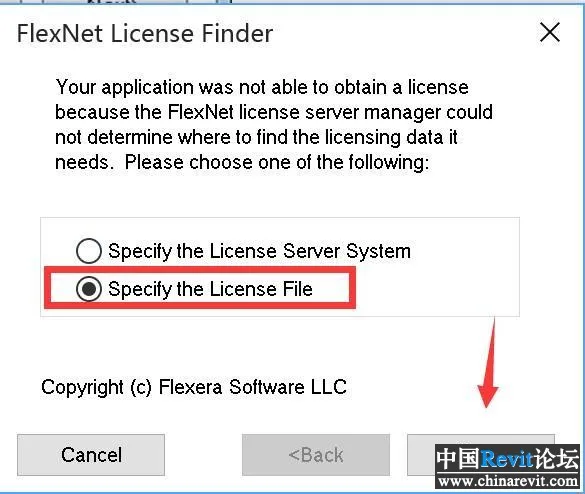
- Point to the crack key location and select the second option to “Specify the license file.”
- Copy
licpath.licto all subfolders inC:ProgramDataAutodeskCLMLGS, for example:
C:ProgramDataAutodeskCLMLGS128K1_2019.0.0.Flicpath.lic
C:ProgramDataAutodeskCLMLGS919K1_2019.0.0.Flicpath.lic
Make sure to copy it to every subfolder.
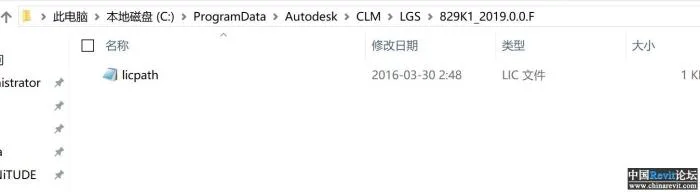
- Click “Browse” to select the license file location and click Next.
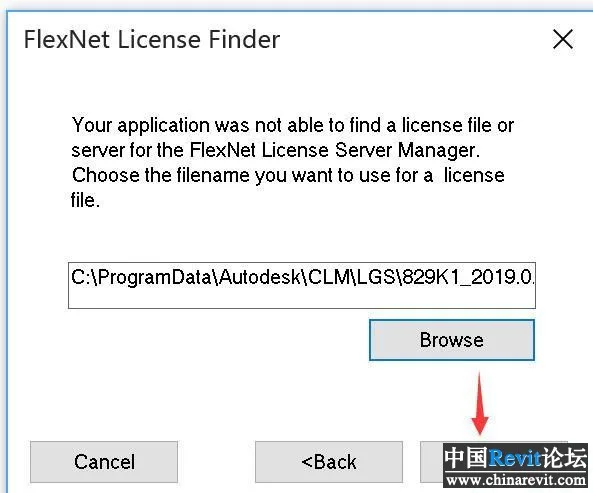
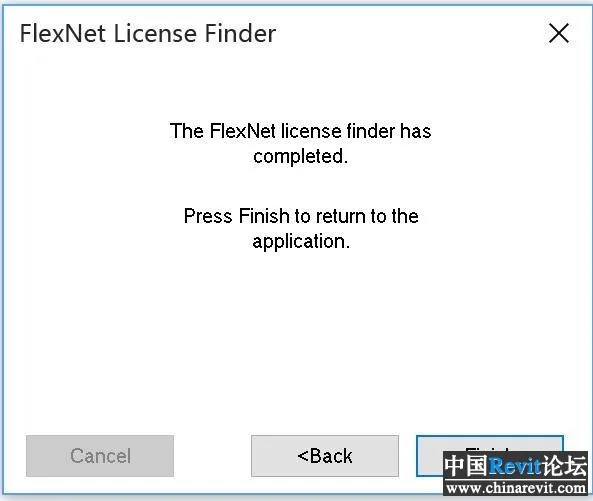
- Crack is complete. The welcome interface will appear.
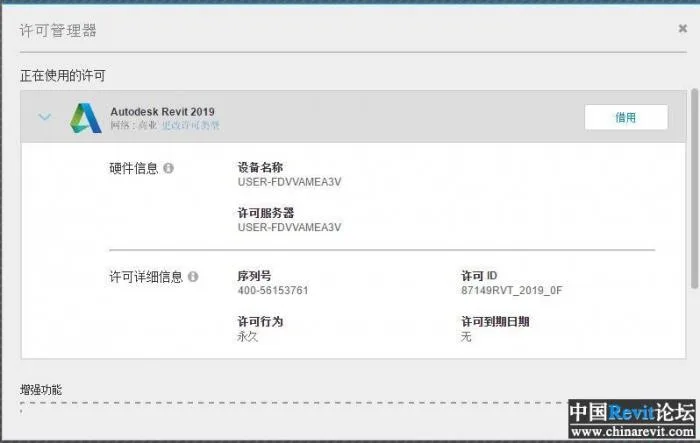
- Check the activation status to confirm authorization is complete.
















Must log in before commenting!
Sign Up