
BIM Q&A | Revit Interface Issue
When pressing the “vv” shortcut key, the generated page appears too large, and pressing Enter to confirm doesn’t work. Changing the resolution in Windows 10 has no effect.
I am unable to resize this interface. Even uninstalling and reinstalling the software does not resolve the issue. How can I fix this?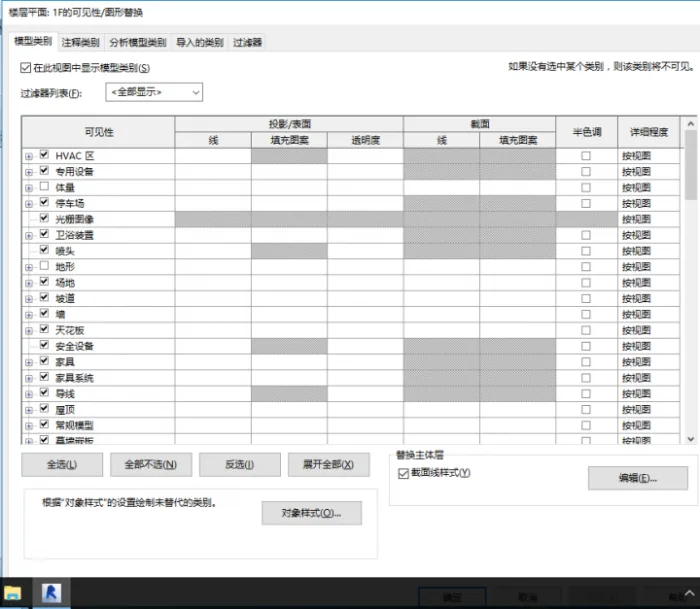

xuebim
Follow the latest BIM developments in the architecture industry, explore innovative building technologies, and discover cutting-edge industry insights.
← Scan with WeChat















Must log in before commenting!
Sign Up