
BIM Q&A | Understanding Basic Concepts like Mesh and Solid in Rhino
I’ve been using Rhino for a while, but some concepts still feel a bit unclear to me. The English version of the software can be challenging. For example, when I use the solid creation tool to make a cube, selecting it shows the term “extrusion.”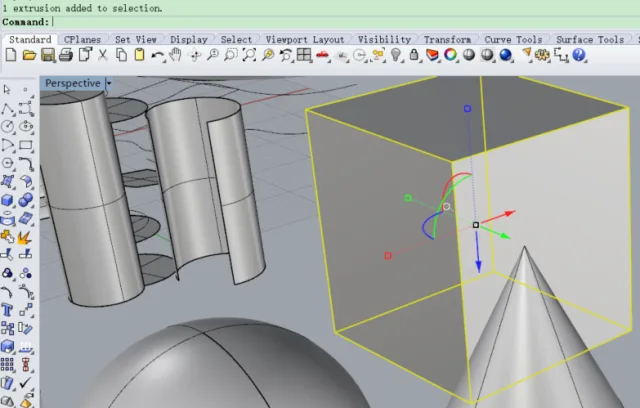
The cone created is referred to as a polysurface, but I wonder why it isn’t called an extrusion here.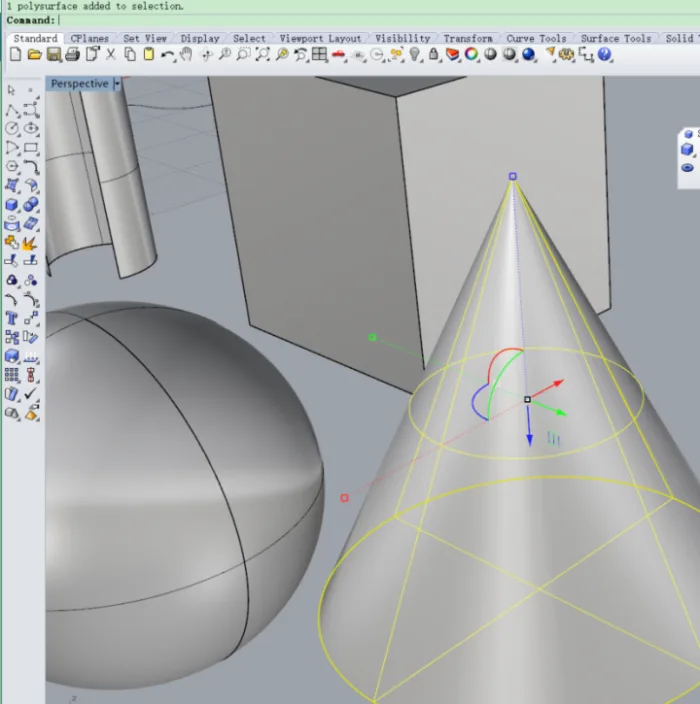
Additionally, I used the “Extrude Straight” command on a closed circular curve.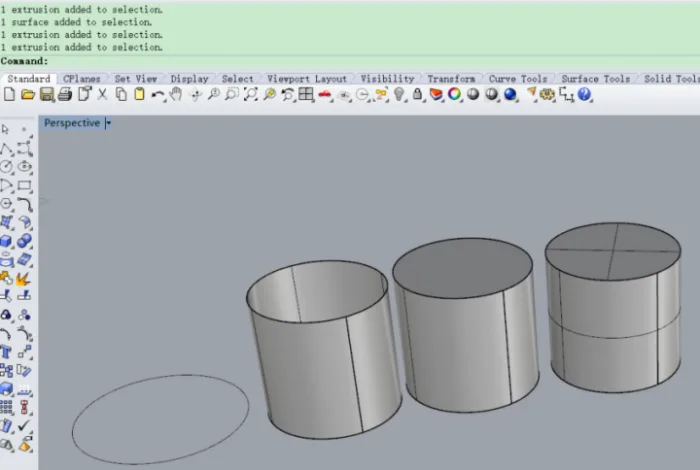
Looking at the second object from the left, it wasn’t created as a solid (selecting it shows “extrusion”). The third object was created as a solid (selecting it also shows “extrusion”), and the last one is an exploded version of the third. I’m having trouble understanding the differences here.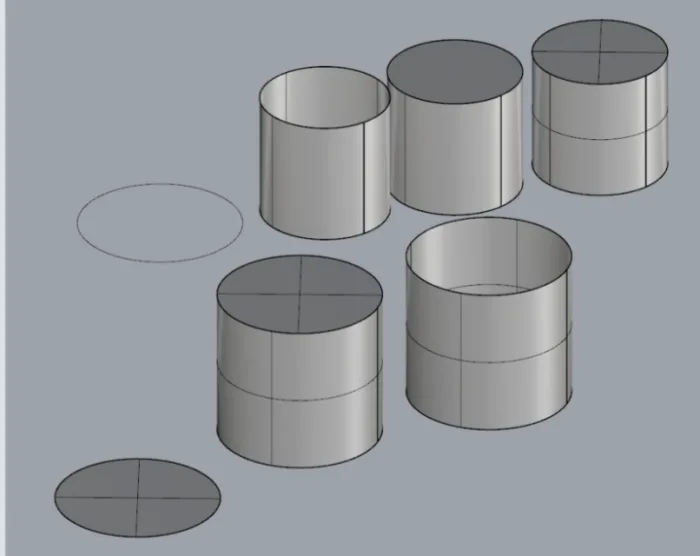
In the bottom row, I started with a closed circular curve and a planar surface from curves. Then, by extruding the circular surface, I created two cylinders: one solid and one unselected. I don’t understand why these five cylinders all look the same but are different in nature—some are solids, some are meshes, and some are polysurfaces. Why is that? What exactly is a mesh, and why do people talk about it? What defines a solid, and what is its purpose? What are the differences between these types?
I’m also confused about the concept and logic behind the term “explosion” in Rhino. I apologize for all the questions and appreciate everyone’s patience and help!
















Must log in before commenting!
Sign Up