
BIM Q&A | How to Smooth a Jagged Finite Element Model in RHINO?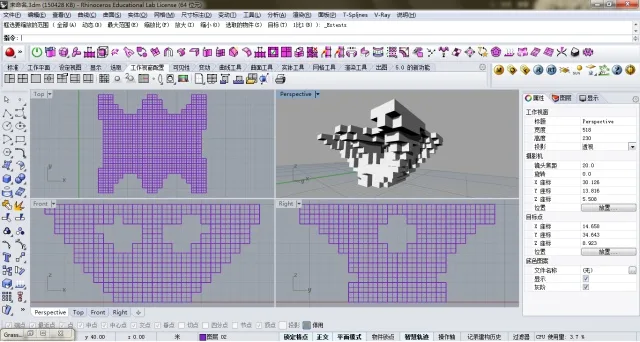
The image above illustrates the issue described in the title. This finite element model, generated after computation, is composed of numerous small, equally sized squares.
How can one achieve edge smoothing using tools available within the RHINO platform, such as RHINO itself or GRASSHOPPER?
Thank you in advance for any suggestions. It seems there may be limited options.

xuebim
Follow the latest BIM developments in the architecture industry, explore innovative building technologies, and discover cutting-edge industry insights.
← Scan with WeChat















Must log in before commenting!
Sign Up