
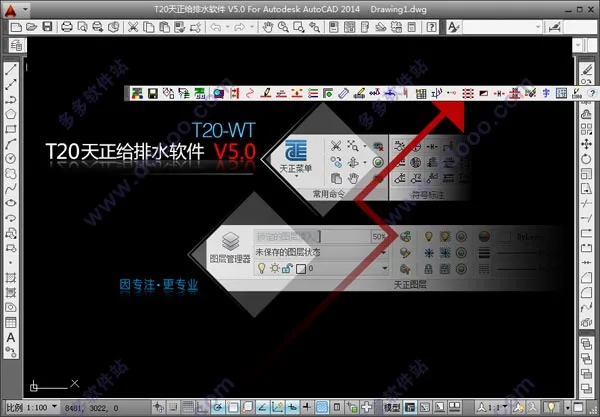
Tianzheng Water Supply and Drainage T20 v5.0
Also known as T20 Tianzheng Water Supply and Drainage v5.0, these two names refer to the same software. It is one of the leading domestic water supply and drainage design tools, compatible with 32-bit AutoCAD versions 2010-2016, 2018, 2019, and 64-bit AutoCAD versions 2010-2019. This software offers efficient design solutions for water supply and drainage projects.
Previously, the editor shared the first quarter version of Tianzheng Water Supply and Drainage T20 v5.0, which was limited to 300 hours of use without a crack. Thanks to the efforts of the online community, a patch is now available to fully activate the software. We are pleased to offer this version to our readers. It has been personally tested, is virus-free, and can flawlessly activate the software. Below you will find a detailed installation guide. Feel free to download and bookmark it for free.
Installation Guide for Tianzheng Water Supply and Drainage T20 v5.0
- Download and unzip the package to obtain the T20 Tianzheng Water Supply and Drainage v5.0 Q1 version along with the registration crack file.
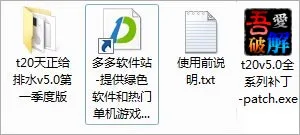
- Run
setup.exeto install the original program, then accept the software agreement.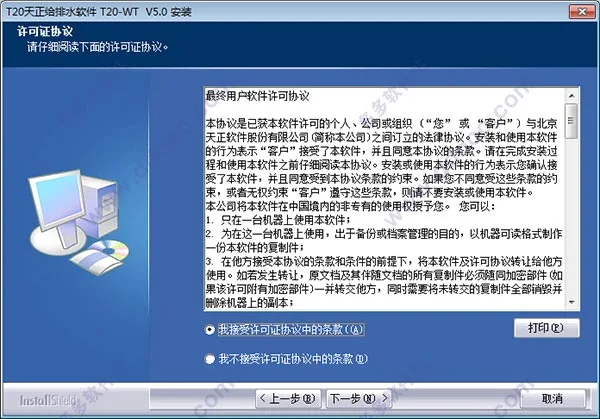
- The default installation directory is
C:TangentTWTT20V5, but you can choose your preferred location.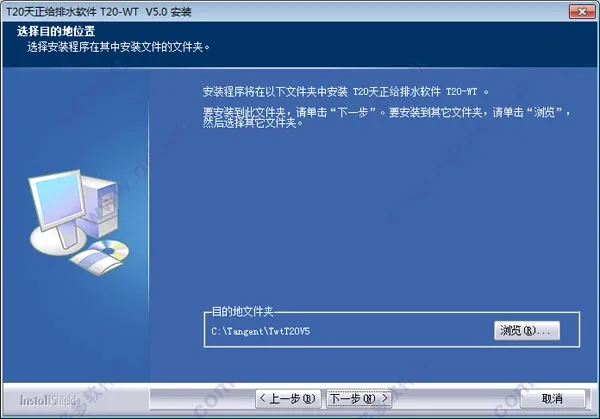
- Wait patiently for the software installation to complete.
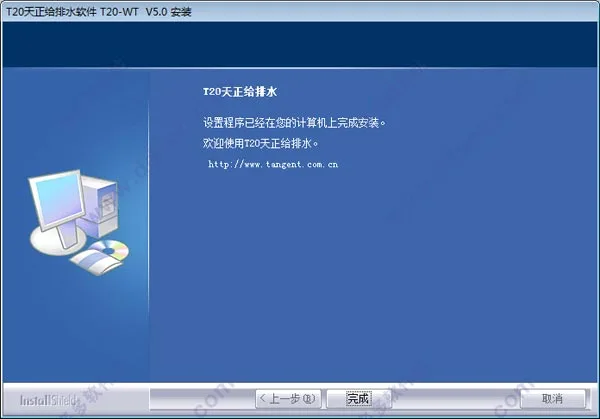
- Once installed, launch the software and select a compatible CAD platform to run it. The editor used CAD 2014 in this example.
Tianzheng Water Supply and Drainage T20 v5.0 supports 32-bit AutoCAD 2010-2016, 2018, 2019 and 64-bit AutoCAD 2010-2019.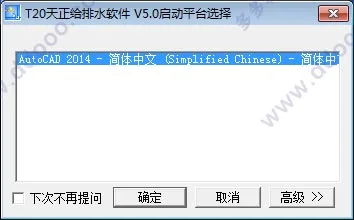
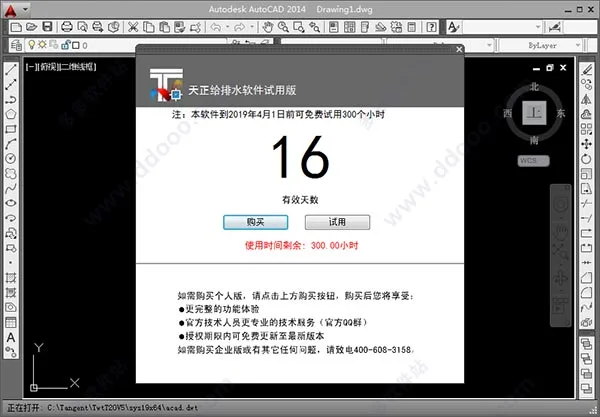
- The trial version of T20 Tianzheng Water Supply and Drainage v5.0 is limited to 300 hours and will expire before April 1st.
- To crack the software, copy the patch file to the installation directory.
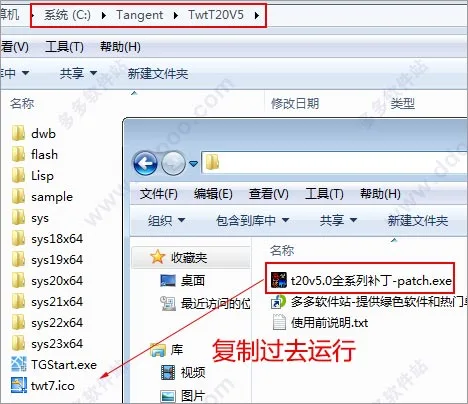
- Open the
t20v5.0 full series patchfrom the software package, check the backup box, and click ‘Modify’ to apply the crack.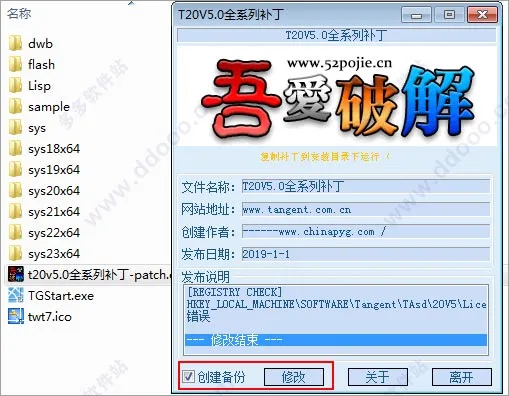
- Relaunch the software. You should no longer see any trial pop-ups. The help info will confirm the software is now a standalone version, indicating successful activation. You can now use the software fully and without restrictions.
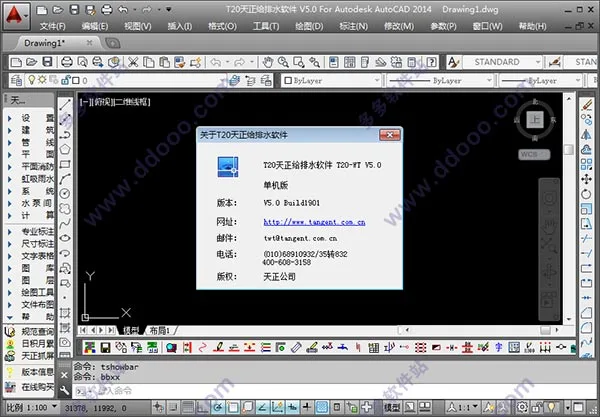
- Note: If the Tianzheng toolbar does not appear on the left panel in T20, type
TmnLoadin the CAD command line and press Enter to display the toolbar.
Key Features of Tianzheng Water Supply and Drainage T20 v5.0
- Intelligent Pipeline System: Customize pipeline names, line widths, materials, and other parameters to fit design requirements. The software supports 3D pipeline design, auto-generates nodes, and ensures accurate connections between pipes, equipment, and valves. Occlusion handling is automatic, and annotations update dynamically to maintain calculation accuracy.
- Quick Connect Sanitary Ware: Built-in sanitary ware functions allow selection and parameter assignment based on the “Sanitary Ware Installation Atlas” (09S304). One-click connection between pipelines and sanitary ware streamlines design while ensuring compliance with installation standards and avoiding pipe collisions.
- Pipeline Linkage: Moving a pipeline automatically moves associated valves, bends, and accessories, extending connected pipes as needed.
- System Diagram Generation: Automatically generate system diagrams with customizable text size, style, colors, and line widths. The system supports hydraulic calculations and pipe diameter annotations, facilitating clear and personalized diagrams.
- Sprinkler and Fire Protection: Design fire hydrant systems with options for single or double hydrants and various connection methods. The software automatically connects fire pipes, performs hydraulic calculations, and supports fire extinguisher layout with annotations. It complies with GB50974-2014 fire water supply standards.
- Water Pump and Water Tank Room Design: Draw plans and sections for water pump and tank rooms, including 3D viewing. Supports double-line water pipes with valve insertion directly into risers, offering capabilities unmatched by other software.
- Siphon Rainwater Module: Ideal for large buildings like stadiums and industrial facilities. Quickly calculate roof rainwater flow, arrange rainwater hoppers, and design siphon rainwater systems with pressure margin and negative pressure verification.
- Outdoor Design: Efficient layout of outdoor meter wells with multiple methods (arbitrary, fixed distance, two-point). Supports various well types with automatic numbering and pipeline slope definition. The software allows real-time checking of pipe burial depths and provides national standard septic tank references.
New Features in Tianzheng Water Supply and Drainage T20 v5.0:
- Added support for CAD 2018 and 2019 platforms.
- Separated the ‘Library Layer’ menu into distinct ‘Library’ and ‘Layer’ menus for better function concentration.
- New commands for quickly freezing and unfreezing layers within viewports in layouts.
- Enhanced layer management tools, including batch modifications of color, line type, and line width.
- Added depth and burial calculation functions with support for local and batch longitudinal profiles, generating elevation tables and section views.
- Dynamic preview support during water tank layout, with system diagram generation for pumps and tanks.
- Performance optimizations for opening drawings with multiple longitudinal section views and layer responsiveness.
- Improved annotation capabilities: batch modification, color adjustments, alignment, and customizable commonly used pipe diameters.
- Fire protection enhancements: drawing and labeling of fire extinguisher boxes, valve components with static/dynamic balance valves and flow switches, and compliance with updated fire safety codes.
- Outdoor design upgrades: custom pool support, better annotation style controls, and optimized drawing update rates.
- Support for multiple systems in double-line water pipes and custom pipeline systems.
- Introduced auxiliary positioning functions during riser layout and pipeline connection improvements.
- Various bug fixes and optimizations, including freezing/unfreezing layers, pipeline slope annotations, spray calculation improvements, and hydraulic calculations.
Bug Fixes and Improvements:
- Resolved issues with valve component placement at small scales and thickened pipelines.
- Fixed nozzle placement errors and capture issues in corners.
- Corrected pipeline elevation calculation errors and annotation recognition in user-defined coordinate systems.
- Repaired problems with fire hydrant connections, pipeline breaks, and ditch display errors.
- Addressed annotation and pipeline placement issues, including problems with double-line water pipe connectors and multi-tube annotations.
- Fixed performance issues with large drawings and selection responsiveness.
- Corrected errors in backup file naming and multi-tube annotation command invalidation.
- Improved hydraulic calculations for rainwater and fire hydrant systems.
- Enhanced layer control functions for clarity and usability.
- Overall stability and usability improvements across multiple features.











Hello, why are there only installation packages without patches and other options?
Hello, why are there only installation packages without patches and other options?