
Tianzheng Structural Software is designed for structural construction drawing and design, fully supporting the latest AutoCAD graphics platforms. Currently, the structural information model based on Tianzheng structural objects serves as the core of the Tianzheng software series. Developed by Tianzheng’s R&D team with extensive user feedback, this software features custom entities for components such as beams, columns, and walls, seamlessly integrating with architectural, plumbing, heating, and electrical disciplines.
The T20V8.0 version supports both 32-bit AutoCAD 2010–2016 and 64-bit AutoCAD 2010–2022 platforms, delivering stable, efficient, and powerful structural drawing capabilities.
T20 Day Normal Structure v8.0 is the latest structural drawing software in the series, known for its stability, high execution efficiency, and powerful features. It supports the latest AutoCAD 2022 graphics platform and is the core software for structural information modeling within the Tianzheng series. Primarily used for structural construction drawing and design, it offers comprehensive tools for designing plates, beams, walls, columns, steel reinforcement, stairs, and more.
This software simplifies the drawing and editing of beam, column, and shear wall components, as well as the layout and editing of floor slabs. It excels in internal building structural drawings, supporting both the import of building modules and flat drawing parts to significantly enhance user efficiency. The user interface is clean and intuitive, with extensive text annotations that appear when hovering over components, making it accessible even for beginners by clearly explaining each tool’s function.
Compared to previous versions, T20 Tianzheng Structure v8.0 introduces many new features and optimizations, including Word document reading, WPS export, text extraction, block extraction, and block base point modification. It offers full compatibility with AutoCAD 2010–2022, ensuring seamless cooperation with various AutoCAD versions and aiming to boost designers’ productivity.
Tianzheng Structure T20V8.0 Activation and Installation Guide
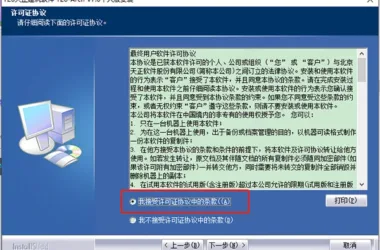
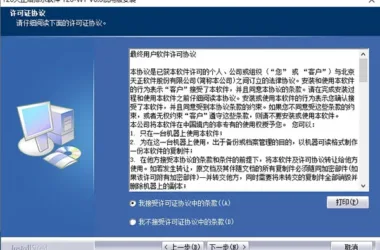
- Download and run T20 Asd V8.0, the standard T20 structural software, then accept the license agreement. (Note: The official version has been updated.)
- Select the installation path, typically defaulting to
C:TangentTAsdT20V8sys24x643, and follow the installation steps until completion, then exit the installer. - Copy the patch file
tch_initstart.arxto the installation directory, replacing the existing file (default path:C:TangentTAsdT20V8sys24x64). - Launch the software and associate it with AutoCAD.
New Features in T20 Day Normal Structure v8.0
- Supports 64-bit AutoCAD 2022 platform.
- Added “Read into Word” feature to create or update corresponding Tianzheng tables based on selected Word tables.
- Introduced “Export to WPS” to output Tianzheng tables as WPS tables.
- Added “Read into WPS” to create or update Tianzheng tables from selected WPS tables.
- “Text Extraction” enables batch extraction of text content, exporting to TXT and Word formats.
- “Elevation Change Value” allows incrementing or decrementing specified elevation values.
- “Quick Block Building” facilitates rapid creation of CAD blocks following specific naming conventions.
- “In Block Extraction” extracts and copies selected objects from within block references to outside the block.
- “Block Name Change” renames selected blocks to new block names.
- “Change Block Base Point” quickly adjusts the base point position of inserted blocks.
- “Change Block Text” modifies text content and related parameters inside blocks without exploding them.
- “Block Order” changes the order of objects within a block without breaking it down.
- Added a parameter to control spacing between Chinese and English characters when exporting entire images.
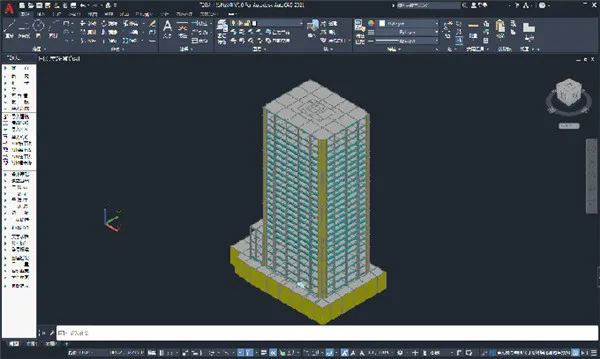
Software Features
- Modeling Section:
- The beam module focuses on drawing and editing beam components.
- The column module covers drawing and editing column components.
- The shear wall module is for drawing and editing shear wall components.
- The floor module manages arranging and editing floor slabs, cantilever slabs, and slab openings.
- Building module import allows integration of Tianzheng Architecture drawings into the condition diagram for use in Yingjianke Structure Software to create final drawings.
- Flat Drawing Section: Manual steel bar drawing according to the latest atlas, using beam, slab, column, and wall leveling methods.
- Component Calculation, Setup, Help, and Gallery:
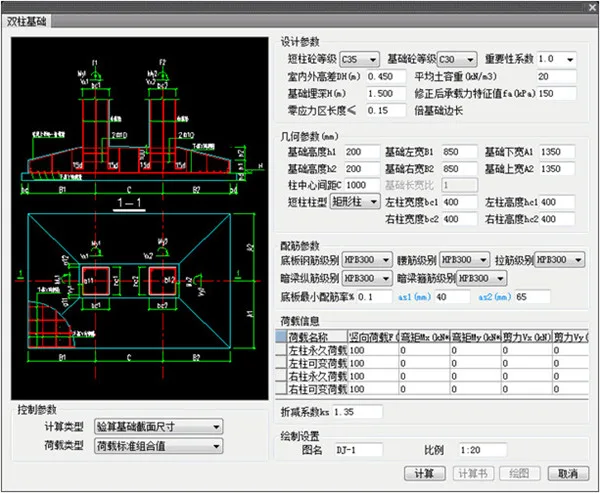
- Component calculations include independent foundations, strip foundations, beam stairs, and slab stairs.
- Settings cover operation preferences, screen menus, text styles, font heights, and other parameters.
- Structural component detailed drawings are available in the gallery.
- Text Tables, Symbol Annotations, Dimension Annotations, Grids, and Tools: Functions primarily related to architecture-oriented text tables, symbol annotations, and dimension annotations.
T20 Day Structure Basic Usage Tutorial
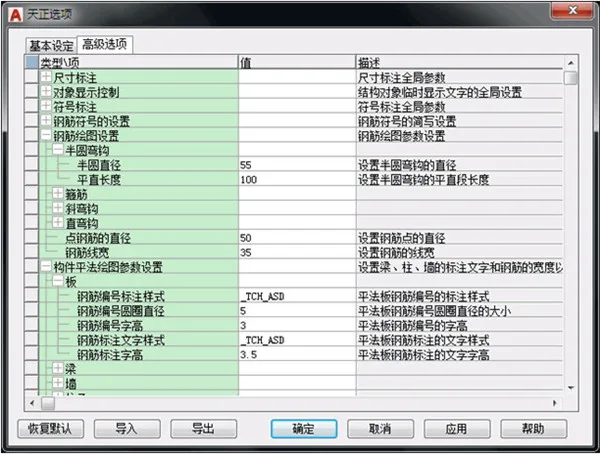
- User Customization Support: The customization options allow tailoring the software interface, command operations, and structural design parameters. Settings can be exported as XML files for sharing within organizations, and can be reset to default via the “Restore Default” function.
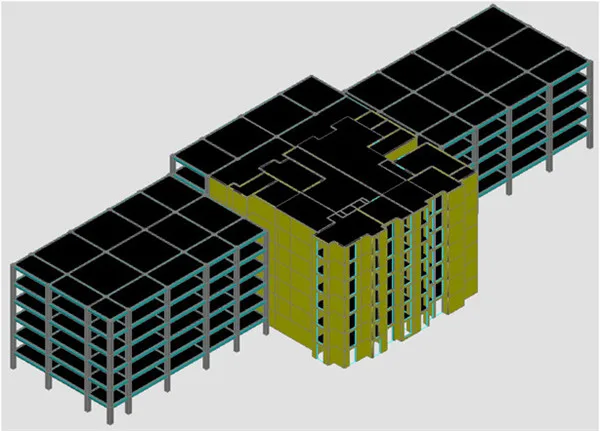
- Structural Modeling Design:
- Beam module: drawing and editing beams.
- Column module: drawing and editing columns.
- Shear wall module: drawing and editing shear walls.
- Floor module: arranging and editing floor slabs, cantilever slabs, and slab openings.
- Import architectural modules to create condition diagrams for Tianzheng Structure.
- Import Yingjianke structural software drawings for result drawing.
- Import Yingjianke Model Instance: Provides calculations and drawings for overall stairs, slab stairs, and beam stairs.
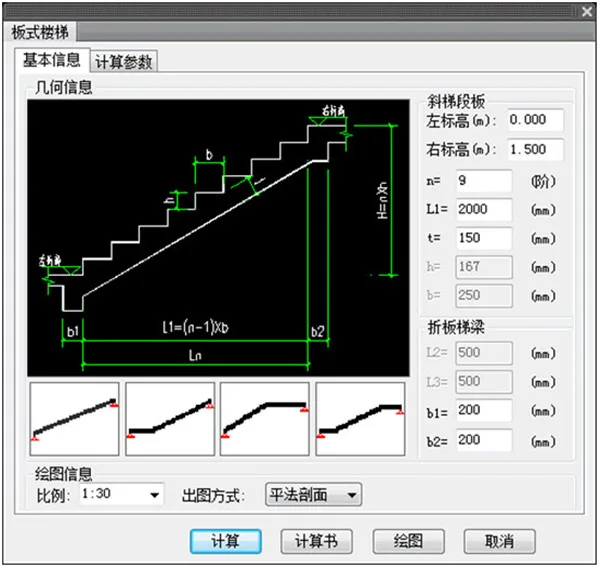
- Calculations and drawings for strip foundations and independent foundations are also supported.
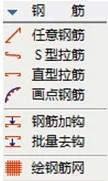
- Practical Flat Construction Drawing: According to the latest atlas, steel bars are manually drawn using beam leveling, column leveling, and wall leveling methods.
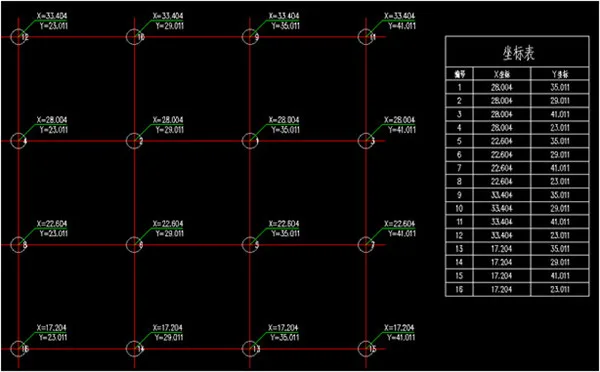
- Convenient and Efficient Commonly Used Tools: Includes functions for drawing frequently used structural symbols, text tables, dimension annotation and editing, grouping entities, layer operations, and more to streamline construction drawing editing. Also features coordinate table generation.
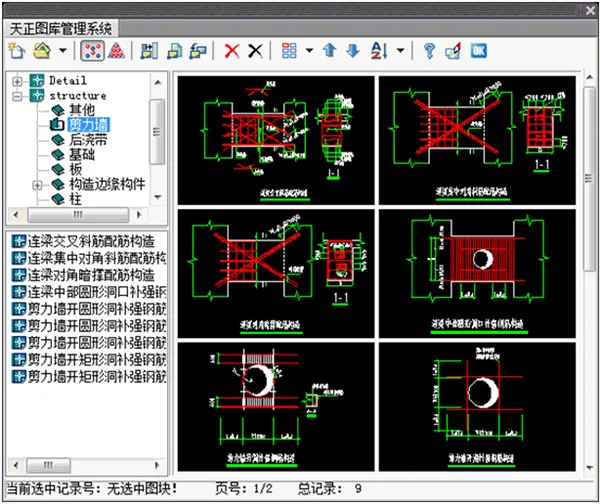
- Structural Library: Offers a comprehensive library management system with various system libraries. Modules in the gallery are based on real engineering examples or atlases and can be referenced directly with minor adjustments. Users can also add, update, or modify gallery content to suit their needs.
Key Software Features
- Flexible and Convenient Concrete Structure Design: Provides comprehensive reinforced concrete plane drawing functions for beams, columns, and walls, fully compliant with national drafting standards. Supports calculations for single/double directional slab reinforcement and embedded parts, independent shallow foundation reinforcement calculation (including PKPM calculation data file generation), parametric drawing of detailed drawings, pile bearing capacity, composite foundation, and individual foundation settlement.
- Offers powerful calculation and drawing capabilities for slab stair reinforcement, beam steel stairs, and embedded parts, along with flexible drawing and editing of any steel reinforcement.
- Robust Steel Structure Design: Includes tools for common steel structure section drawings, weld seam annotations, and purlin (wall beam) layouts. Cross-sectional drawing tools automatically calculate sectional characteristic values. Provides numerous parametric node drawing functions, enabling easy creation of detailed node diagrams by setting parameters.
- Features various calculation and query tools for cross-section characteristics and materials, eliminating the need for reference books. Parametric support drawing functions allow complex drawings to be completed quickly by setting parameters. Enhancements also include improved calculation and drawing of crane beams.
- Convenient and Efficient Common Tools: Enables drawing of frequently used structural symbols, text editing, dimension annotation, entity grouping, and layer management, simplifying construction drawing editing. Also supports full interface compatibility with software like PKPM and Tianzheng Architecture for integrated building structure workflows.
- Comprehensive Structural Image Library: Includes a robust library management system with real engineering examples and atlas-based modules, allowing users to reference, add, update, or modify content to meet specific project requirements.











Must log in before commenting!
Sign Up