
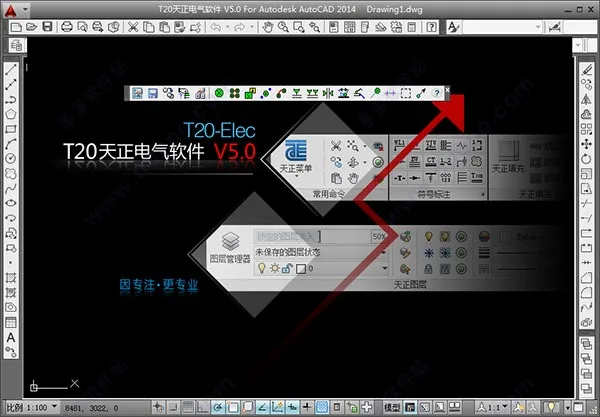
T20 Tianzheng Electric v5.0 is the latest version in the Tianzheng Electric software series, now compatible with 32-bit AutoCAD 2010 to 2016, as well as 2018 and 2019, and 64-bit AutoCAD 2010 through 2019. This update enhances numerous features, including adding emergency lighting classifications to library management with corresponding layers, updating transformer models for load calculations (S11-M, SCB11, SH15, SCBH15), and optimizing wire labeling and wire count marking for weak current cables. It also resolves a critical error that occurred when double-clicking to window the software without opening a drawing, providing users with a smoother electrical design experience.
PS: The accompanying crack patch file perfectly activates the software for personal testing. Detailed installation instructions are provided below for those interested.
Basic Introduction
T20 Tianzheng Electric v5.0 supports both 32-bit (AutoCAD 2010–2016, 2018, 2019) and 64-bit (AutoCAD 2010–2019) operating systems. Designed with extensive user feedback, this version improves professionalism and stability to better suit electrical design needs.
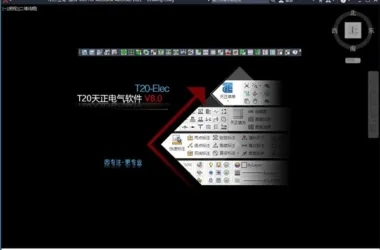
The software organizes frequently used drawing commands into palettes placed at the top and bottom of the interface, creating a unique T20 user experience. Users can activate commands directly by clicking buttons on these palettes, eliminating the need for navigating multiple menus.
Key features include 3D lightning protection, transformer and distribution room design, 3D cable tray planning, support and hanger layout, collision detection, cable routing, and high-voltage short-circuit current calculation, all contributing to significantly enhanced designer efficiency.
T20 Tianzheng Electric v5.0 Installation Tutorial:
1. Download and unzip the package to retrieve the Tianzheng Electric T20 v5.0 Q1 version and registration crack files;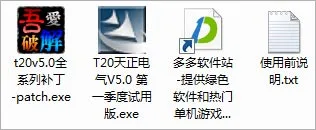
2. Run setup.exe to install the software and accept the license agreement;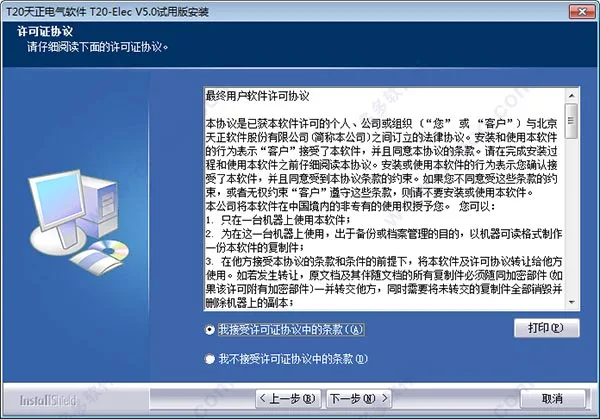
3. Choose the installation directory (default is C:TangentTelecT20V5);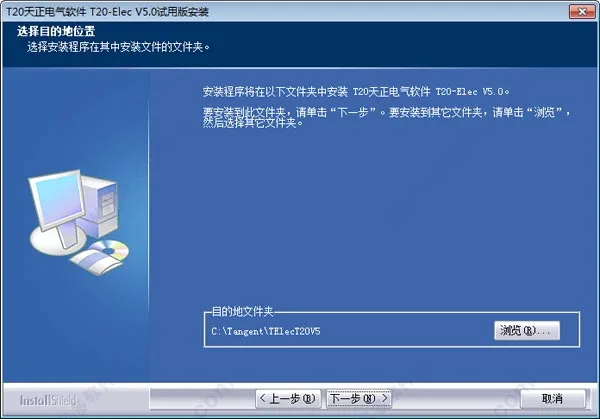
4. Wait patiently for the installation to complete;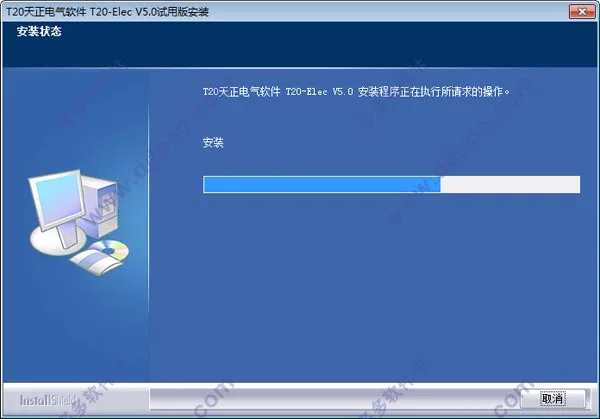
5. Launch the software and select a compatible AutoCAD platform (the editor used CAD 2014). The software supports 32-bit AutoCAD 2010–2016, 2018, 2019 and 64-bit AutoCAD 2010–2019;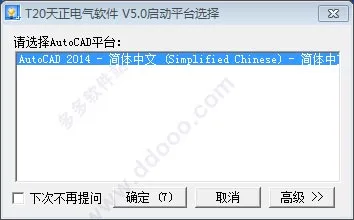
6. Notice that the free trial lasts 300 hours and expires before April 1st;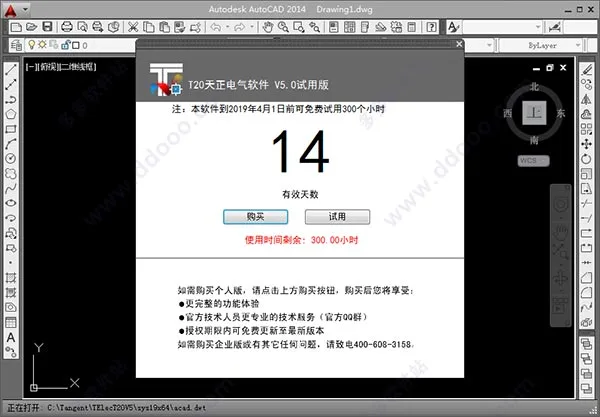
7. To activate, copy the crack patch file to the software installation folder;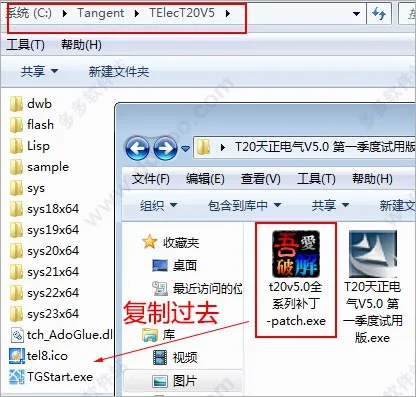
8. Open the t20v5.0 full series patch included in the package, check the backup box, and click modify to apply the crack;
9. Relaunch the software. The trial prompt will no longer appear, and the help section will indicate it’s a standalone version, confirming successful activation;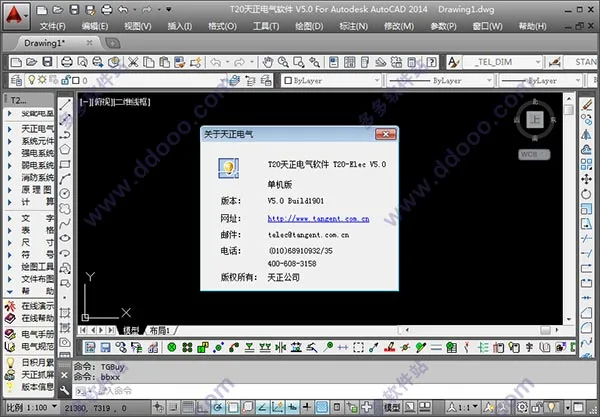
Note: If the Tianzheng toolbar does not appear on the left side of the interface, enter the command TmnLoad in the AutoCAD command line and press Enter to display it.
Software Features
1. Electrical Graphic Design
T20 Tianzheng Electric v5.0 offers various methods for arranging flat equipment and wiring. Equipment output interfaces use floating windows with dynamic previews, delivering a WYSIWYG (What You See Is What You Get) experience. The right-click menu enables flexible editing, simplifying the process of drawing power, lighting, weak current, fire protection systems, transformer and distribution room layouts, and lightning protection grounding plans. All graphic elements are parametric, with one-time data input automatically generating annotations and material lists. Equipment blocks follow the 09dx national standard legend, include building control types, wire layers, and offer a wider variety of wires for users.
2. Electrical System Design
The software intelligently supports automatic generation of lighting system diagrams, power system diagrams, and low-voltage single-line diagrams. It also facilitates drawing weak current system and secondary wiring diagrams. Distribution box system diagrams are auto-generated with load calculation features. The system provides hundreds of commonly used high and low voltage switchgear circuit schemes and over 80 principle diagrams for user selection.
3. Electrical Calculations
T20 Tianzheng Electric v5.0 offers comprehensive calculation tools tailored for building electrical design, including point-by-point illumination, illumination calculations, multiline illumination calculations (utilization coefficient method), load calculations, reactive power compensation, short circuit current calculations (including low-voltage), voltage drop, annual lightning strike frequency, and relay protection calculations. All results can be exported to Word or Excel.
4. Grounding and Lightning Protection
Users can freely design lightning rods, lightning strips, grounding wires, and electrodes. The software can automatically generate lightning protection belts based on building condition maps. It supports rolling ball lightning protection in both 2D and 3D, with real-time updates of protection zones. By outlining buildings with polylines and assigning height values, users can view 3D lightning protection states and protection ranges. A new ‘Line Lightning Protection’ feature supports lightning rod placement on flat and mountainous terrains.
5. High Voltage Short-Circuit Calculation Module
Using the node admittance method, this module integrates calculation and drawing. Users can build main wiring and impedance diagrams, with automatic conversion between the two. It automatically calculates high-voltage short-circuit currents, including motor feedback currents, and supports multiple short-circuit points with both three-phase and asymmetric current calculations. Results can be exported to CAD and Word. The process requires no manual table lookups or star-delta transformations, greatly enhancing efficiency and accuracy.
New Features in T20 Tianzheng Electric v5.0
1. Support for AutoCAD 2018 and 2019 platforms.
2. Automatic device connection by matching device names, including connecting distribution box main lines to equipment.
3. Distribution lead-out feature calculates and marks the length and wire information from distribution boxes to equipment during planar statistics.
4. Customizable bridge system settings allow users to modify drop-down menu options when drawing bridges, with export and backup support.
5. Emergency lighting classification and corresponding layers added to library management.
6. Device definition interface optimized, categorizing devices into strong current, weak current, fire protection, and others for faster identification.
7. Multi-line illumination project name settings added; supports selecting Tianzheng Building rooms during dimension extraction; customizable calculation table content; visual feedback on whether current room illuminance meets standards; data import/export functions.
8. New LED light sources, including T8 and T5 straight tubes, added to light source parameters for illuminance calculations.
9. Updated transformer models in load calculation: S11-M, SCB11, SH15, SCBH15.
10. Planar statistics now support analysis of Tianzheng electrical equipment on user-defined layers.
11. Layout button supports external references for Tianzheng water supply, drainage, and electrical fire hydrants.
12. Added batch automatic layout function based on spacing for hanger drawing.
13. Filter selection supports filtering specific legend types and enables uniform device replacement and scaling.
14. Added keyboard shortcuts for navigating pages within flat device menu galleries, reducing mouse clicks.
15. Optimized wire labeling and wire count marking for weak current cables.
16. Fixed planar wiring issue where wires failed to auto-disconnect after extended use.
17. Corrected load calculation errors related to manual circuit information input without circuit numbers.
18. Fixed temperature and smoke sensor command attaching to WCS origin incorrectly when UCS and WCS coordinates differ.
19. Resolved issue locking non-electrical layers in large drawings and long command line prompts.
20. Fixed fatal errors caused by double-clicking to window the software without opening a drawing.











Must log in before commenting!
Sign Up