
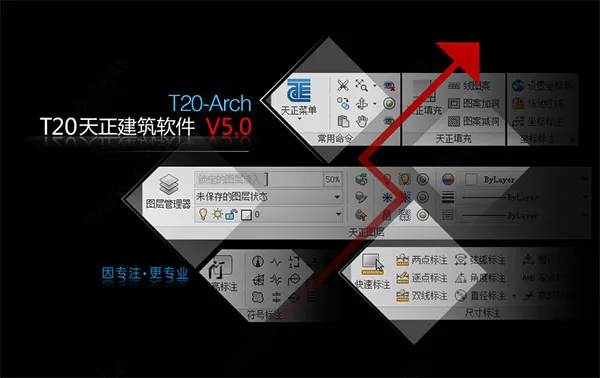
T20 Tianzheng Architecture 5.0 is a powerful CAD architectural design software developed by Tianzheng Company to meet industry needs. It features a comprehensive building fire protection module and supports high-resolution computer settings through intuitive screen menus and command dialog boxes. The software also includes door and window collections, a dynamic image library, and advanced building objects.
Through seamless integration of interfaces, data, and standards across Tianzheng series software and external platforms like Revit, it establishes an effective BIM application model. This model embeds, carries, and expands data information without altering the original working habits of engineering designers or requiring additional learning, representing a pure technological innovation.
The greatest advantage of T20 Tianzheng Architecture lies in its organization and extraction of frequently used commands during the design process. Similar functions are grouped into palettes within 2D sketch and annotation modes, allowing users to activate commands with a simple button click, avoiding the need to navigate multi-level menus repeatedly. This significantly reduces drawing time and is tailored for the architectural design industry, making it the top choice for domestic architects.
Duoduo editor presents T20 Tianzheng Architecture 5.0 with built-in cracking patches and detailed tutorials, tested personally and available for immediate download. Experience it now!
Software Features
1. Cross-Platform Dynamic Object Input
Since AutoCAD 2006 introduced dynamic input for object editing, Tianzheng has fully adopted this technique for its objects. This method enables direct input of object dimensions on the graphic interface, greatly enhancing drawing efficiency. For example, door and window stack dimensions can be modified dynamically.
2. Powerful Status Bar Functionality
The status bar includes scale control that allows users to set and modify object scales. It also supports grouping control, wall baseline display, bolding, filling, and dynamic annotations effective for elevations and coordinates.
3. Customization Support
Users can customize the software interface, commands, and architectural design parameters through the Tianzheng Options. Settings can be exported as XML files for sharing within an organization and restored to default when needed.
4. Advanced Specialized Annotation System
Tianzheng has developed a unique annotation system tailored for construction industry drawings. Axis numbers, dimension annotations, symbols, and text use custom objects optimized for architectural drawings, replacing traditional dimension and text objects. This system offers flexible modification methods, simplifies object structure, saves memory, reduces commands, and enhances usability.
5. Software Function Design Goals
- Leverages professional object technology to synchronize 3D models and floor plans, accommodating frequent modifications in construction drawings.
- Utilizes Tianzheng’s professional object modeling to provide sunshine analysis models and occlusion models for planning, alongside energy-saving building analysis models for mandatory energy-saving design.
6. Custom Object Construction Components
Tianzheng offers a series of custom object representations for architectural components that are both user-friendly and versatile. Walls, for example, come with complete geometric and material properties, editable like standard AutoCAD graphics. Grips allow stretching and reshaping, while double-clicking enables modification of parameters such as wall thickness and height. These objects intelligently link with doors and windows, improving editing efficiency and reflecting changes intuitively in 3D views, achieving true 2D and 3D integration.
7. Comprehensive User Interface and Intelligent Menus
- Screen menus feature 256-color icons with clear hierarchy and foldable structures, supporting mouse scroll for faster submenu switching.
- Right-click menus provide access to real-time assistants, directory jumps, startup commands, customization, and more.
- During drawing, context-sensitive right-click menus adapt to selected object types, offering relevant editing options and personalized menus. Chinese Pinyin shortcut commands and one-click shortcuts accelerate drawing.
8. Robust Gallery Management and Block Functions
- The image library system uses the TKW file format to manage multiple libraries simultaneously, organized clearly in a tree directory. Users can adjust the visual layout of categories, names, and block previews freely.
- Blocks support drag-and-drop sorting, batch renaming, and automated naming based on block dimensions, optimizing user convenience.
- The interface adopts a flat icon toolbar and menu bar consistent with popular software styles. System and user image libraries are maintained independently, facilitating version upgrades.
9. Newly Designed Text and Table Functions
- Custom text objects allow easy input and editing of mixed Chinese and Western text, including subscripts, special characters, and circled text. They address font height discrepancies between Chinese and English characters, ensuring compliance with national drafting standards. Text backgrounds can be blocked for clearer visuals.
- In-place text editing is available via double-clicking, providing convenient access to text editing boxes.
- Tianzheng tables feature advanced objects with an interface similar to Excel, supporting hierarchical structures and personalized appearance controls. They enable bidirectional data exchange with Excel, making engineering spreadsheets as convenient as metric ones.
T20 Tianzheng Architecture 5.0 Installation Steps
1. Double-click setup.exe, unzip, and run the installer.
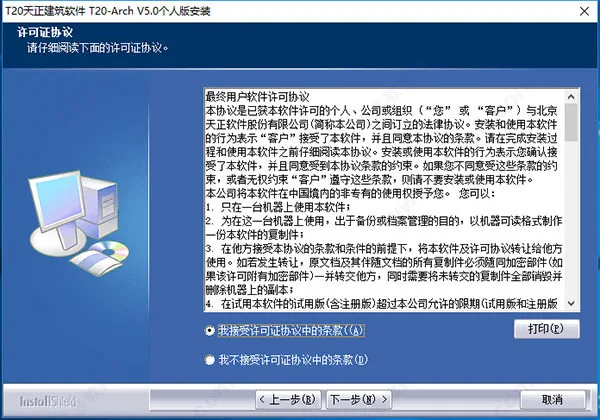
2. Accept the license agreement and click Next.
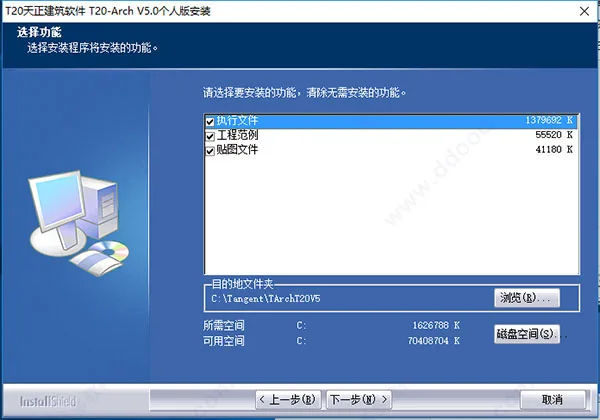
3. Choose the installation location and click Next.
4. Click Next to proceed.
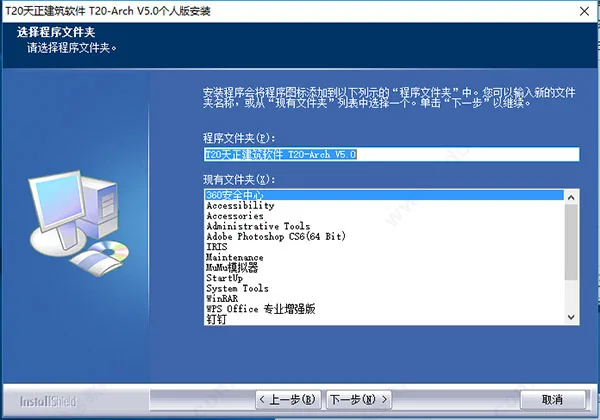
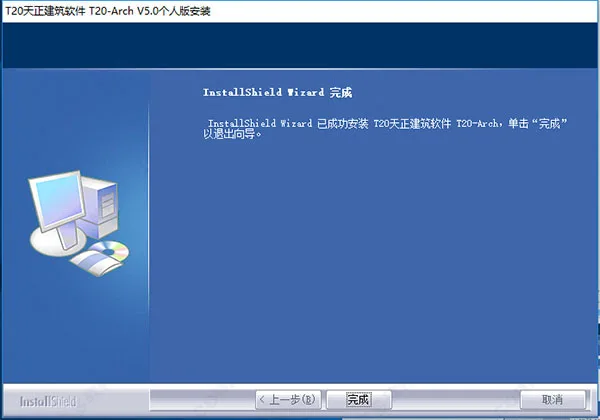
5. Installation completes successfully. Do not run the software yet; click Finish to exit the installer.
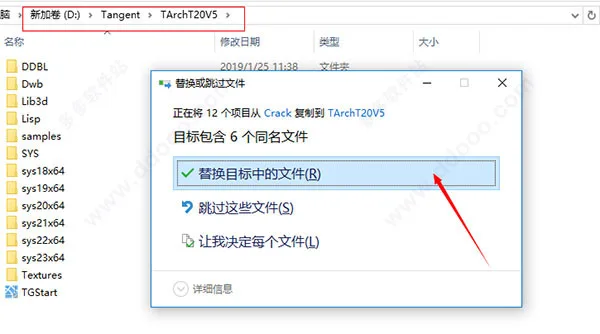
6. Copy the crack patch from the Crack folder to the installation directory and replace existing files.
7. Run User.reg to import registration information.
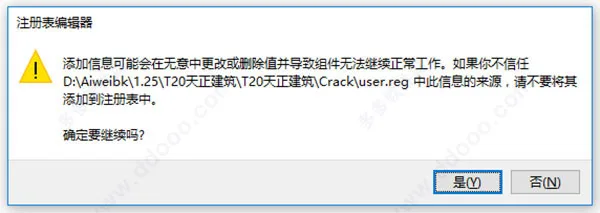
8. Confirm the import success by clicking OK.
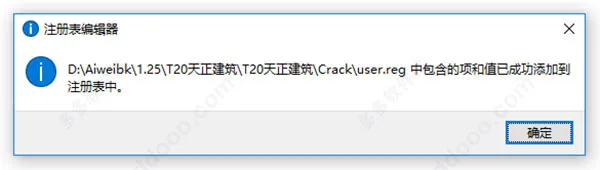
9. The software is now successfully cracked and ready for free use.
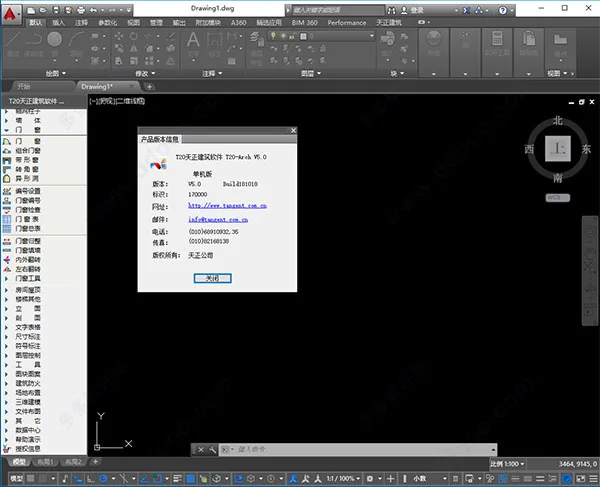
Summary of Software Features
- Goal-oriented software function design
- Custom object construction for professional components
- Well-developed user interface
- Convenient intelligent menu system
- Cross-platform dynamic object input support
- Powerful status bar functionality
- Support for user customization
- Advanced specialized annotation system
- Newly designed text and table functions
- Robust gallery management and block features
- Material system compatible with AutoCAD
- Project manager supports drawing sets and floor tables
- Enhanced vertical profile drawing capabilities
- Engineering data query and area calculation tools
- Comprehensive support for various AutoCAD tools
Changelog
Updates in T20 Tianzheng Building v5.0 include:
- Support for 64-bit AutoCAD 2017 platform.
- Improvements in the site layout module, adding features such as red line setbacks, parking space numbering, tree name annotation, tree statistics, and coordinate tables. Existing functions like road elevation and parking layout were also enhanced.
- Introduction of a new building fire protection module with functionalities like zone creation, local spraying, floor openings, and area corrections.
- Added functions for filling area statistics and drawing circular holes. Auxiliary drawing tools such as Tianzheng filling, area calculation, and incremental text have been improved.











May I ask what to do if the installation interface crashes? It crashes when the installation is ready, and the system is running on Windows 10
This version is also compatible with CAD2019. Great! Thank you