
One-click Join Decoration BIM Technology Exchange Group: Join Group Now
Plugin Type: Decorative BIM Plugin
Plugin Version: V2019.3.0
Compatible Revit Versions: 2016-2019
Software Interface:
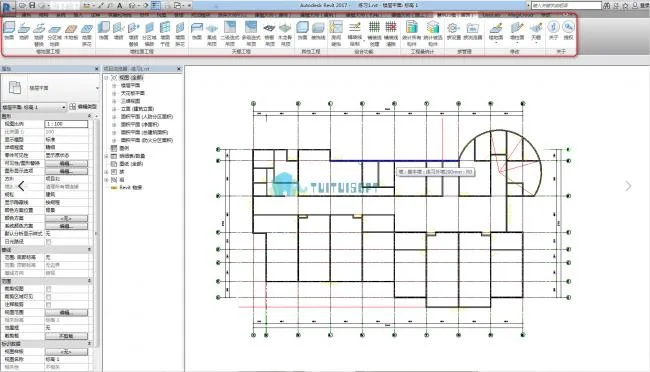
Main Features:
Huizhu Qiaomu (Decoration) is a fast, Revit-based decoration modeling software developed by Huizhu Technology. Since its launch earlier this year, it has gained widespread popularity among users. Curious about its capabilities and effectiveness? Let’s explore the features below!
Feature Overview
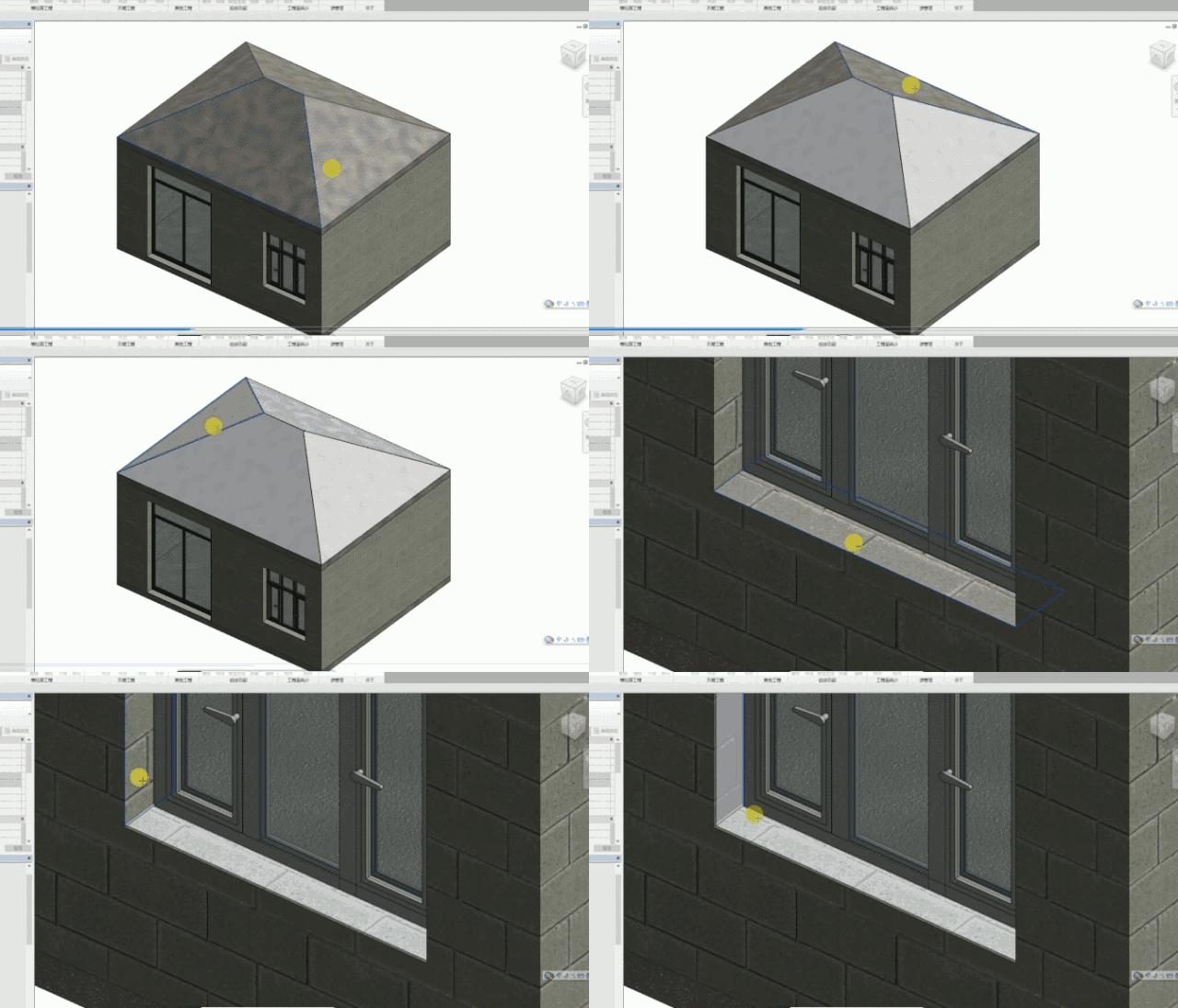
1. Finish
This tool quickly generates decorative surfaces for entire components with a single click. It can also automatically recognize surfaces based on the minimum enclosing area. Additionally, the custom decoration function allows you to apply decorations to any component surface—except wall tops and floors—such as window sills.
2. Floor Tile
The tile paving feature supports multiple methods including vertical, diagonal, and area-based paving, offering true flexibility and power.
3. Wooden Floor
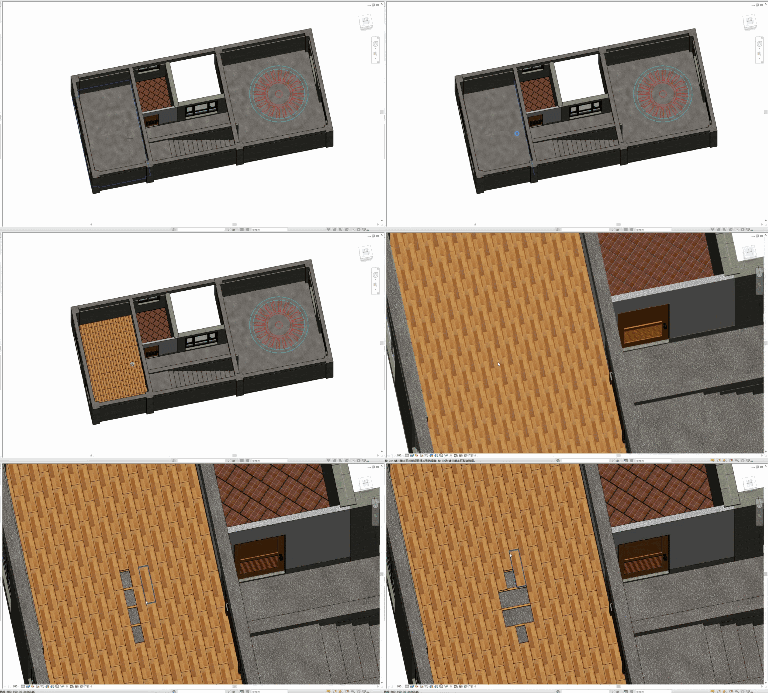
Wooden flooring paving is similar to floor tiles. You can configure different laying methods such as keel and frosted flooring as needed. The plugin also allows one-click generation of wooden flooring and keel according to specified rules.
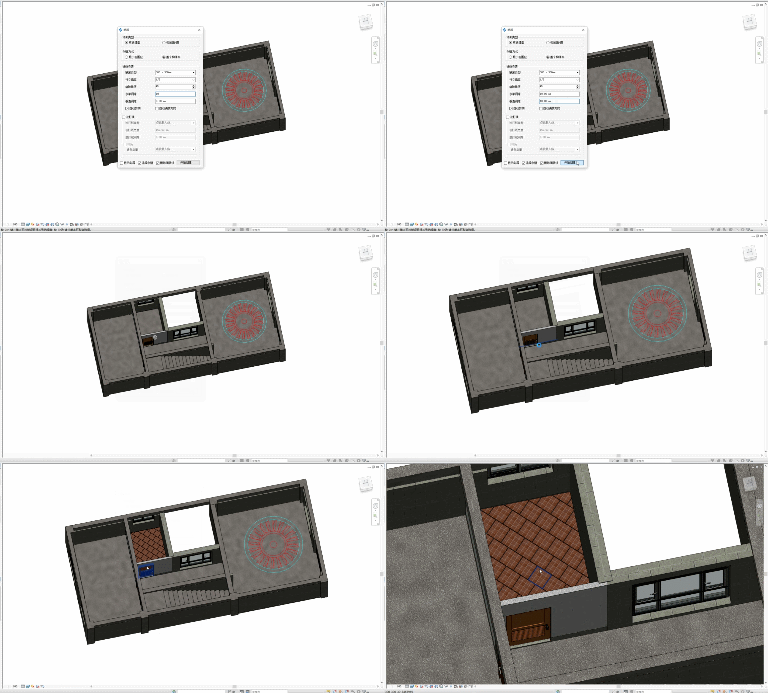
4. Parquet Floor
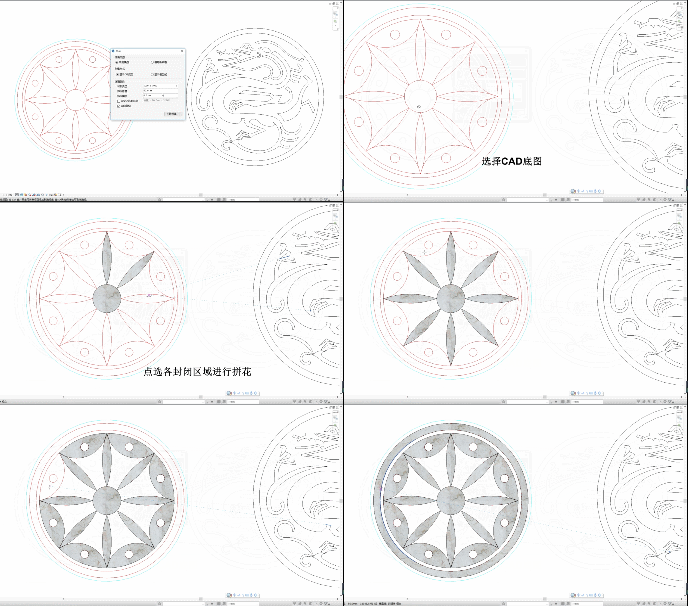
The powerful mosaic feature saves you significant modeling time. Simply import a CAD mosaic base map, select your materials, click, and the complex mosaic model is built in minutes.
5. Wall Tile
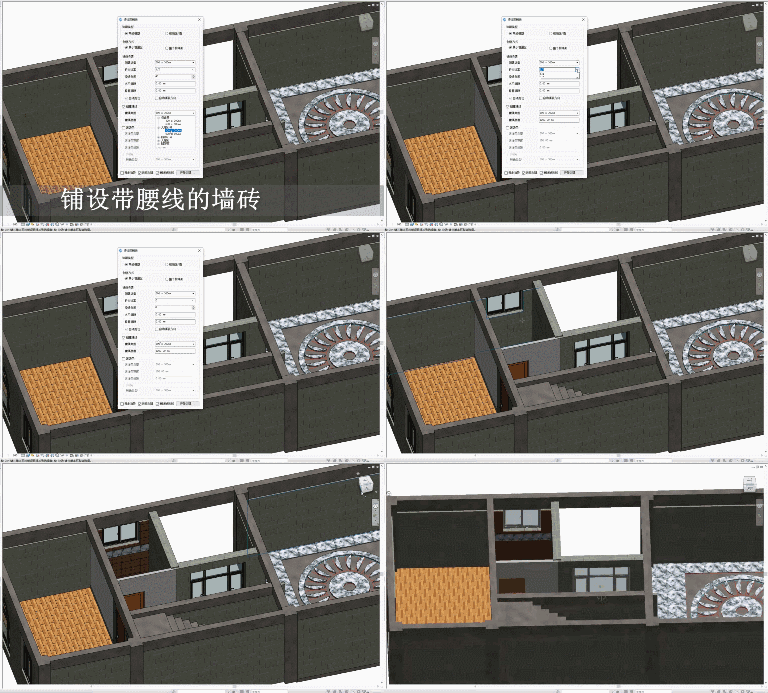
This feature is equally robust for wall tiling. Beyond basic tiling, you can create waistlines, tile different areas individually, and replace wall tiles with ease.
6. Wall Tile Replacement
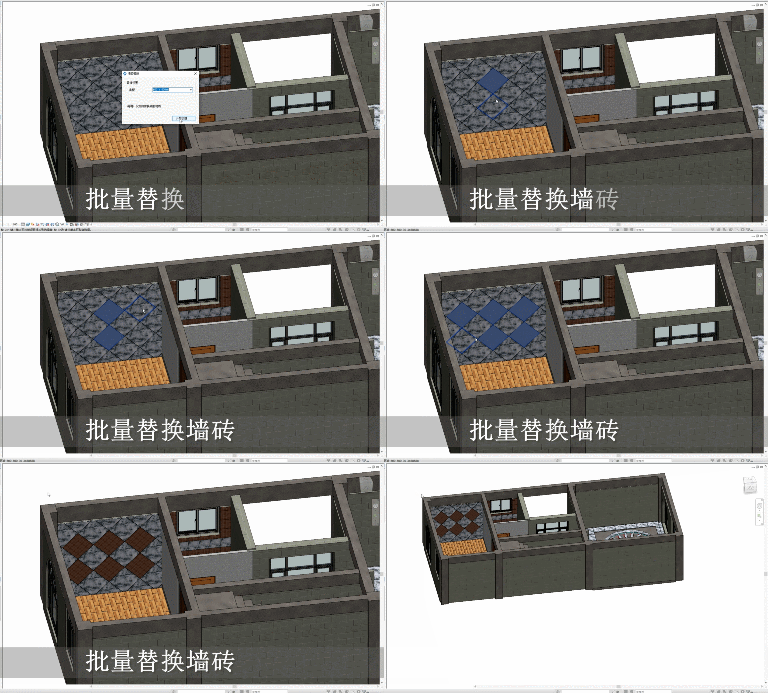
Quickly replace wall tiles with a simple click to instantly visualize your new design.
7. Regional Tiling
Designing multiple regions with different configurations can be time-consuming, but partition tiling allows simultaneous generation with one click—making the process fast and accurate.
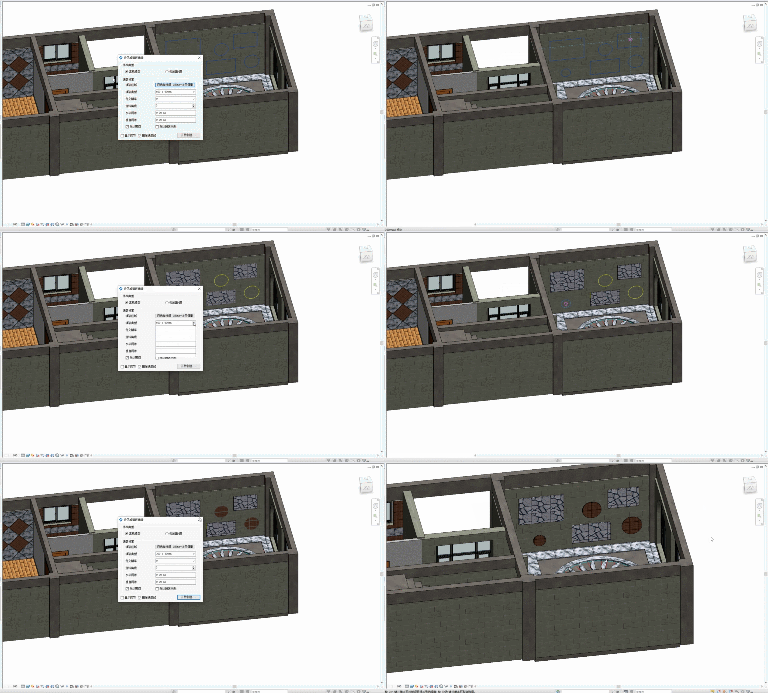
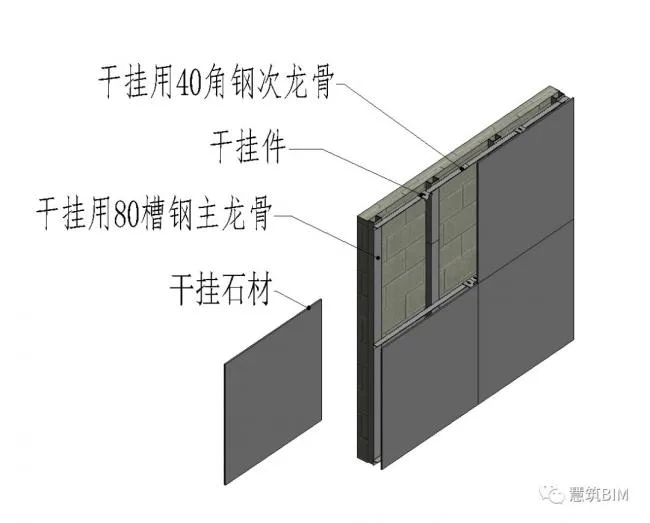
8. Dry Hanging for Wall Surfaces
The dry hanging feature is highly capable—even with wall holes present. Horizontal and vertical keels, dry hanging accessories, and decorative panels integrate seamlessly, saving you valuable time.
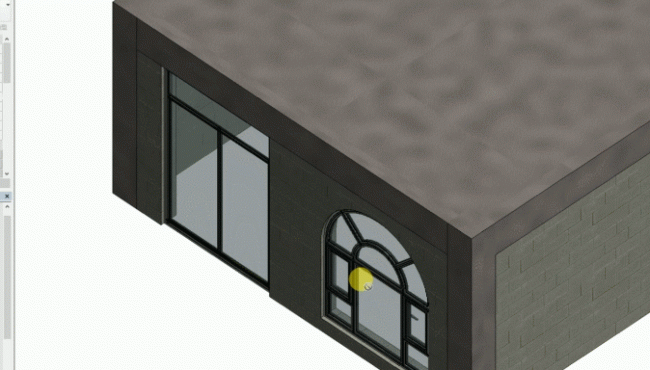
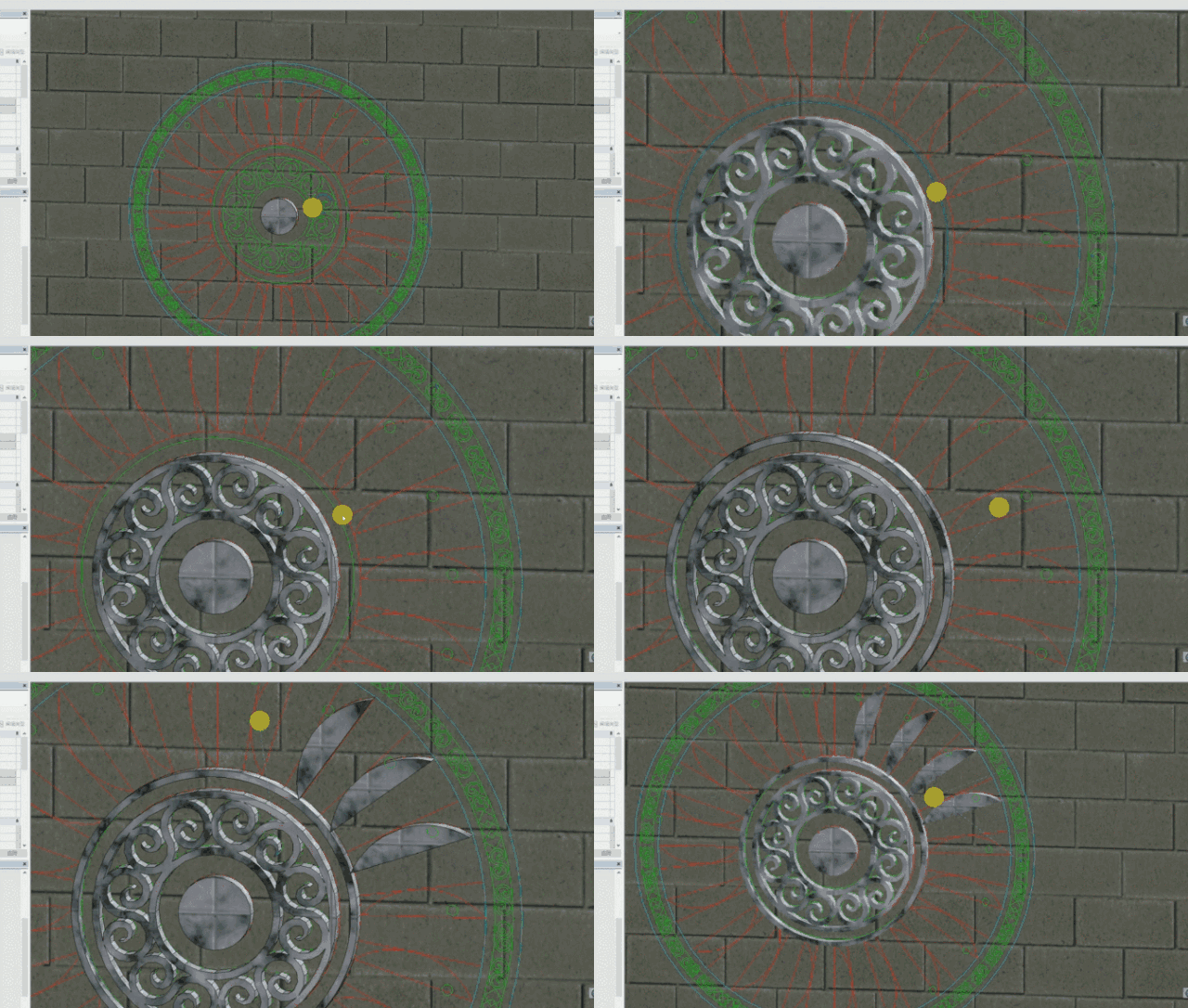
9. Wall Mosaic
Similar to floor mosaics, simply import a ready-made CAD mosaic drawing and click to create wall mosaic decorations within minutes, saving you from manually tracing each point.
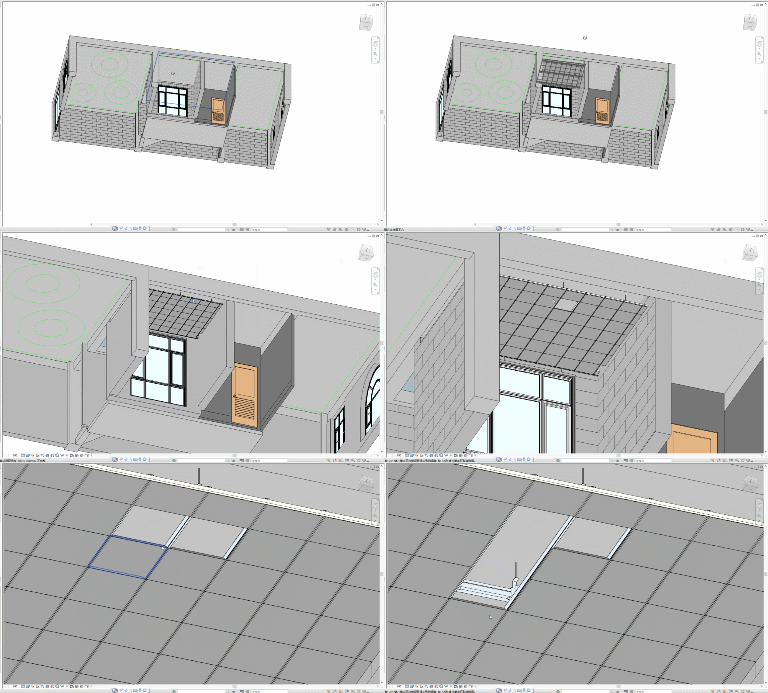
10. Integrated Ceiling
The ceiling decoration function is even more powerful. Whether it’s integrated ceilings, wooden keel ceilings, or stacked ceilings, you can quickly generate decorative surfaces along with main keels, secondary keels, suspension rods, pendants, and other components. The plugin also automatically avoids collisions.
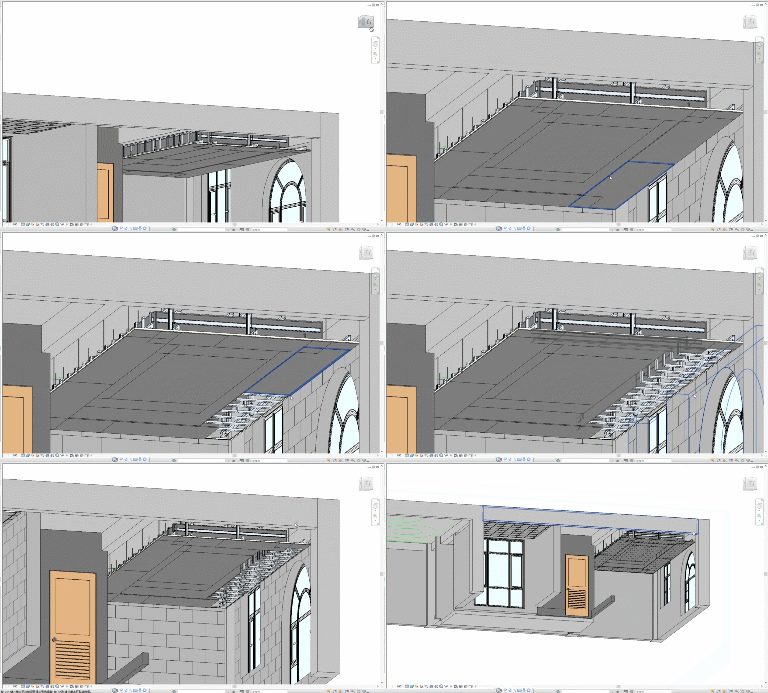
11. Secondary Ceiling
Secondary ceilings can be generated with decorative surfaces, keels, hanging accessories, and more, all with one click. This software automatically generates secondary ceiling contours based on the primary contour and also supports custom contours for more precise ceiling shapes.
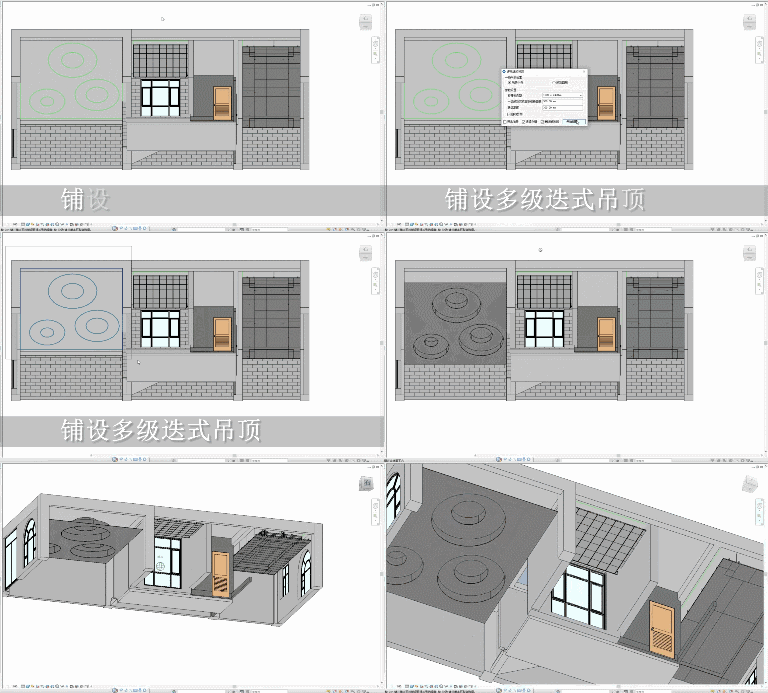
12. Multi-Level Ceiling
Multi-level ceilings allow you to generate various irregular ceiling finishes based on specified contours.
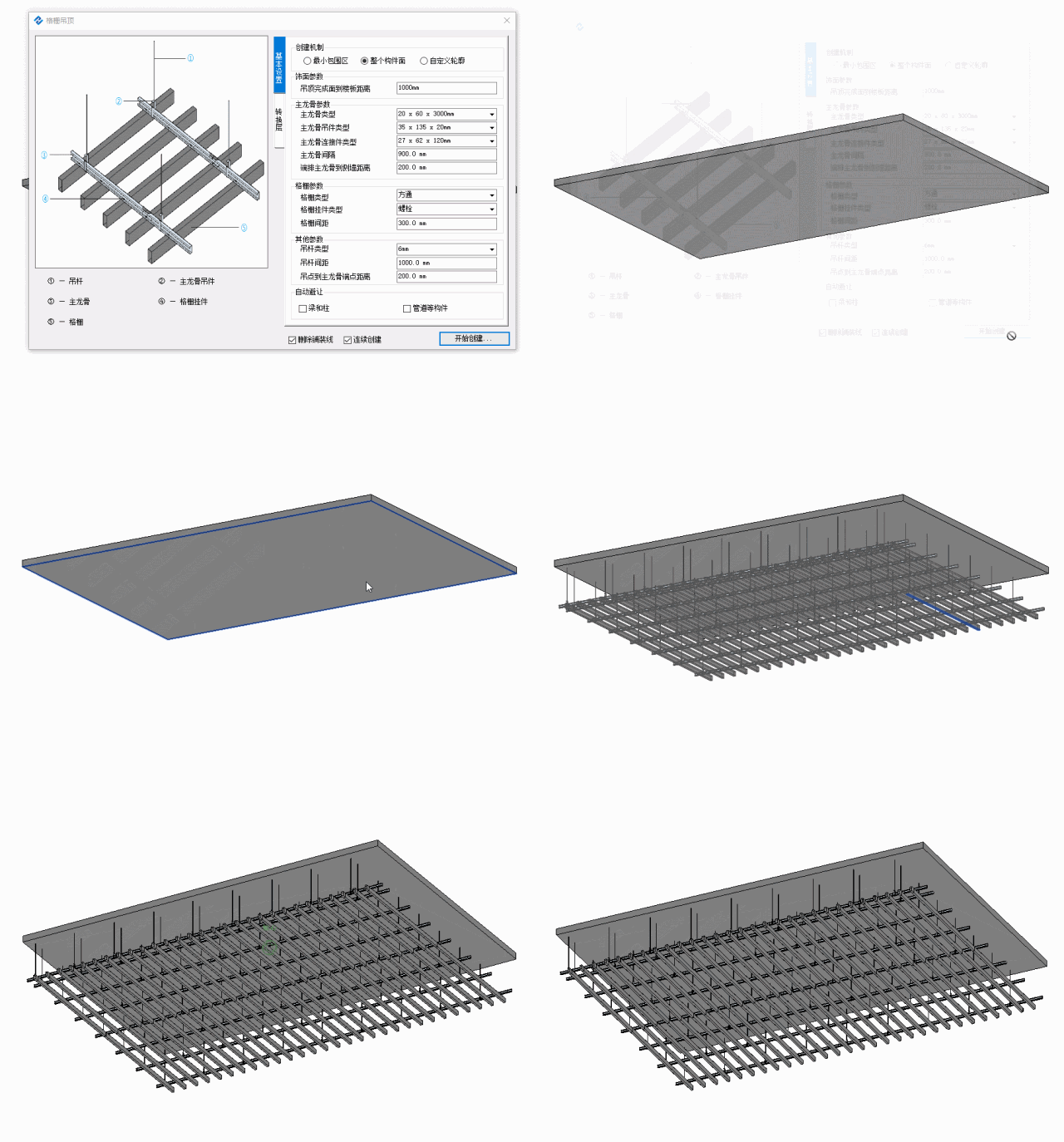
13. Grille Ceiling
Grille ceilings, widely used in various settings, can be generated with a single click using this software.
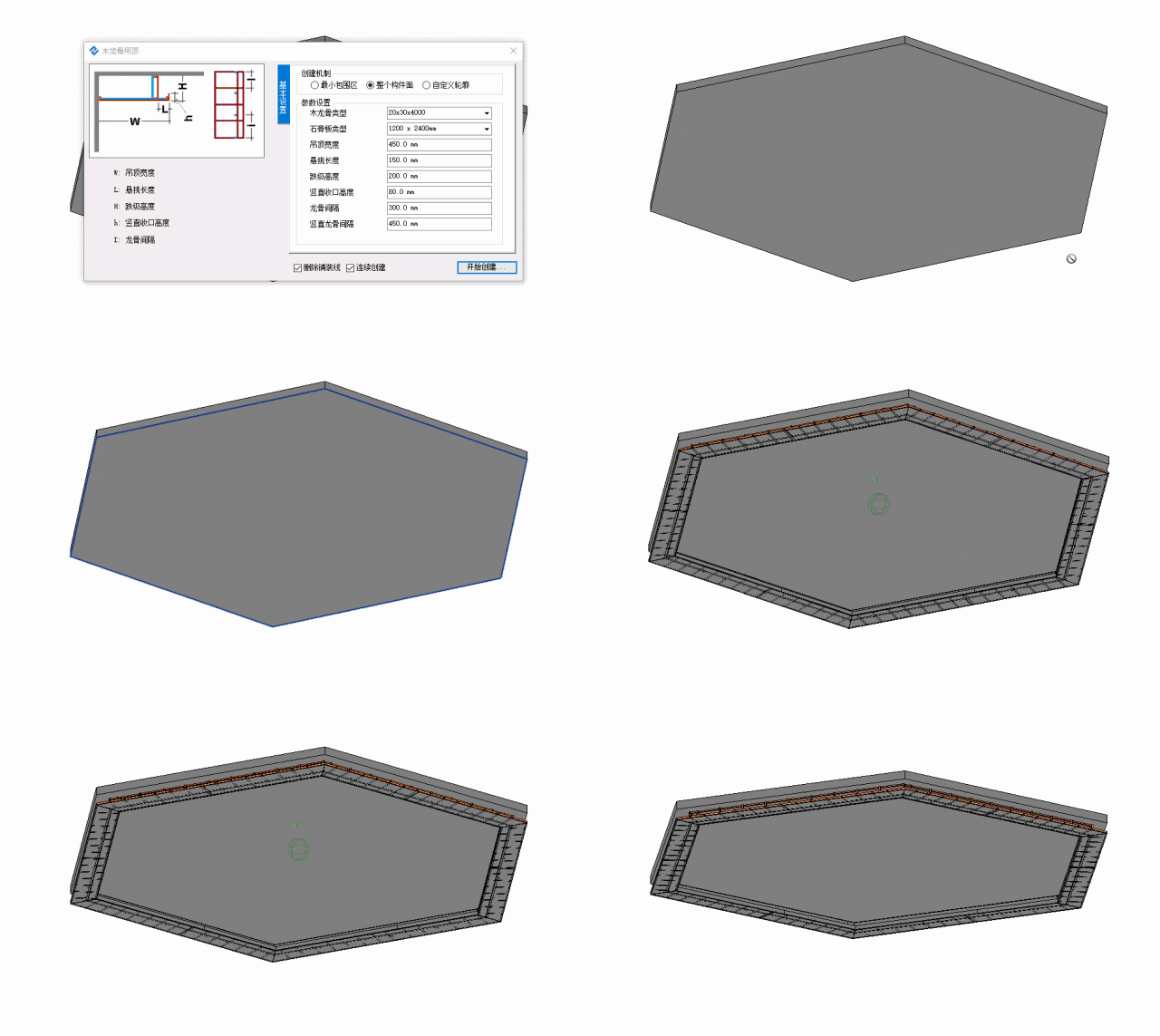
14. Wooden Keel Ceiling
Wooden keel ceilings, commonly used in home decoration, are fully supported. Ceilings of various shapes pose no problem.
15. Modification Function
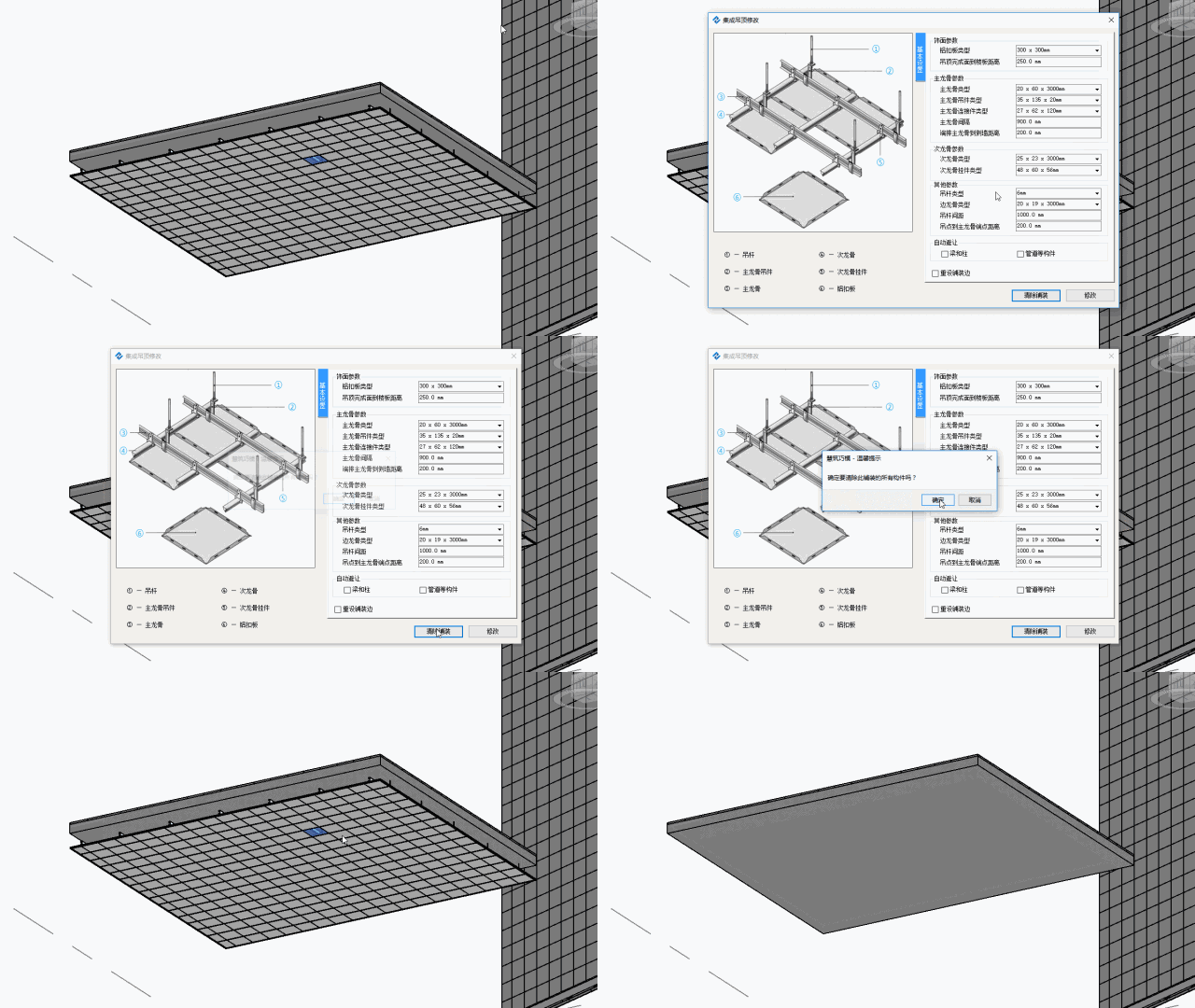
If you’re not satisfied with your paving design, simply use the modification function to adjust parameters and generate a new paving pattern. There’s also a “clear paving” option for quickly removing existing components. Floor tiles, wall tiles, dry hanging, and suspended ceilings all support this function.
16. Quantity Surveying
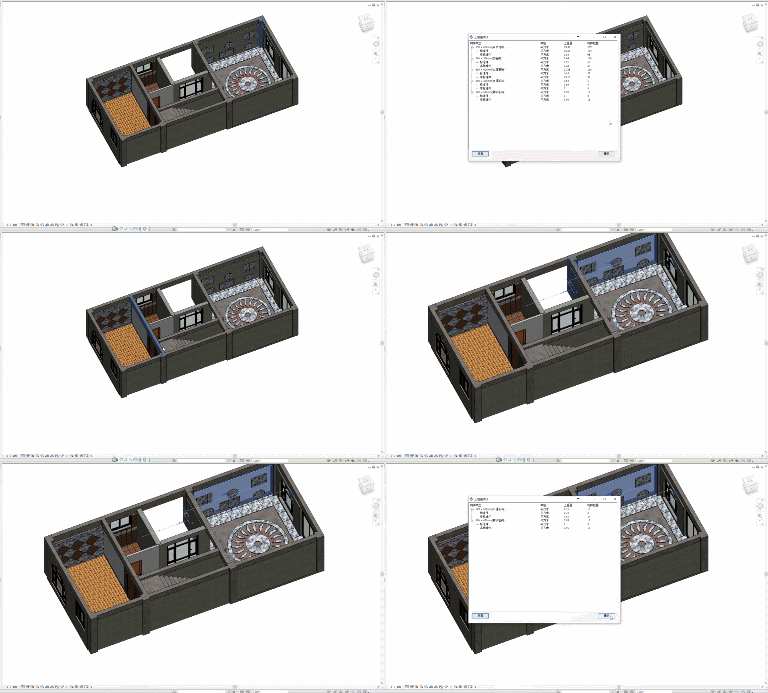
The quantity surveying feature easily counts components created during rapid modeling, such as the number of full bricks, partial bricks, ceiling hangers, and more.
Rendering and Node Diagrams
Next, enjoy the renderings and node diagrams created using our software.
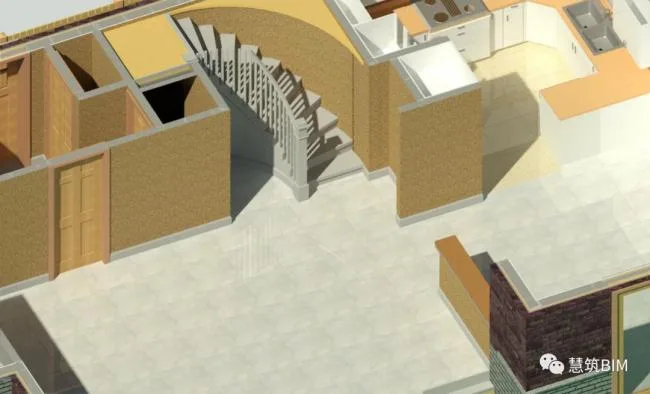
Floor Tile Rendering:
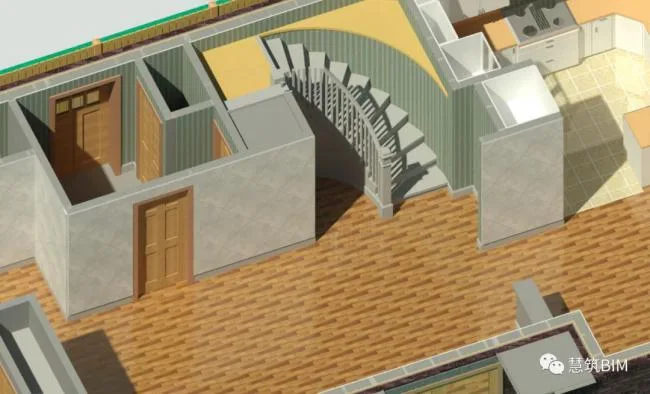
Wall Tiles and Wooden Flooring Renderings:
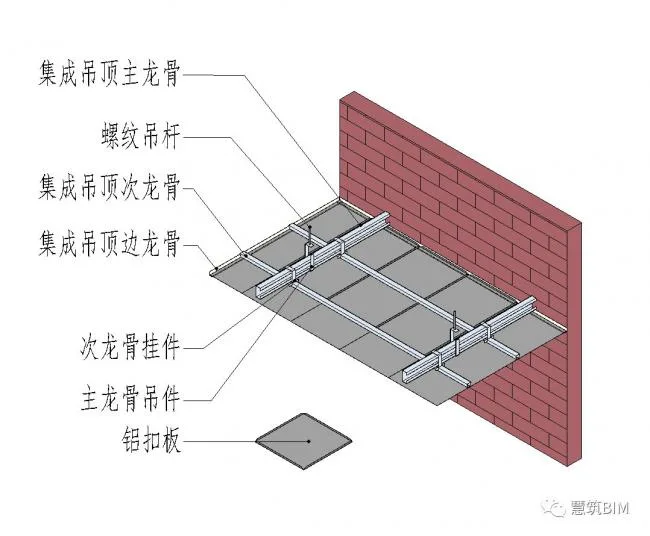
Integrated Ceiling Node Diagram:
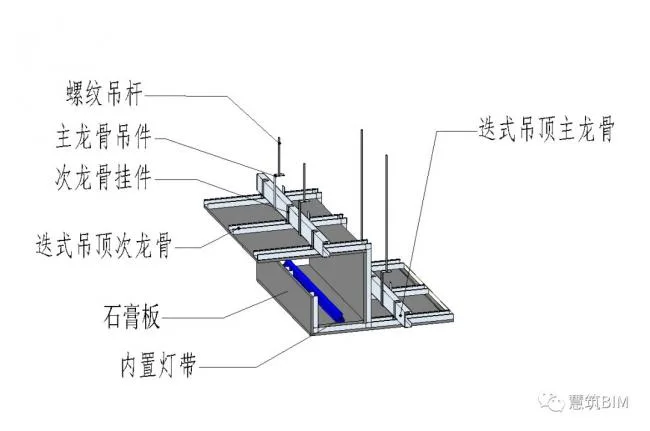
Dry Hanging Keel Node Diagram:
Node Diagram of Stacked Ceiling:












Must log in before commenting!
Sign Up