
Introducing Master of Modeling (PC) — a prefabricated concrete (PC) BIM design software built on the Revit platform. Officially released on October 24th, it has quickly attracted widespread attention, offering excellent solutions for prefabrication professionals. Master of Modeling (PC) supports Revit versions 2016 through 2019 and includes modules such as precast component splitting, assembly rate calculation, detailed precast component design, and component drawing, covering the entire prefabricated design workflow.
Enjoy a 15-day free trial upon your first activation!
Highlight One
Developed on the Revit Platform — No Need for Repeated Modeling
The software seamlessly integrates with most BIM models currently available on the market. Existing models can be used directly, eliminating the need to create new ones from scratch. Employees familiar with modeling can continue without retraining, significantly reducing the company’s investment in BIM resources.
Highlight Two
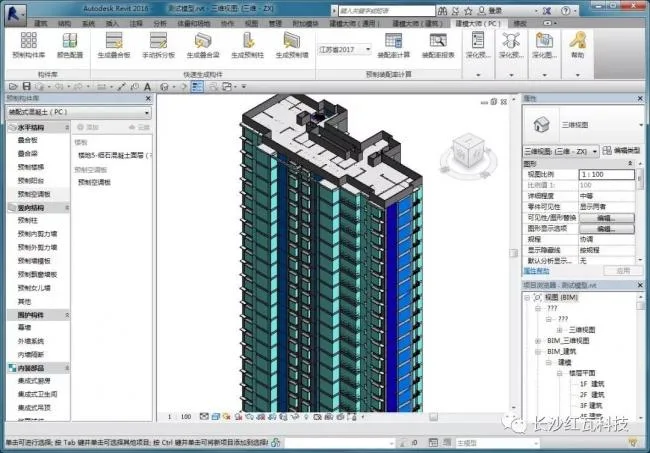
One-Click Generation of Prefabricated Components for Assembly-Based Rapid Modeling
Based on existing conventional Revit models, you can set parameters and automatically generate prefabricated components with just one click. Prefabricated components and cast-in-place components establish a shear connection automatically. This results in engineering quantity calculations that are far more accurate than manual methods.
Highlight Three
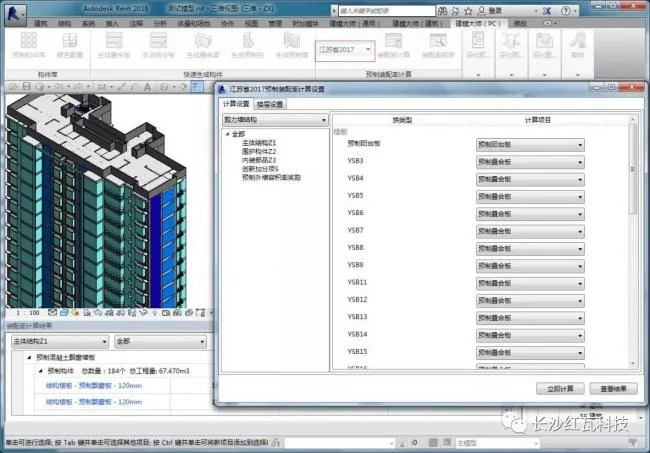
One-Click Assembly Rate Calculation Compliant with National and Regional Standards
This product is developed in accordance with national standards and assembly specifications across various provinces and cities. It adapts to different regional calculation requirements and delivers rapid results. Detailed calculation outputs support location-based queries, helping to prevent errors and omissions in engineering projects.
Highlight Four
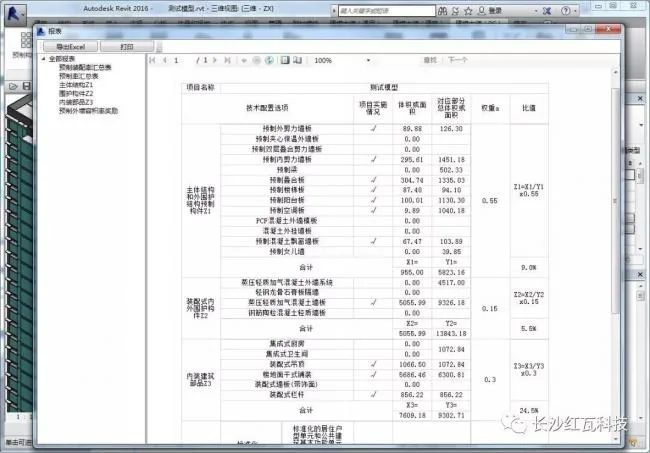
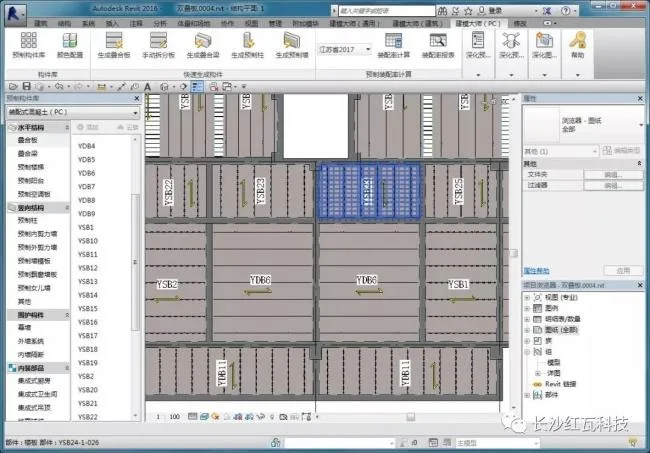
Dozens of Reports on Prefabricated Assembly Rates
Supports statistical viewing of various summary reports and detailed component reports. Complies with government regulations and allows direct access to prefabricated assembly rate data. Assembly rate reports can be exported directly as Excel files.
Highlight Five
One-Click Reinforcement Completion for Prefabricated Components
Quickly input reinforcement specifications, spacing, and related data, and adjust node parameters to easily complete reinforcement design for prefabricated components. After entering reinforcement details, solid steel bars are generated automatically. These steel bars can be flexibly adjusted using Revit’s native tools.
Highlight Six
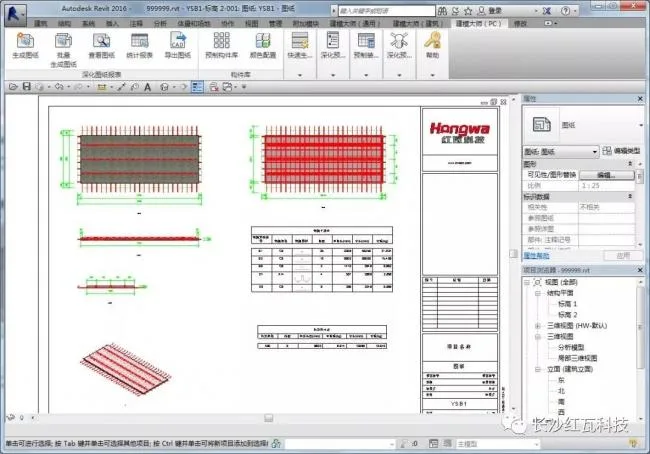
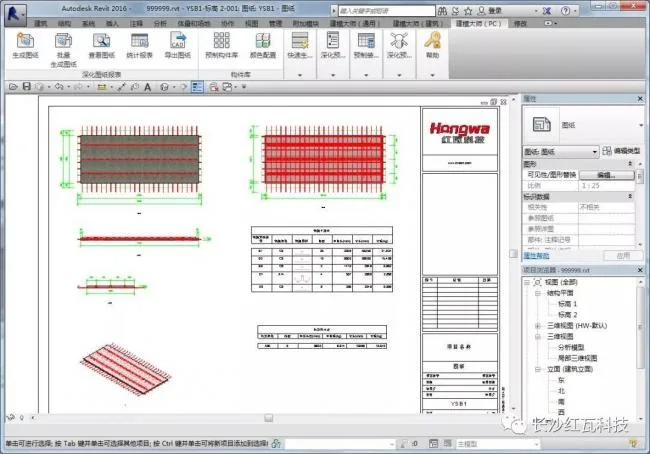
One-Click Drawing Generation with Automatic Views and Annotations
Supports single or batch drawing generation with real-time linkage between drawings and models. Quickly resolve issues in models or drawings without repeated regeneration. Automatically generates various view types based on standards or actual production needs and completes annotations automatically.
Highlight Seven
Quick Detailed Statistics of Prefabricated Components
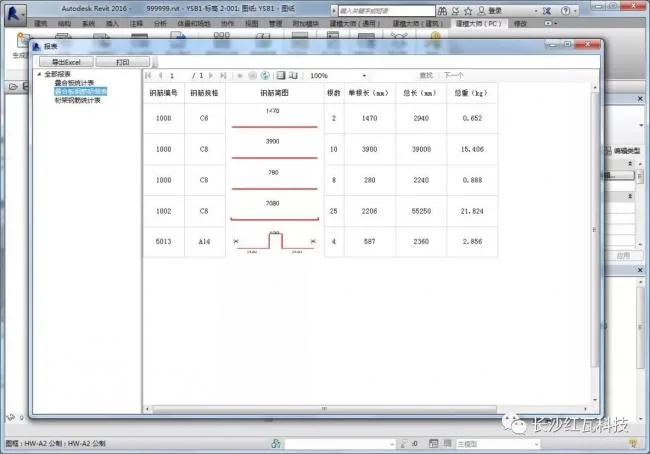
Supports detailed quantity statistics for prefabricated components, steel bar specifications, truss quantities, and embedded accessories. Excel export is supported, offering great convenience for processing and report generation.
Remember, you can try Master of Modeling (PC) free for 15 days upon first activation!












Must log in before commenting!
Sign Up