
Important Notes:
- The current version 360 may cause accidental data loss. Please use it with caution and trust it carefully.
- Windows 8 and Windows 10 users must run the program in administrator mode.
First, ensure you have installed the 3ds Max software, which currently supports up to version MAX2017.
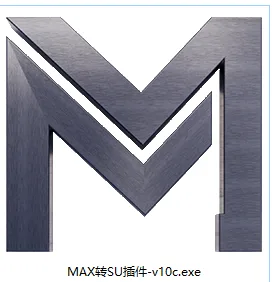
Next, double-click the installation icon as shown below:
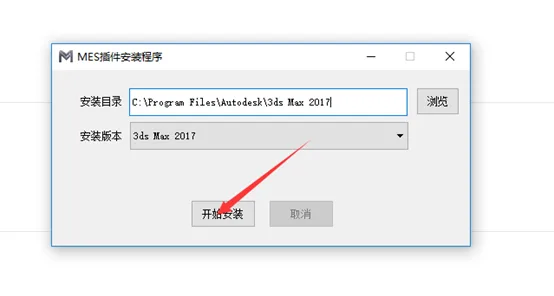
By default, the plugin will be installed into your 3ds Max directory. Click to begin the installation process as illustrated here:
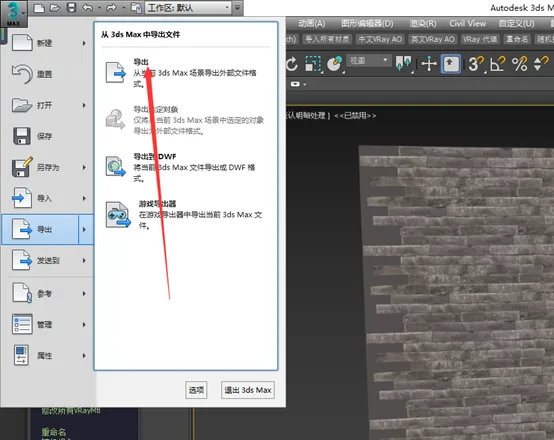
Open your 3ds Max model and select the export option, as shown below:
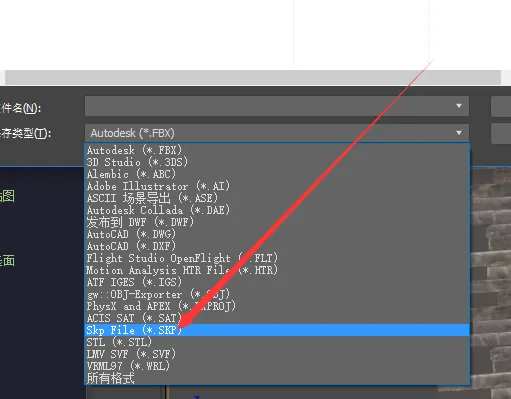
You will see the SKP format available in the export options, as displayed here:
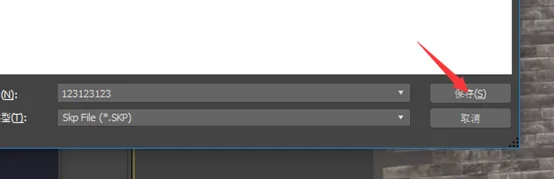
Enter a filename and click Save, as shown below:
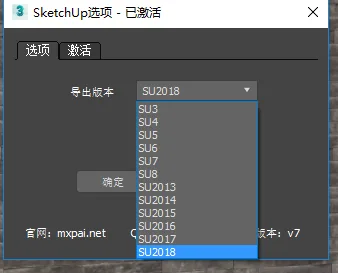
The export settings window will appear. Please set the export version accordingly, as demonstrated here:
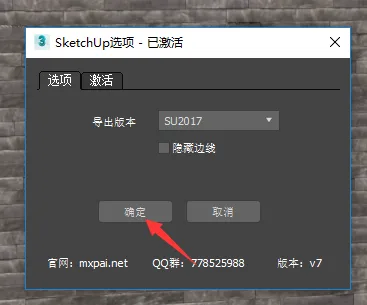
Click OK to start exporting, as shown below:
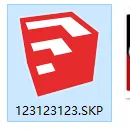
A progress prompt will appear during export. Once completed, the SKP file will be generated, as indicated here:
Key Advantages of the MAX to SU Plugin:
- Supports exporting MAX files of any size.
- Preserves all VRay materials accurately.
- Keeps the model clean and organized without breaking surfaces.
- The most efficient and compact model export plugin available.
Please note, if the model is very large, opening the SKP file might take some time. Please be patient. (It can handle files as large as 1GB.)
Update Highlights:
Material Mapping:
- Supports VRayLightMtl materials.
- Supports VRayMtl transparent materials.
- Supports VRayDirt texture mapping.
- Supports UV rotation.
- Fixes UV mapping errors.
Model Optimization:
- Intelligent model slimming.
- Automatic surface smoothing.
- Removes unnecessary lines on triangular surfaces.
- Fixes some surface damage issues.
Other Improvements:
- Supports exporting to SketchUp 2019 format.
- Contours are hidden by default.
- Multiple bugs have been fixed.












Must log in before commenting!
Sign Up