
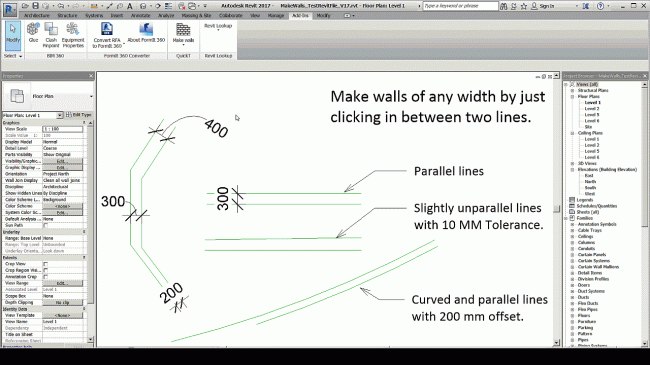
This tool allows users to create walls faster than ever before. Depending on the project, you can build walls in just a fraction of the time it would normally take a regular Autodesk® Revit® user to complete the task.
How it works: Make Walls operates by using pairs of parallel lines. The user selects a point between two parallel lines, and the application automatically drafts a wall along the shorter of the two lines. For example, if the distance between the two parallel lines is 250 mm, the tool calculates this distance and creates a wall along the shorter line.
Note: This app is free for students and educational use. Please contact support to request an educational copy of the plugin.
Benefits of this app:
- The user does not need to manually calculate the distance between two lines. The plugin automatically measures the distance and creates a wall with that exact thickness.
- If a wall of the specified width does not already exist, the plugin will automatically generate a wall of that width—you only need to enter the name of the new wall.
- The plugin offers two operating modes: create walls by selecting two lines or create walls by selecting a point between two lines.












Must log in before commenting!
Sign Up