
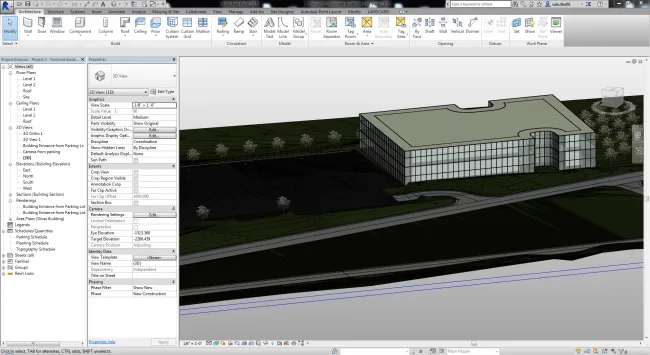
Autodesk® Revit® software’s Site Designer Extension enhances the workflow for architects, designers, and planners by facilitating clear communication of construction site planning concepts to engineers. This extension operates within the Revit environment, utilizing local families, components, and topological surfaces to integrate site design seamlessly into the overall building model.
With Site Designer, you can efficiently model large-scale grading, building foundations, streets, sidewalks, parking lots, and retaining walls. It simplifies the process of converting sketch lines into detailed site elements like roads, sidewalks, drainage ditches, retaining walls, and parking areas.
Editing tools allow you to manipulate site components by adjusting their position, elevation, slope, or geometry. The extension automatically updates and maintains the underlying topological surface, ensuring accuracy throughout the design process.
Site Designer offers robust reporting features, including area calculations, volume measurements, and cut-and-fill volume analysis. These tools help you understand the impact of site design changes on earthmoving and fill requirements.
By integrating the scoring function directly into the Revit model, iterative conceptual design produces more realistic visualizations of construction sites. This improves communication with engineers during the conceptual design phase, who often use Autodesk® AutoCAD® Civil 3D® Professional and other civil engineering software for detailed site design.
Sharing site plan designs with all stakeholders—including homeowners, architects, designers, planners, and civil engineering firms—enhances collaboration and clarity throughout the project.
To further improve teamwork, Site Designer supports sharing site models between Revit and Civil 3D via LandXML files. This interoperability strengthens collaboration between architects and engineers.
The extension accelerates the addition of design elements such as embankments and drainage depressions, significantly reducing the time required for extensive site development. It also allows exploration of alternative design solutions during planning and development phases.
Site Designer’s special terrain features offer parameters to control width, slope cutting and filling, and other projection settings. When positioning hardscape components like streets, intersections, sidewalks, roadsides, and walls, the extension ensures they follow the existing terrain, controlling elevation and slopes while maintaining the terrain surface automatically.
![BIM Plugin | Site Designer Extension for Revit [Revit Quickly Create Terrain] Download](https://bim5.com/wp-content/uploads/2019/09/d927cce97e4fb47.webp)
![BIM Plugin | Site Designer Extension for Revit [Revit Quickly Create Terrain] Download](https://bim5.com/wp-content/uploads/2019/09/7fefc129608d600.webp)












Must log in before commenting!
Sign Up