
![BIM Plugin | 3dPDF Exporter for Revit [Revit Export PDF] Download](https://bim5.com/wp-content/uploads/2019/11/91965f49ef70ca4.webp)
The 3DPDF Exporter for Revit allows you to export solids and wireframes into a 3D PDF file effortlessly.
Key Features:
- Supports both body and surface colors.
- Enables password protection for the exported PDF files.
- Provides options to control file size and quality by adjusting precision settings.
- Includes default compression to minimize file size as much as possible.
- The trial version offers full functionality without restrictions; activation is required after the trial period.
How to Export 3D PDF from Revit:
1. Navigate to the desired 3D view and click Export under the add-ons menu.
![BIM Plugin | 3dPDF Exporter for Revit [Revit Export PDF] Download](https://bim5.com/wp-content/uploads/2019/09/9798a0361ab769c.webp)
2. Choose the destination folder where you want to save the file.
![BIM Plugin | 3dPDF Exporter for Revit [Revit Export PDF] Download](https://bim5.com/wp-content/uploads/2019/09/6bb08fe99d533d9.webp)
3. The file will be saved successfully.
![BIM Plugin | 3dPDF Exporter for Revit [Revit Export PDF] Download](https://bim5.com/wp-content/uploads/2019/09/69e33e347edf4fc.webp)
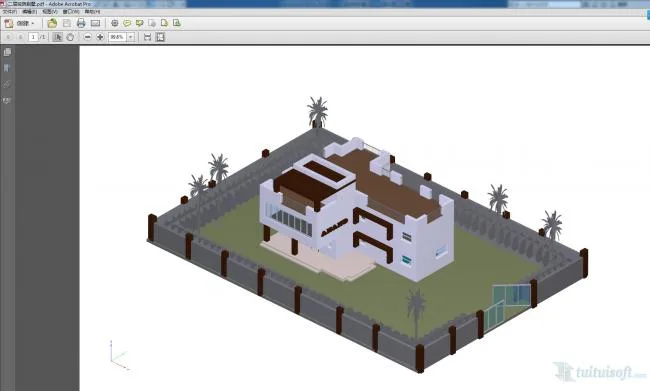
4. Open and view your exported 3D PDF.












Tell me I don’t have license information and can’t use it. How can I get the license information.
Click on the trial plugin to access all its features.
Is there a version requirement? Why is mine not easy to use and prompts for licenses
The version has requirements.
What’s the reason why I can’t use it after downloading
The plugin is functioning properly and can be used.