
Instructions for Use:
- This plugin is compatible only with the 2016 version. Other versions have not been tested and may not function properly. Please follow these instructions strictly. Unsupported methods cannot guarantee correct operation.
- Please adhere to the following steps for placing files and folders:
Add the YouFu bimTool folder
![BIM Plugin | Blessed BIM [Blessed One Click Deduction Plugin] Download](https://bim5.com/wp-content/uploads/2019/09/19e597d31b8ade3.webp)
Place this folder on your desktop. The folder should always remain on the desktop. Additional features will be developed and released for free use in the future. Please do not delete this folder.
The folder contains four files:
![BIM Plugin | Blessed BIM [Blessed One Click Deduction Plugin] Download](https://bim5.com/wp-content/uploads/2019/09/ac242072fde4a3b.webp)
Place cut.addin in the following path: C:ProgramDataAutodeskRevitAddins2016
This step registers the plugin with Revit. If you decide not to use this plugin, simply delete the file from this path.
- After you finish drawing the model, enter the floor number in the marking column.
![BIM Plugin | Blessed BIM [Blessed One Click Deduction Plugin] Download](https://bim5.com/wp-content/uploads/2019/09/ac0fb3aac69619e.webp)
- Open the YouFu automatic deduction tool by clicking on the plugin icon.
![BIM Plugin | Blessed BIM [Blessed One Click Deduction Plugin] Download](https://bim5.com/wp-content/uploads/2019/09/eda2875dafcc71d.webp)
Plugin location
- Enter the floor code in the specified attribute field.
![BIM Plugin | Blessed BIM [Blessed One Click Deduction Plugin] Download](https://bim5.com/wp-content/uploads/2019/09/775b4e9cbc01901.webp)
- The plugin will automatically calculate and deduct the quantities of all component types.
![BIM Plugin | Blessed BIM [Blessed One Click Deduction Plugin] Download](https://bim5.com/wp-content/uploads/2019/09/3ce836bf2be5451.webp)
The deduction order for this plugin is: structural columns > structural walls > structural slabs > structural beams > building walls.
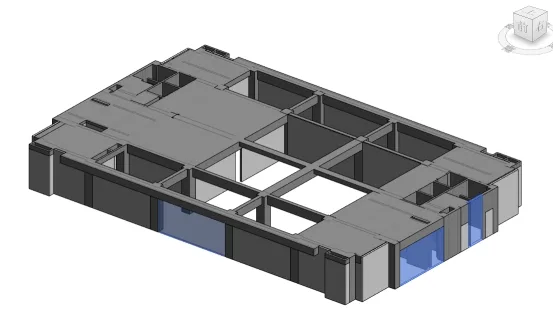
- Demonstration of the final results:
For this number of components, the process takes approximately 40 seconds to complete.












Must log in before commenting!
Sign Up