
Instructions for Use:
- The plugin is developed for Revit 2016. Other versions have not been tested, so please follow these instructions strictly. Unverified methods may not function properly.
- Follow these steps carefully to place the necessary files and folders:
- Add the YouFu bimTool folder:
 Place this folder directly on your C drive. Keep this folder intact as it will be used for future free features. Do not delete it.
 - The folder contains four files:
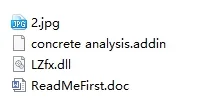
- Place the concrete analysis.addin file in the following directory:
C:ProgramDataAutodeskRevitAddins2016. This registers the plugin with Revit. To uninstall, simply delete this file from that folder.
- Run the plugin.
- Identify which floors require node concrete analysis based on your design drawings. Generally, the difference between column concrete and beam concrete strength should be 5MPa or greater.

The initial version of the plugin automatically recognized the Revit materials of beams and columns. However, since each model and material naming varies greatly, it was difficult to identify them accurately. The latest version relies on the design drawings instead. If a floor meets the criteria, you can proceed with node concrete calculations.
- Enter the requested information as prompted:
- Floor code in the tag bar
- Beam family height parameter name
- Beam family width parameter name
- Angle value used for level classification

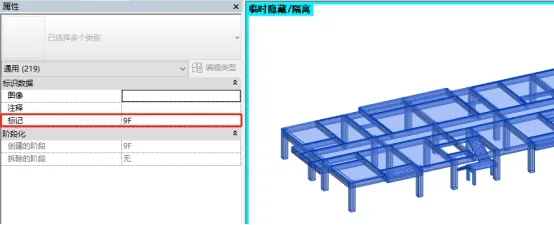
Make sure to name the floors you want to analyze consistently in the floor marking column.
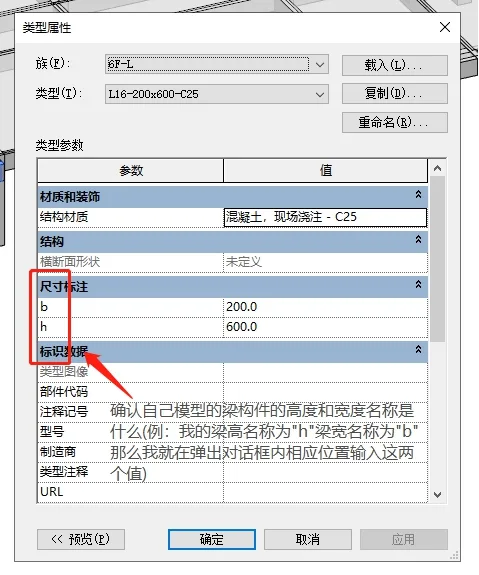
Since different beam families use different parameter names for height and width, you must input the correct parameter names yourself.
In the dialog box, enter the name of the beam height parameter in the second column. For example, if your beam height parameter is named h, type “h”. If it is called “beam height” in your family, then enter “beam height”.
Similarly, enter the beam width parameter name in the third column.
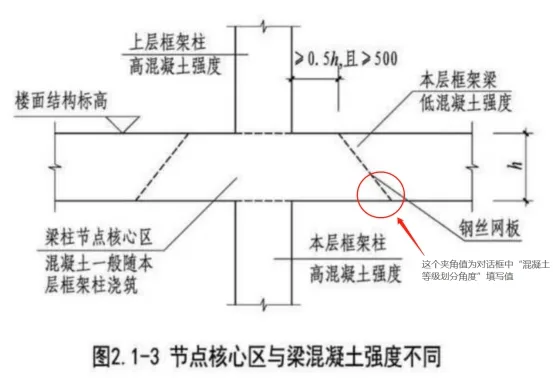
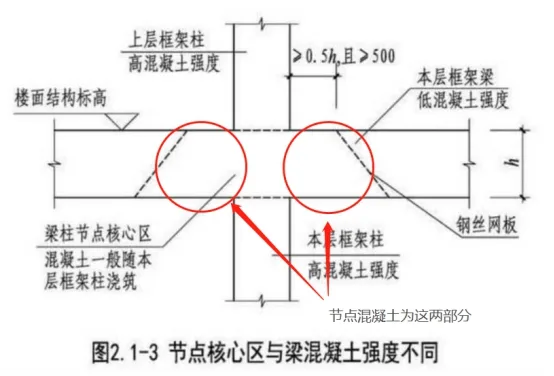
The fourth column is for the Classification Angle of High and Low Grades, which corresponds to the angle shown in the diagram below. This angle influences the final concrete quantity calculation — smaller angles result in larger quantities.
The author reviewed standard drawings but found no specific value. Some construction plans use 45 degrees, so it is recommended to choose an angle between 30 and 60 degrees.
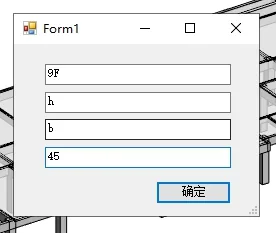
- The plugin will automatically count all structural columns and beams on the specified floor.
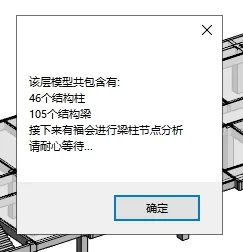
- The BIM Beam and Column Analysis Plugin has successfully completed its run.

The price difference, calculated by multiplying the concrete volume by its respective grade, represents the desired cost.
Diagram of Node Concrete Position












Must log in before commenting!
Sign Up